ADAPT-Revit 2025 Link Now Available
RISA is pleased to announce the release of the latest ADAPT-Revit Link which is compatible with Revit 2025. The ADAPT-Revit Link v25.0 allows...

Try the Complete RISA Suite for
10 Days FREE

RISA Education

Video Library

Online Help

Get Support

About Us

RISA is pleased to announce the release of the latest ADAPT-Revit Link which includes compatibility with Revit 2023. The ADAPT-Revit Link v23.0 allows seamless integration between ADAPT-Builder and Autodesk Revit. This version of the link also includes updates to the round-tripping process due to Revit’s new workflow for structural analysis.
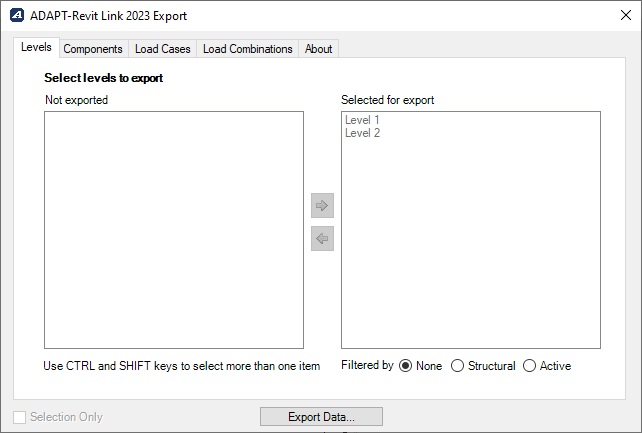
The ADAPT-Revit link utilizes Revit’s analytical model to transfer members between the programs. However, with the release of the latest iteration of the workflow, Revit no longer automatically creates an analytical model when drawing physical members. Instead Revit 2023 introduced a new tool called "Analytical Automation" to help convert the physical members to analytical members. This automation works for most physical member element types in Revit. But for members, such as foundation elements, that are not converted during Revit's "Analytical Automation", the user has to manually generate the analytical member. As always, users must create the analytical model in Revit 2023 before using the ADAPT-Revit link to transfer model information to ADAPT-Builder.
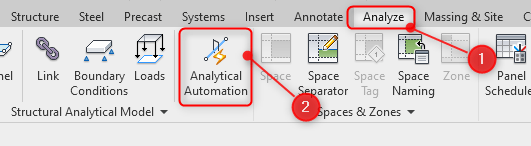
To transfer models from Revit 2023 into ADAPT-Builder, generate the analytical model by selecting the Analyze tab then Analytical Automation in Revit 2023.
A separate window will populate to start generating the analytical model.
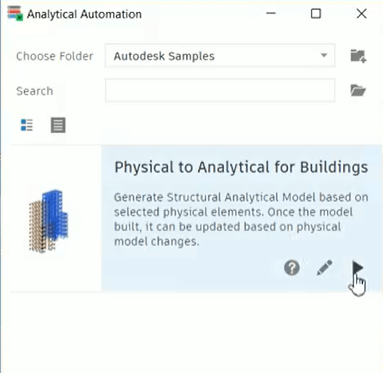
Follow the tool’s prompts to select the Revit members and create an analytical model. For more information about Revit's "Analytical Automation", visit the link below.

Now you should have your analytical model ready to use our ADAPT-Revit link.
The ADAPT-Revit Link v23.0 requires the latest versions of ADAPT-Builder v22.0.0.
To download the latest version, visit the link below.

RISA is pleased to announce the release of the latest ADAPT-Revit Link which is compatible with Revit 2025. The ADAPT-Revit Link v25.0 allows...

RISA is pleased to announce the release of the latest ADAPT-Revit Link which is compatible with Revit 2024. The ADAPT-Revit Link v24.0 allows...

RISA is pleased to announce the release of the latest RISA-Revit Link which includes compatibility with Revit 2023. The RISA-Revit Link v23.0...