 By: Admin
Mechanically Graded Wood Design now Available
Mechanically graded wood materials have been added for the AWC NDS 2015 design code per Table 4C, and CSA O86-14 design code per tables 6.3.2 and...

Try the Complete RISA Suite for
10 Days FREE

RISA Education

Video Library

Online Help

Get Support

About Us
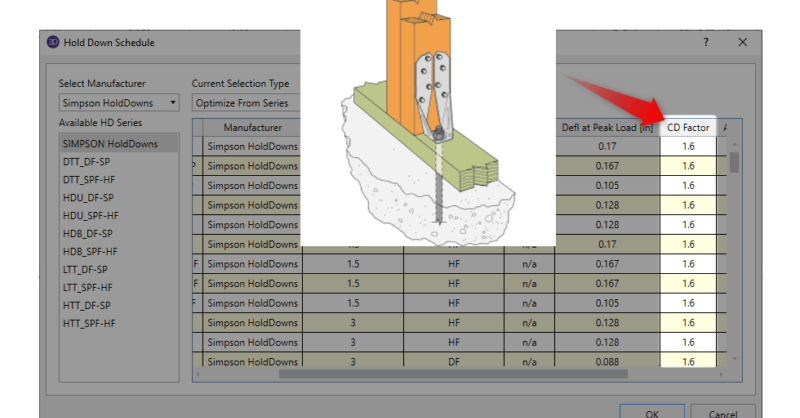
If you have utilized Hold-Down's in RISA-3D, you have mostly likely noticed that a value of CD is reported for each selection in the database. However, it may not be clear how it is being used?
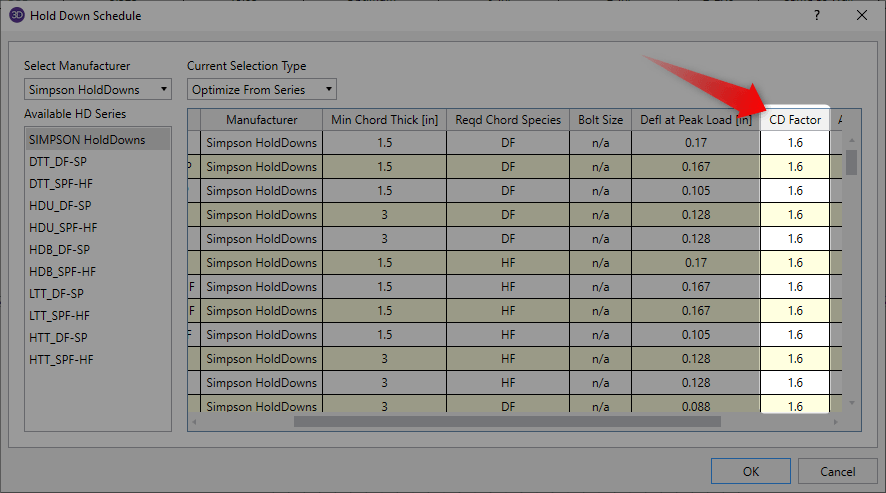
The CD factor that is reported here actually represents the CD factor that is already built into the allowable tension values that are presented in the Hold-Down schedules. Simpson states the following in their “Holdown and Tension Tie General Notes” section:

Therefore the allowable tension values that are shown in the database tables have already been modified by the CD factor shown. This also allows the Hold-Down schedule in RISA-3D to be easily comparable to the tabulated values in the Simpson load tables since they also have this factor built in.
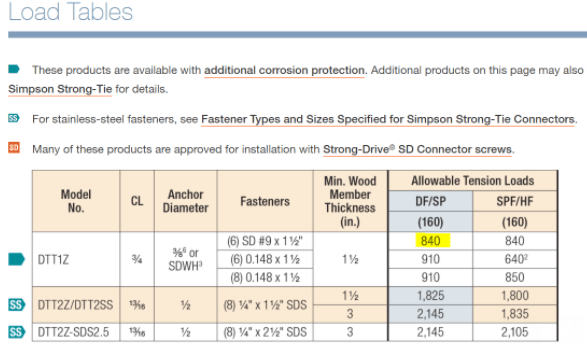
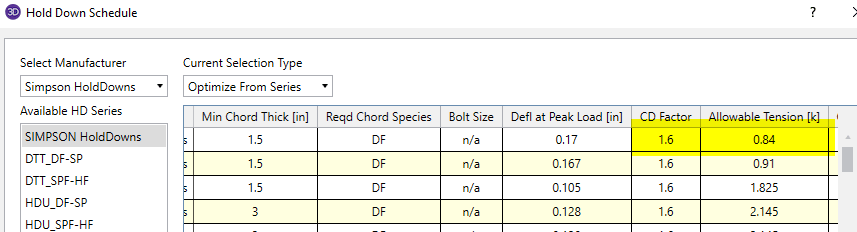
The obvious question then becomes “what happens if for your specific load combination you have a CD factor other than what is built into this Allowable Tension value”?
RISA-3D actually handles this situation in a very straightforward manner. In the load combination spreadsheet, within the Design tab, you can specify the appropriate CD factor for that load combination.
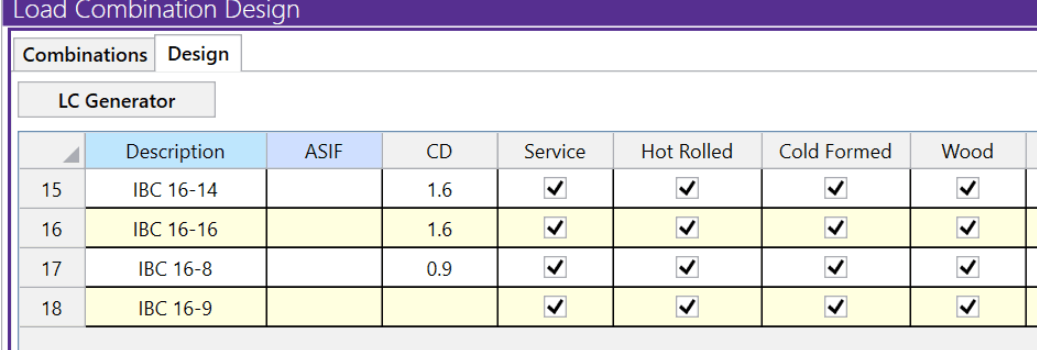
RISA-3D will then adjust the Hold-Down capacity by taking a ratio of the CD factor that you input in the load combination and the CD factor that is noted in the schedule. The following example will help further demonstrate how the program handles this.
Here we have two load combinations with different CD factors.

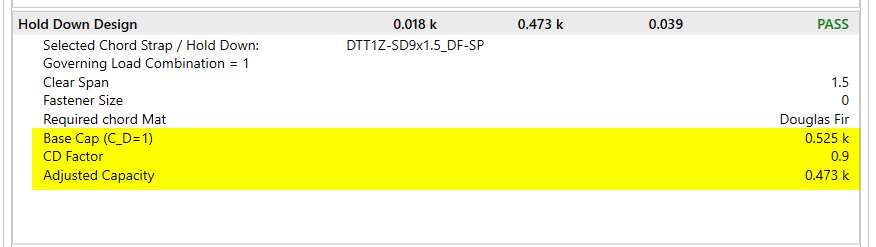
For the same wall panel, the program will adjust the capacity of the wall Hold-Downs according to the CD factor that is specified in the load combinations. When solving load combination 1 with a specified CD factor of 0.9 shown above, you will see this CD factor displayed in the detail report along with the corresponding adjusted capacity. For reference, the program will always display the base capacity of the Hold-Down which is when CD=1.
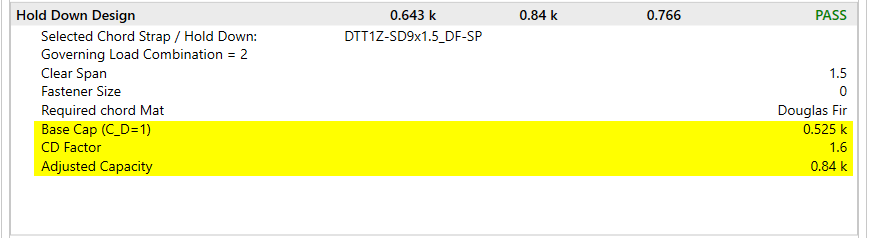
When solving load combination 2 with a specified CD factor of 1.6, you will see this capacity adjusted accordingly for the same selected Hold-Down.
Mechanically graded wood materials have been added for the AWC NDS 2015 design code per Table 4C, and CSA O86-14 design code per tables 6.3.2 and...
The new AWC NDS 2018 code has been implemented into RISA-3D v17.0 and RISAFloor v13.0. To select this code for your design, simply choose this...
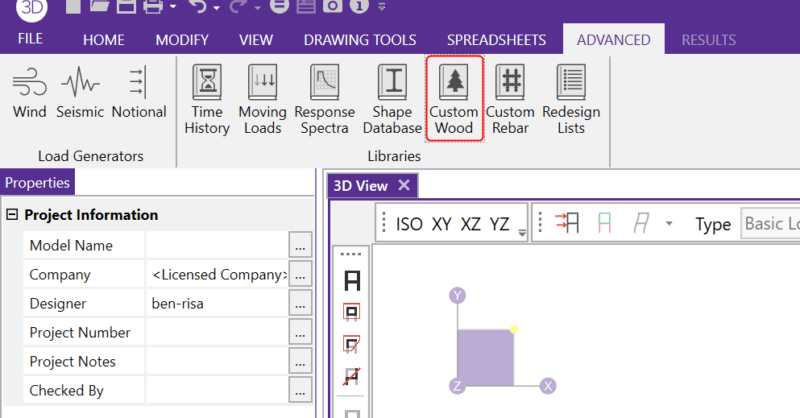
In RISA-3D and RISAFloor, the entire NDS species list is available as well as glulam materials but you may need to design a wood product that is...