How to Create an Engineered Wood Material
In RISA-3D and RISAFloor, the entire NDS species list is available as well as glulam materials but you may need to design a wood product that is...

Try the Complete RISA Suite for
10 Days FREE

RISA Education

Video Library

Online Help

Get Support

About Us
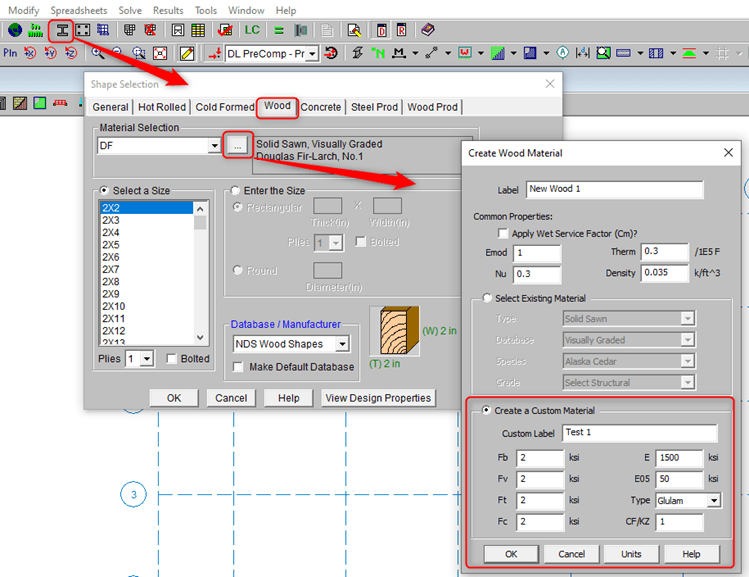
In RISAFloor (and RISA-3D), the entire NDS species list is available as well as glulam materials but you may need to design a wood product that is not available in the program. In RISAFloor, you can create custom wood materials and wood schedules. Save these to your RISA databases and then your custom wood materials can be read in RISAFloor and RISA-3D.
Three typical ways to create custom wood material in RISAFloor
OPTION 1: Choose the Shape Selection Tool. Navigate to the Wood tab. Create Wood Material under Material Selection by clicking the ellipsis.
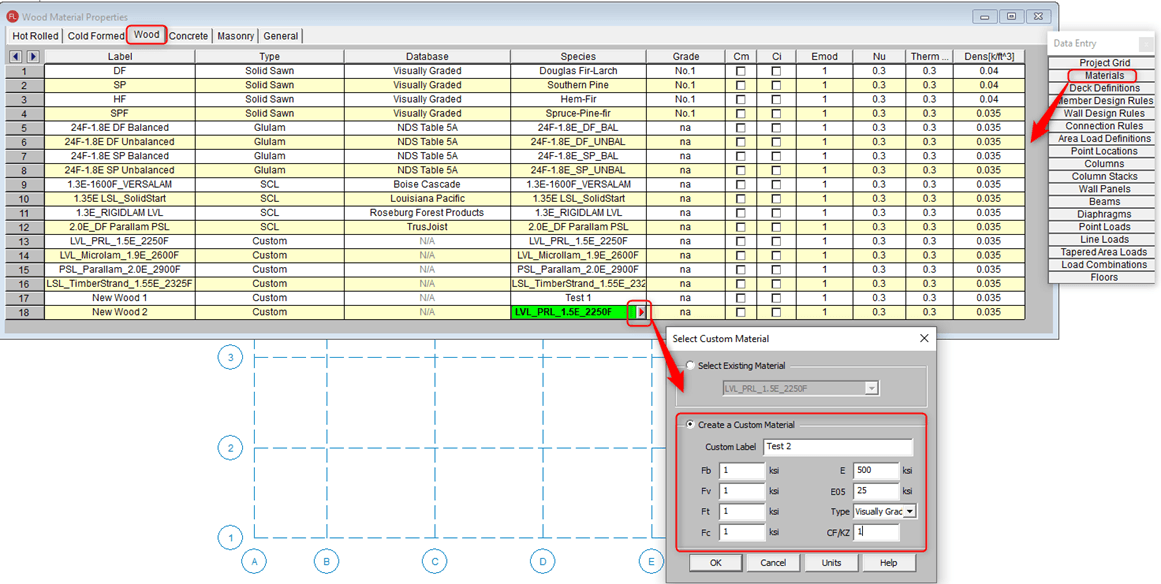
OPTION 2: Choose the Materials Spreadsheet from your Data Entry Spreadsheets. Click the red arrow to open the Select Custom Material window. Enter your custom material properties.
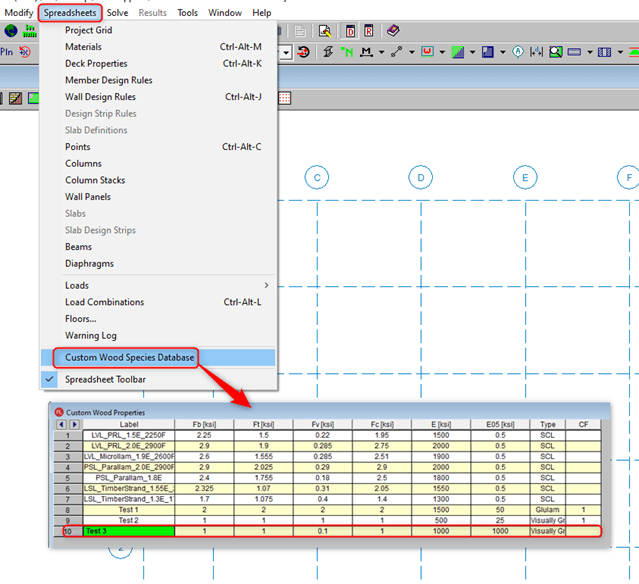
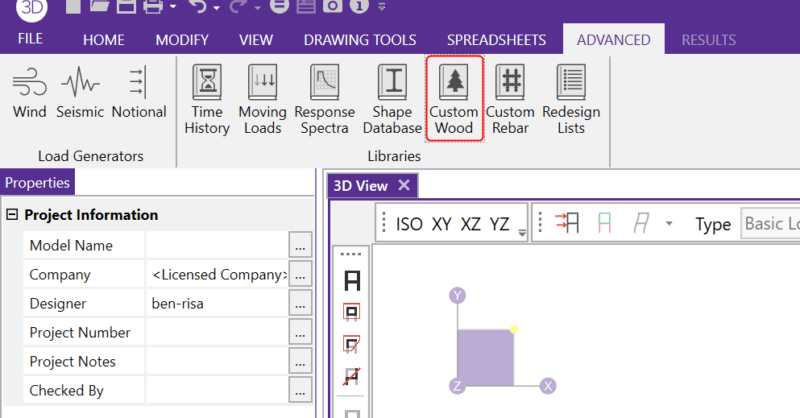
OPTION 3: Enter custom wood material in the toolbar Spreadsheets. Choose Custom Wood Species Database. Enter your custom wood properties here.
Each database of wall panels is specified by an XML file in the "Shear Panels" sub-directory of the Wood Wall panels directory. This directory is located based on the information in the File Locations tab of the Application Settings dialog (By default C: Drive > RISA User Data >%username > Wood Schedules).
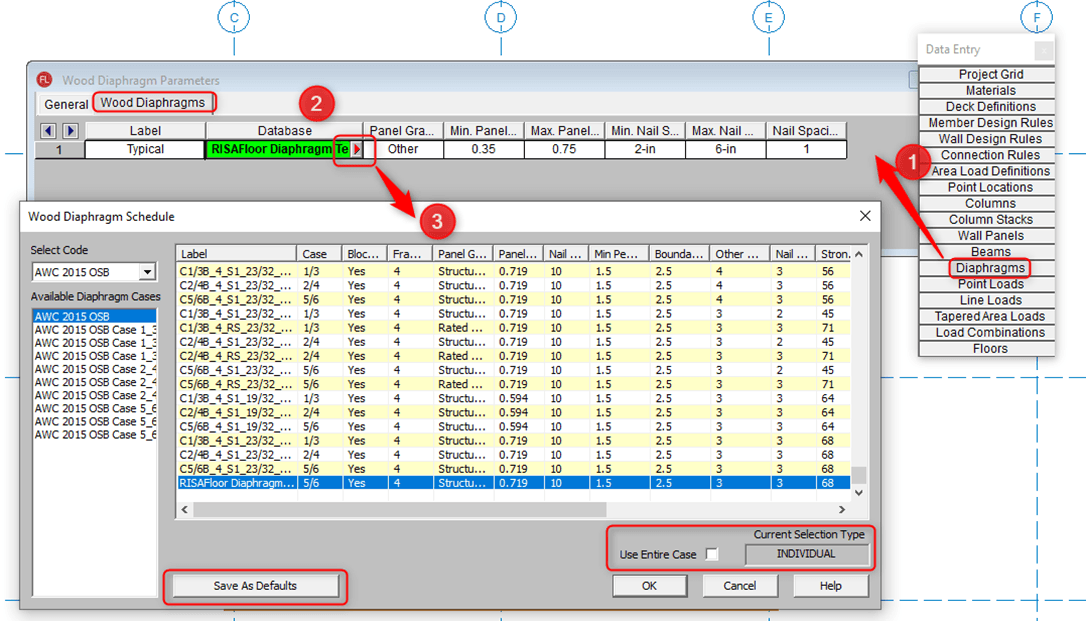
Edit wood schedule information for: Diaphragms, HoldDowns, I-Joists, Shear Panels, and Straps
For example, edit your Wood Diaphragm Spreadsheet by choosing it from the Data Entry spreadsheets.
Similarly, edit your Sheathing Panels Schedule by choosing the Wall Design Rules spreadsheet in the Data Entry spreadsheets.
OPTION 1: Choose from existing database.
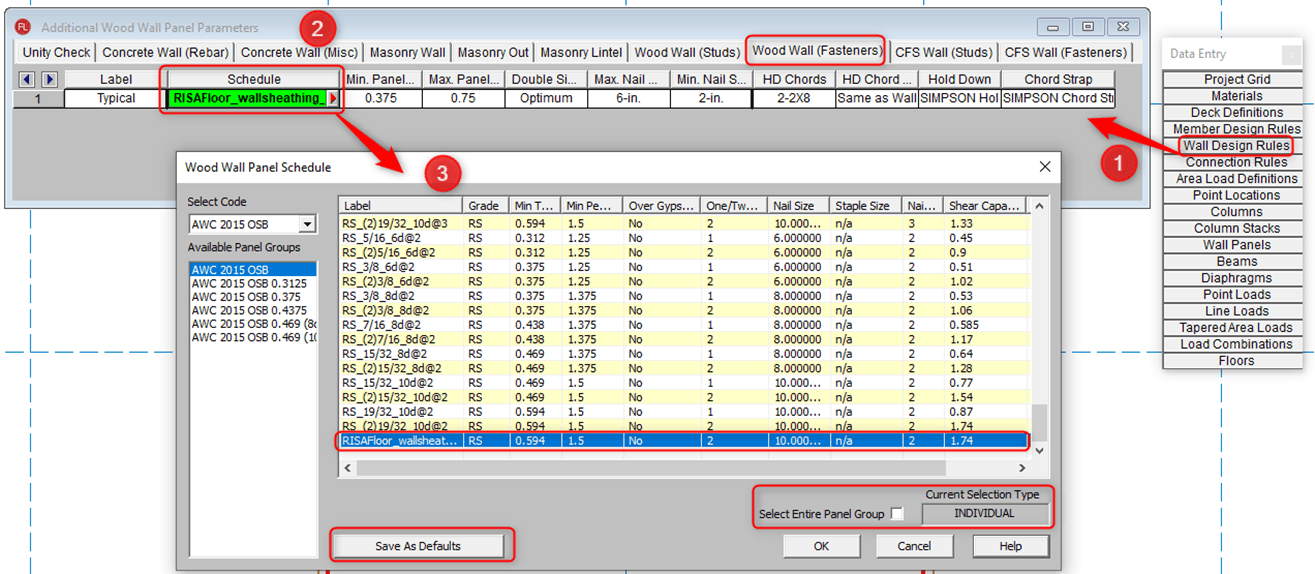
OPTION 2: Add a custom group to an existing database. Open existing xml file in Excel. Add new tab with your Custom wood panel sheathing.

OPTION 3: Add a custom wood panel sheathing spreadsheet to the file location folder. Assign custom code name to your custom sheathing panel databases.
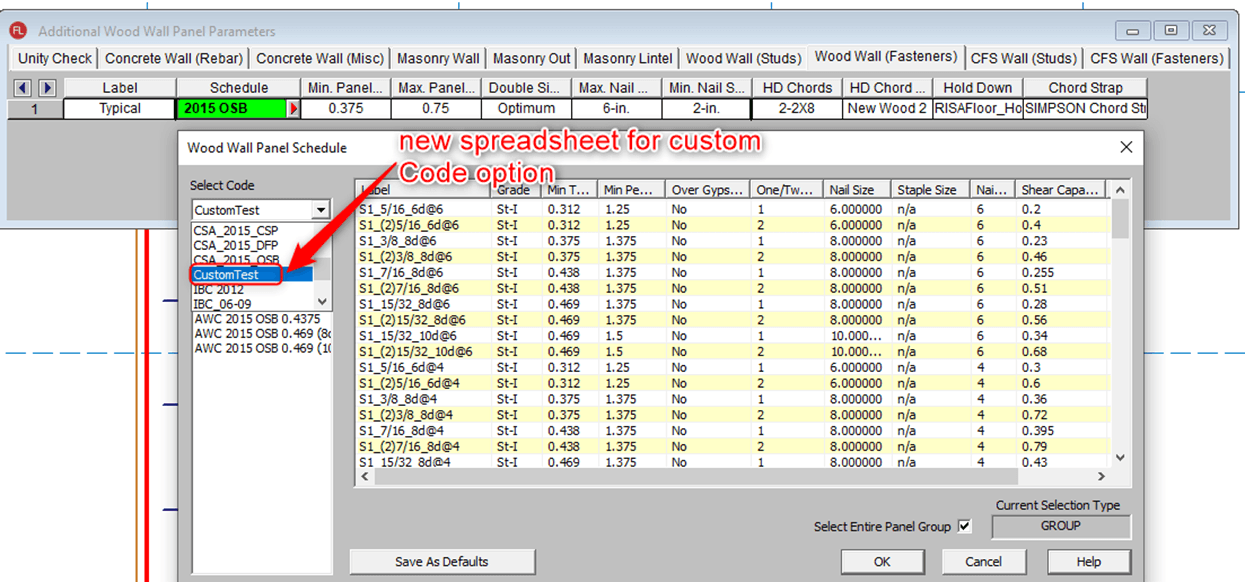
For more information about wood shear walls, click the link below to visit our help file.
In RISA-3D and RISAFloor, the entire NDS species list is available as well as glulam materials but you may need to design a wood product that is...
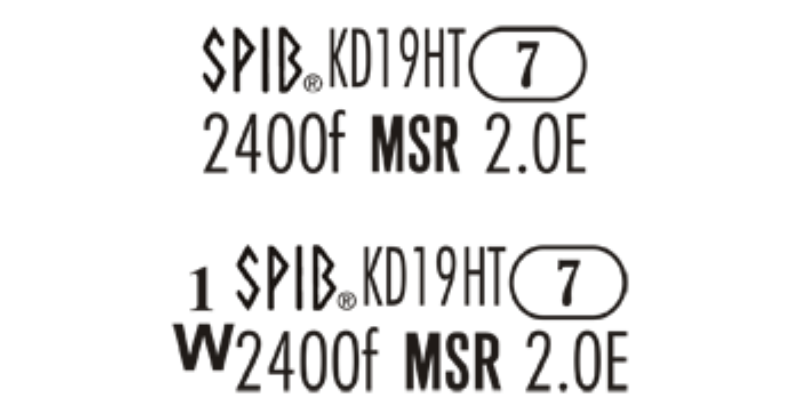
Mechanically graded wood materials have been added for the AWC NDS 2015 design code per Table 4C, and CSA O86-14 design code per tables 6.3.2 and...

With the recent release of RISA-3D v17 the program now offers the user the option to use Chord Straps between floors of a wood shear wall building...