New Features in RISACore v22.0 Release
New features are now available in the recent release of RISACore (RISA-3D v22.0, RISAFloor v18.0, and RISAFoundation v16.0) . We are working...

Try the Complete RISA Suite for
10 Days FREE

RISA Education

Video Library

Online Help

Get Support

About Us
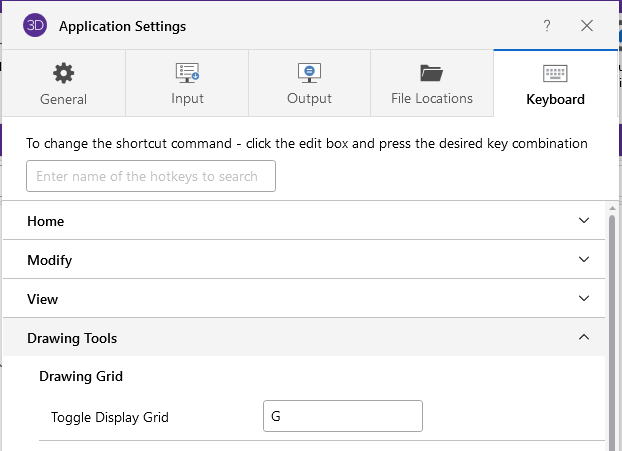
Looking to enhance your workflow and boost productivity in RISA-3D? In this latest release of RISA-3D v22, we've included customizable hot keys. From speeding up common tasks to streamlining your design process, customizable hot keys offer a plethora of benefits for users of all levels. Try out the new power of personalized shortcuts and discover how they can elevate your efficiency in RISA-3D.
Check out our default Hot Keys Cheat Sheet!
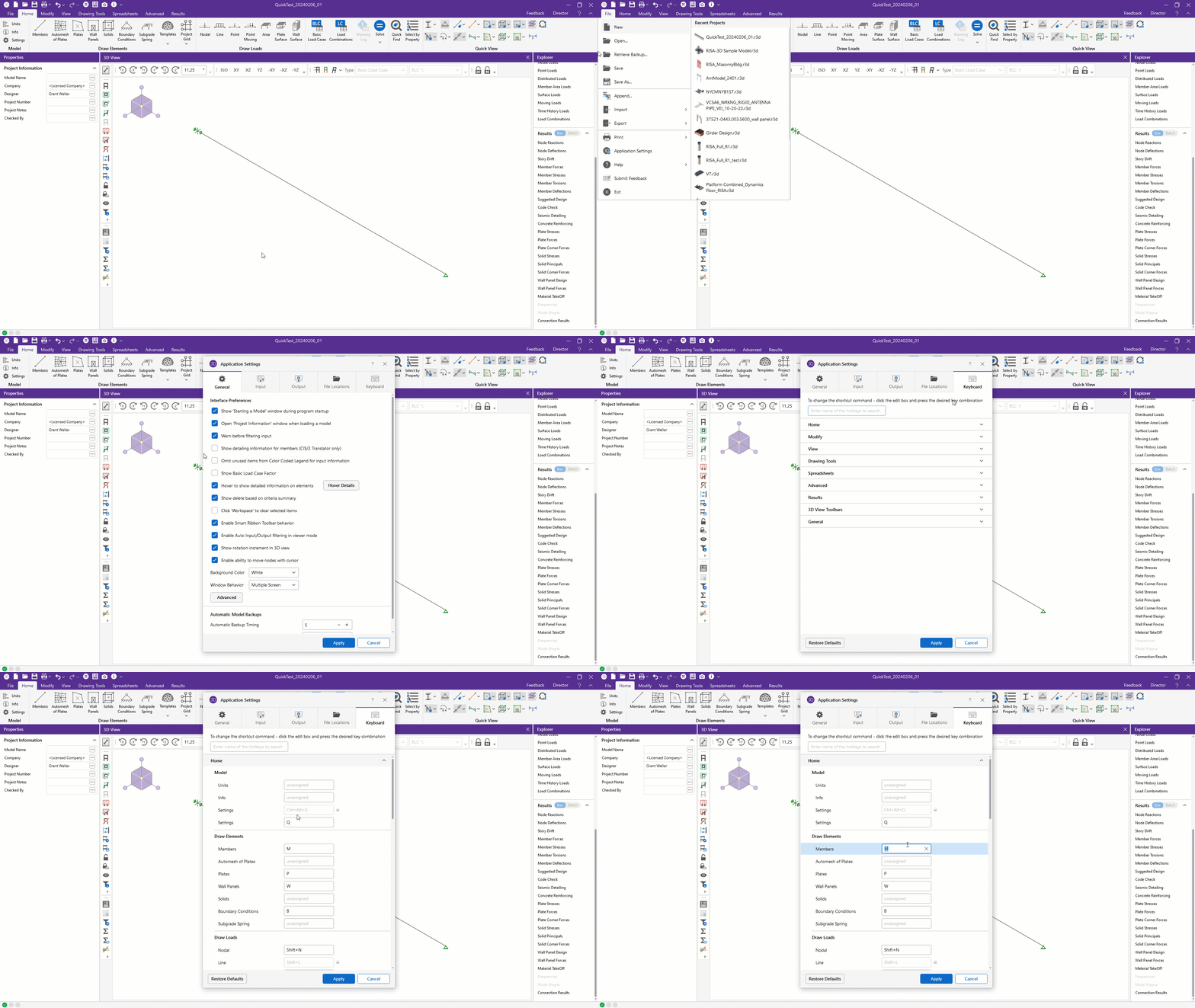
To edit the default hot keys for RISA-3D, click on the Keyboard section of your Application Settings:
New features are now available in the recent release of RISACore (RISA-3D v22.0, RISAFloor v18.0, and RISAFoundation v16.0) . We are working...
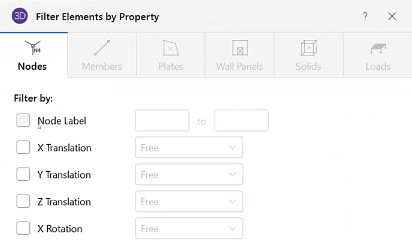
With the addition of Filter Elements by Property option in RISA-3D v21, the printed reports have been improved. In previous versions, you had to...
RISA-3D v21 now offers a modern user interface that allows users to more easily utilize the tools and features that make RISA-3D great....