 By: Admin
How to Define Steel Connections in RISAFloor & RISA-3D
One of the advantages of the RISA Building System is the ability to utilize and share model information (geometry, loading, etc.) between software...

Try the Complete RISA Suite for
10 Days FREE

RISA Education

Video Library

Online Help

Get Support

About Us
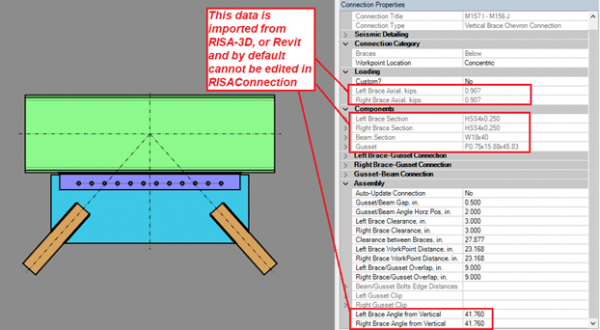
RISAFloor, RISA-3D, and Revit can export connection rule and loading information to streamline the design process for a project with numerous connections. This process helps to quickly create connections with the member shape, geometry, and loading information from the original program.
However, there may be times where you want to change some of the exported information. This is now available!
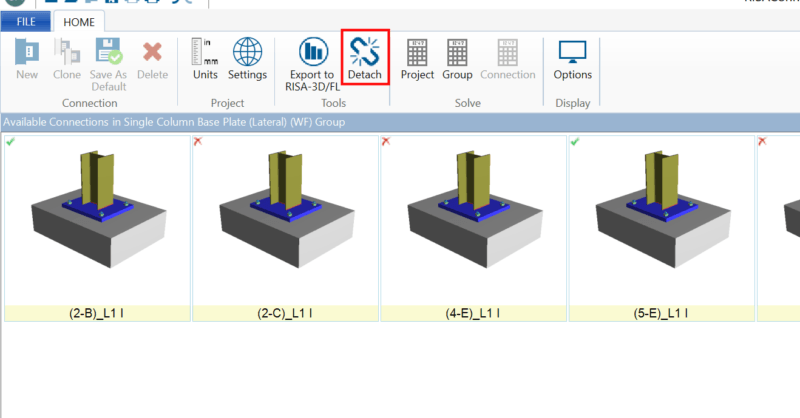
To take full control of your RISAConnection model, simply click on the Detach button on the Home tab of the ribbon toolbar:

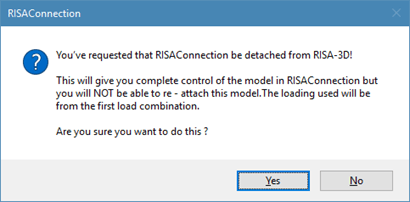
Once you click this, RISAConnection will present you with the following message to warn you that this will break connection with the original program (RISAFloor, RISA-3D, or Revit). Please note that you cannot re-attach a model once it is detached.
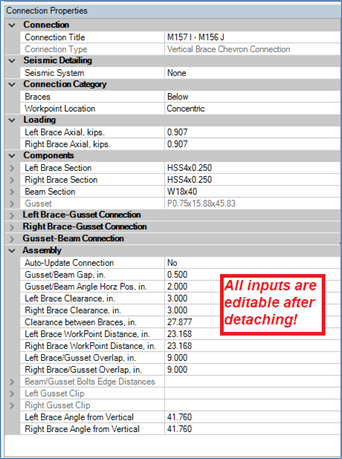
After it is detached, you now have full control over all of the inputs so you can fully customize the connections in your model!
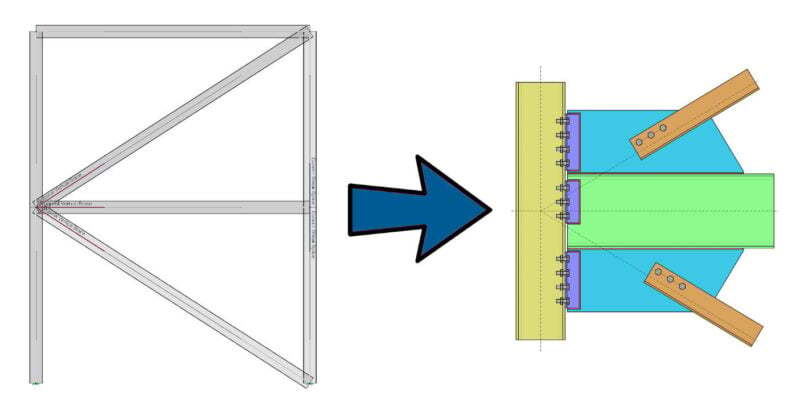
One of the advantages of the RISA Building System is the ability to utilize and share model information (geometry, loading, etc.) between software...
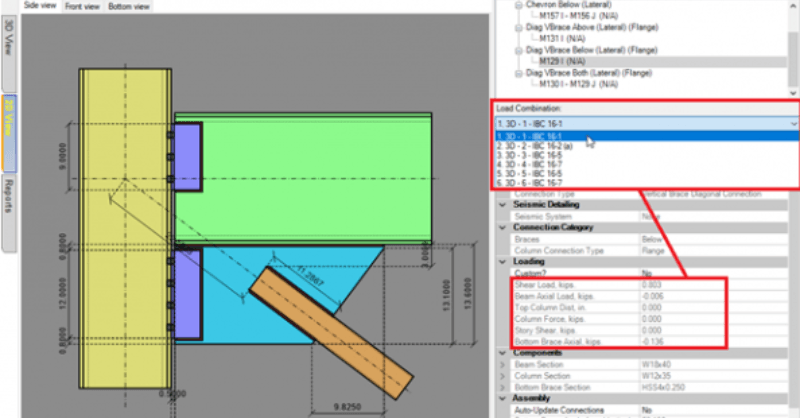
RISAConnection v7.0.1 includes the option for customized loading in an integrated RISAConnection model. If you have used RISA-3D or RISAFloor to...
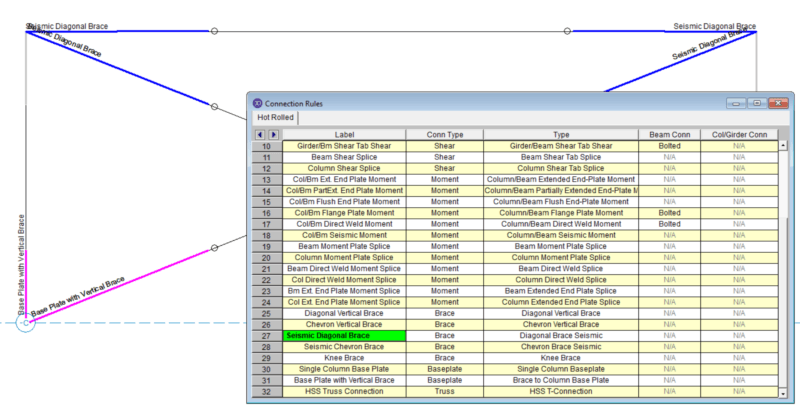
RISAConnection version 6.0 has introduced the ability to design vertical brace connections per the seismic design provisions of the AISC 341-10...