 By: Admin
Updates to Compile Report Settings in ADAPT-Builder
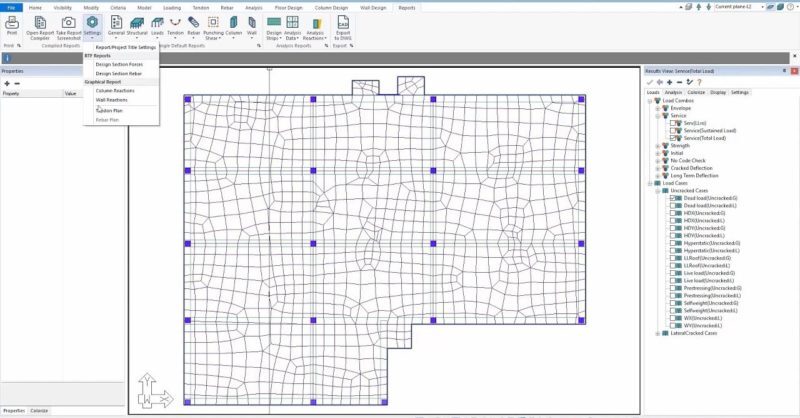
ADAPT-Builder 2020 includes new enhancements to the compile report settings allowing users to more quickly and easily create detailed reports. To...

Try the Complete RISA Suite for
10 Days FREE

RISA Education

Video Library

Online Help

Get Support

About Us
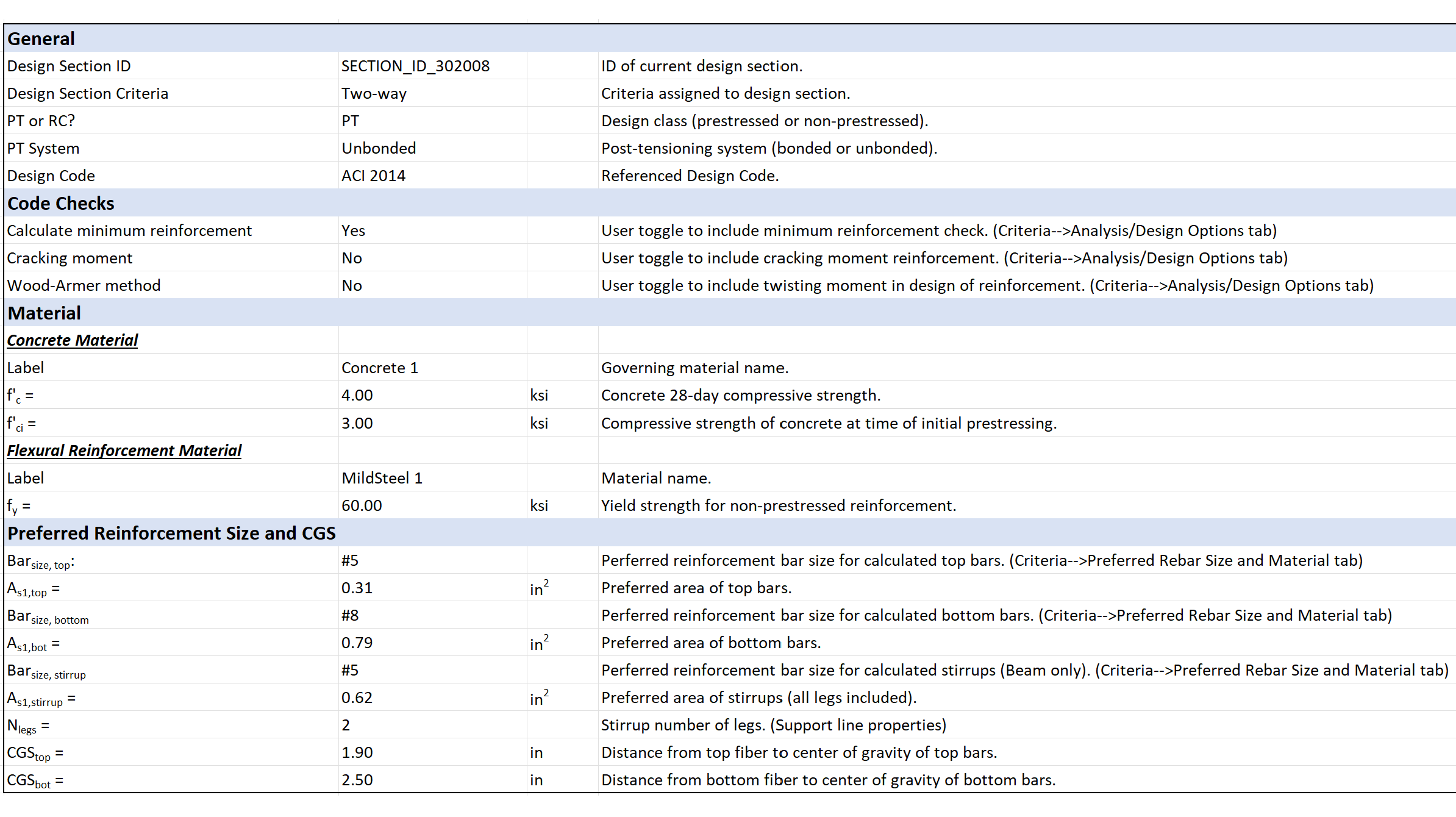
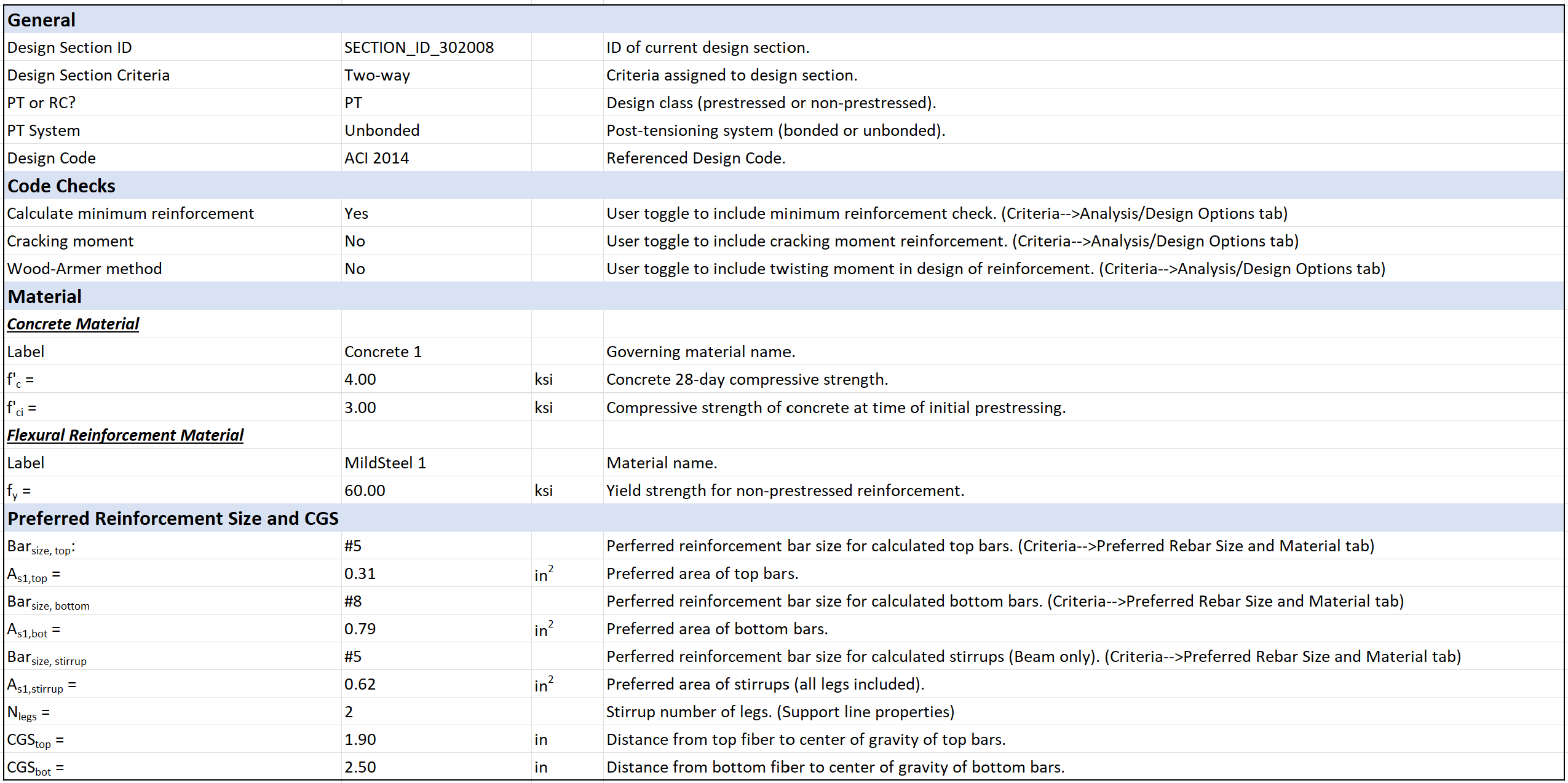
Users can now generate an Excel spreadsheet for each design section showing a summary of the design section properties, reinforcement, and moment demand and capacity. These detailed calculation reports currently include minimum required reinforcement as shown on the As,min tab of the spreadsheet. These calculations include code references and equations and are available for ACI 318-14 and ACI 318-19 codes.
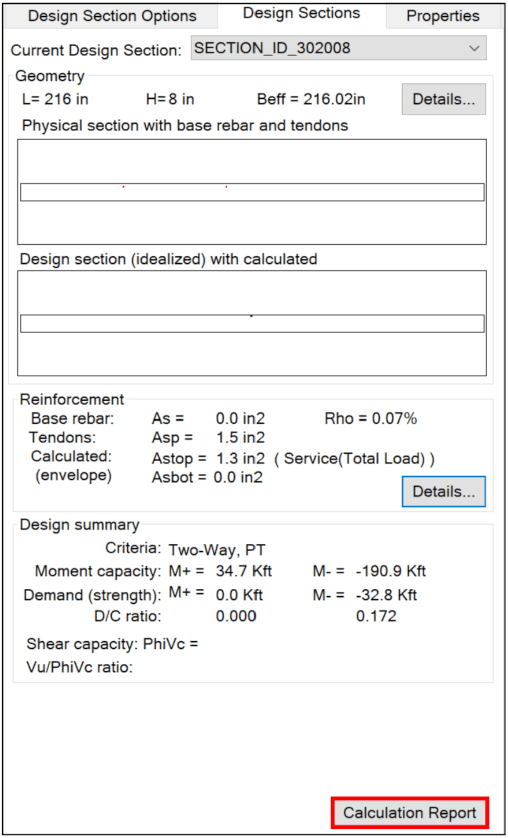
To view the Calculation Report, double-click on a design section. In the Support Line Properties Window, select the Calculation Report option at the bottom of the Design Sections tab to create the XLS Report.
Select “Yes” when prompted to view the XLS Report for the Minimum Required Reinforcement.
ADAPT-Builder 2020 includes new enhancements to the compile report settings allowing users to more quickly and easily create detailed reports. To...
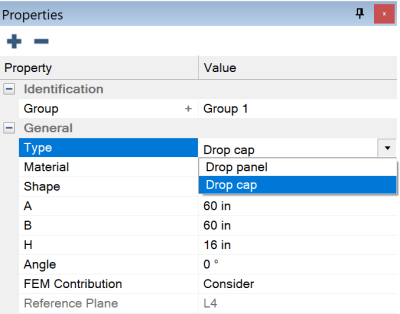
ADAPT-Builder v22 now includes the ability to model a Drop Cap and a Drop Panel at the same support. The Punching Shear check considers both...
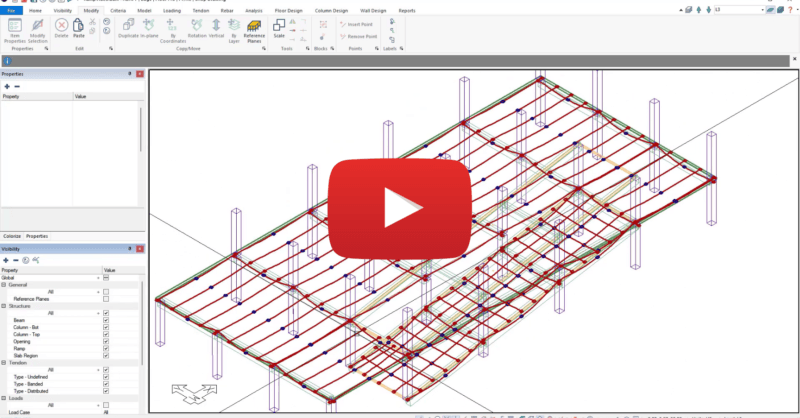
ADAPT-Builder provides the user with the ability to add post-tensioning to ramps modeled within the program. Users can add tendons in ramp...