Soil Overburden on Mat Slab
RISAFoundation can apply soil overburden to a mat slab to account for the weight of the soil above the foundation. Simply enter a Soil Overburden...

Try the Complete RISA Suite for
10 Days FREE

RISA Education

Video Library

Online Help

Get Support

About Us
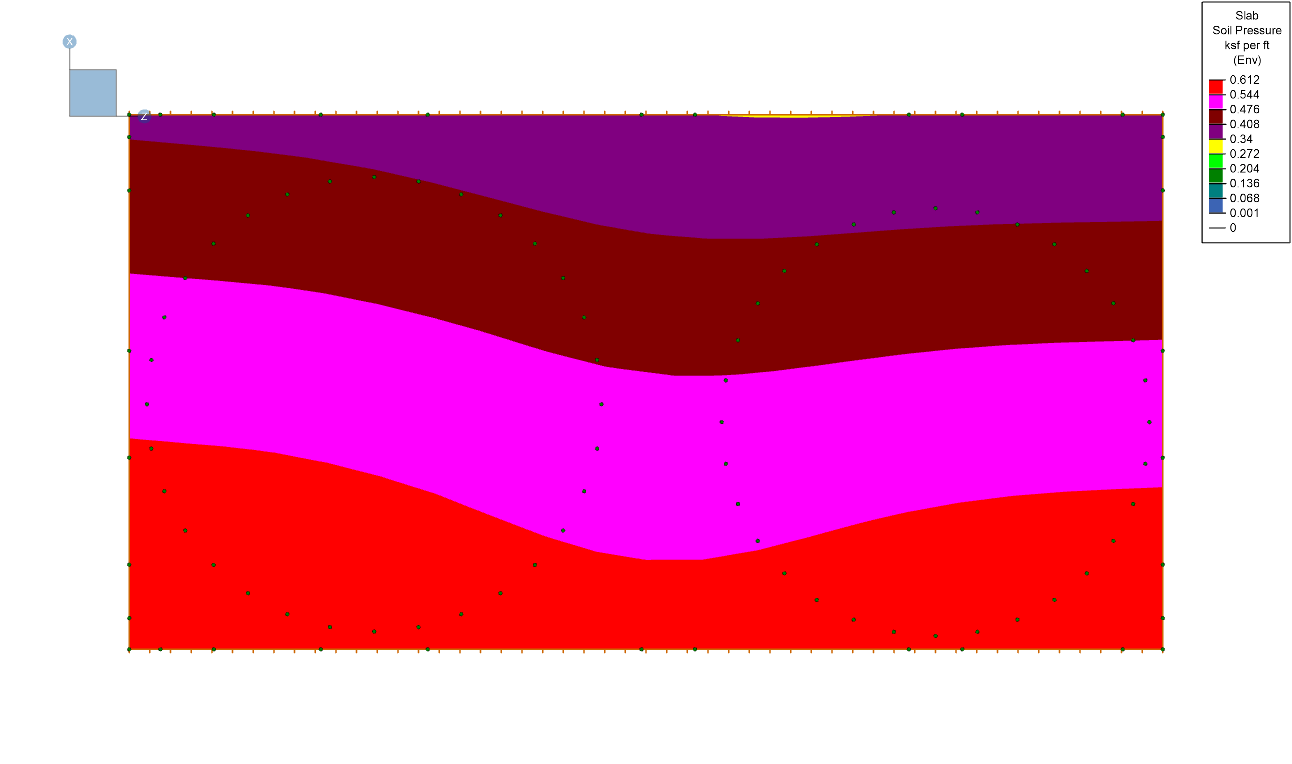
RISAFoundation has the ability to display the enveloped contour diagram results for soil pressure. The graphical display of enveloped soil pressures is advantageous because it allows users to quickly identify the degree of influence the loads and slab geometry have on the soil.
To display these contours, users can navigate to the Slabs tab in the Model Display Options by checking the box that says “Use Envelope Results”.
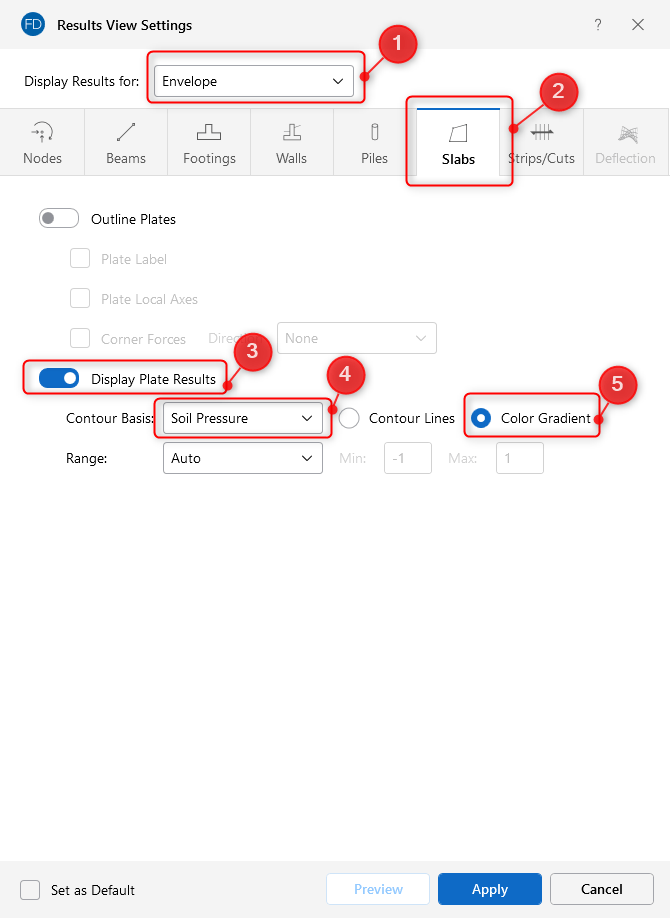
After pressing Apply, the soil pressures will display in the plan view with the associated Legend.

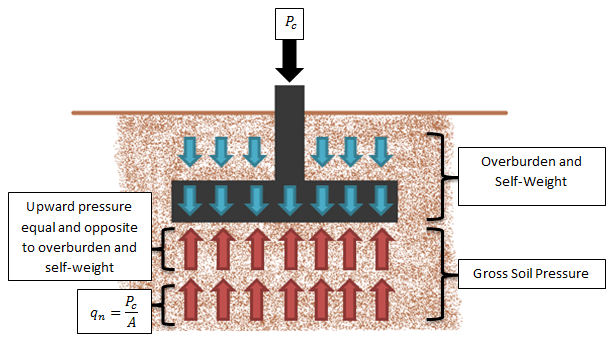
RISAFoundation can apply soil overburden to a mat slab to account for the weight of the soil above the foundation. Simply enter a Soil Overburden...
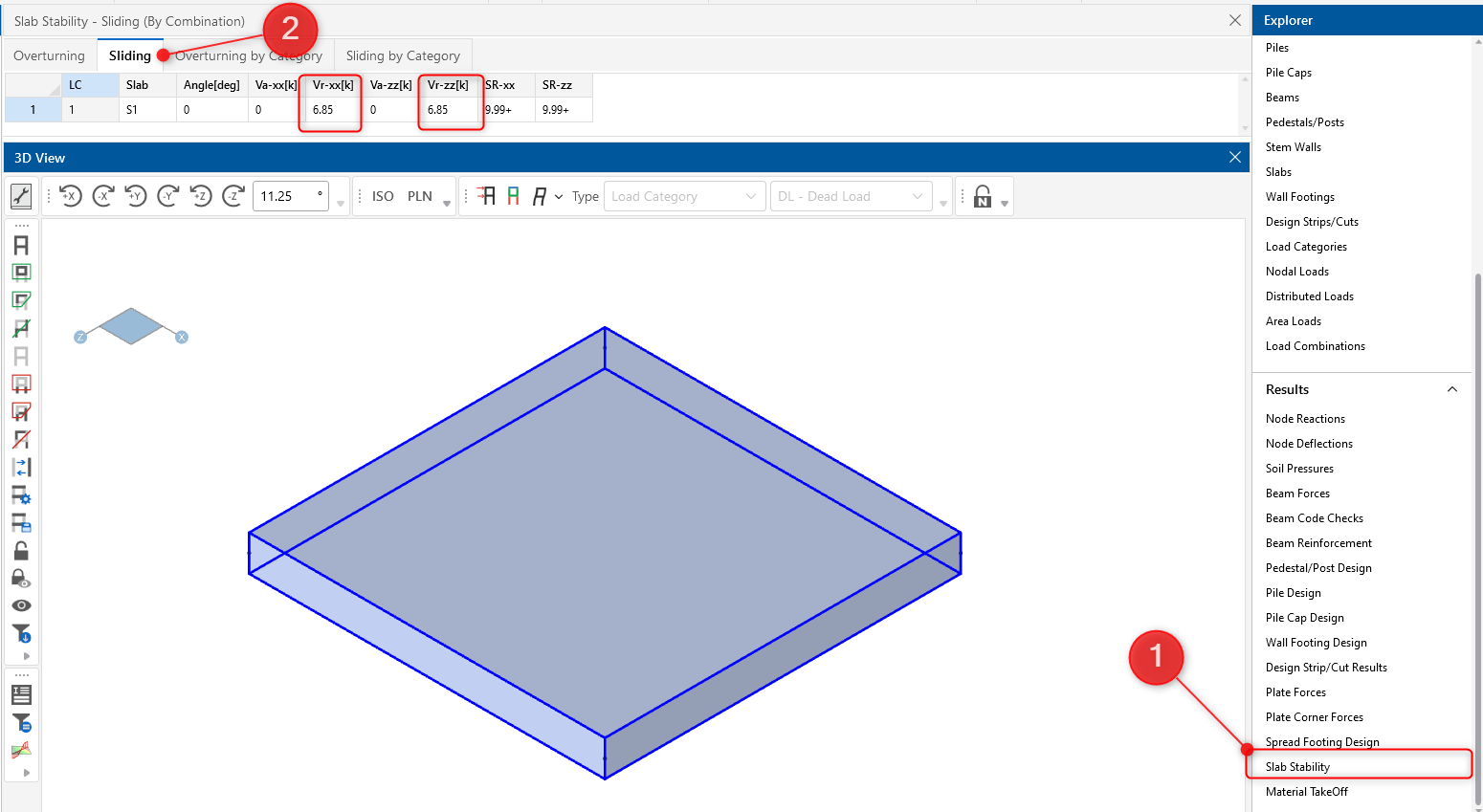
RISAFoundation includes the added ability to enter a passive pressure for slabs. The passive pressure represents soil pressure along the perimeter...
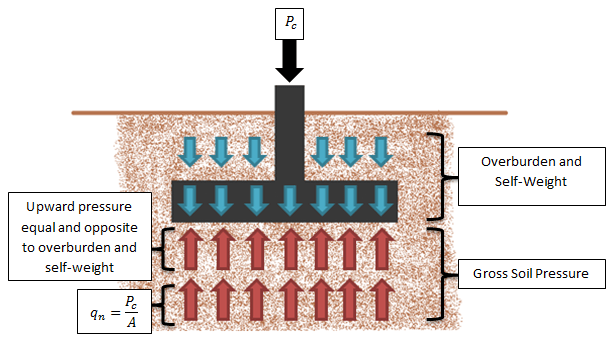
In RISAFoundation, the Allowable Soil Bearing value is controlled by the Soil Region. This value is always taken as a Gross allowable soil...