Checking Soil Bearing in RISAFoundation
RISAFoundation has the capability to report soil bearing pressures, and check them against allowable pressures.

Try the Complete RISA Suite for
10 Days FREE

RISA Education

Video Library

Online Help

Get Support

About Us
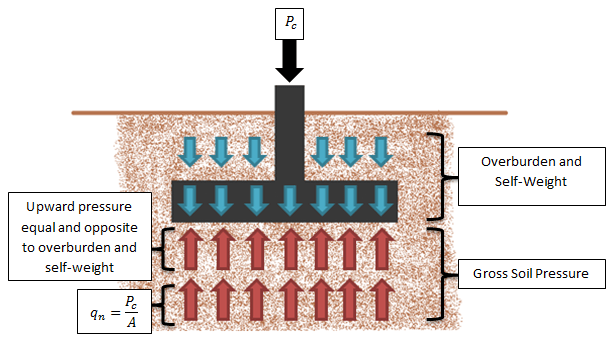
In RISAFoundation, the Allowable Soil Bearing value is controlled by the Soil Region. This value is always taken as a Gross allowable soil pressure by default.
Allowable Soil Bearing values are typically supplied by the Geotechnical Engineer as either Gross or Net allowable values. The Gross or Net Soil Pressure can be specified in the Footing Definitions spreadsheet under the Soil tab. In RISAFoundation, the option to choose between gross and net soil pressures is only available for footings.

The soil bearing check in RISAFoundation uses the same load to check soil bearing (Footing Self-Weight + Overburden + Applied Load) regardless of whether a Gross or Net Soil Pressure is specified.
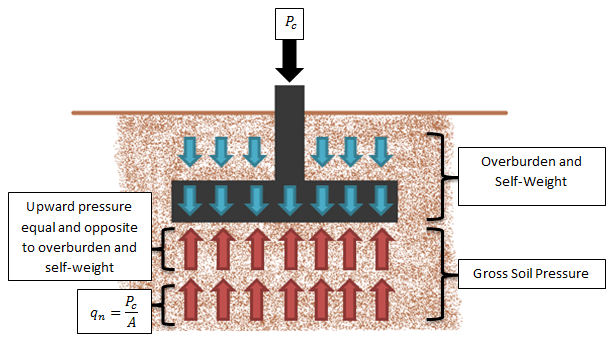
The Gross Soil Pressure combines the upward pressure and the added pressure due to the applied load, equal to the applied load divided by the footing area.
When a Gross Soil Pressure is specified, the load is compared directly against the Default Allowable Bearing (user-entered) value in the Soil Definitions Spreadsheet:

For the Net Soil Pressure, the overburden and self-weight is canceled out by an equal and opposite upward pressure, leaving a Net Soil Pressure equal to the applied load divided by the footing area.
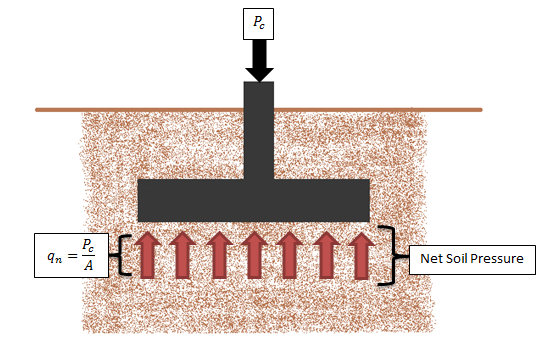
When a Net soil pressure is specified the load is compared against a modified soil capacity as shown below:
Soil Capacity = Bearing Allowable (user-entered) + Footing Self Weight + Overburden (user-entered)
If the sum of Footing Self Weight and Overburden do not equal the soil weight which was present above the footing/soil interface strata prior to excavation then the modified soil capacity provided by the program is incorrect. In this circumstance the Net Allowable Soil Bearing value should be specified as a Gross value in the program, and the magnitude of Bearing Allowable should be increased by that pre-excavation soil weight.
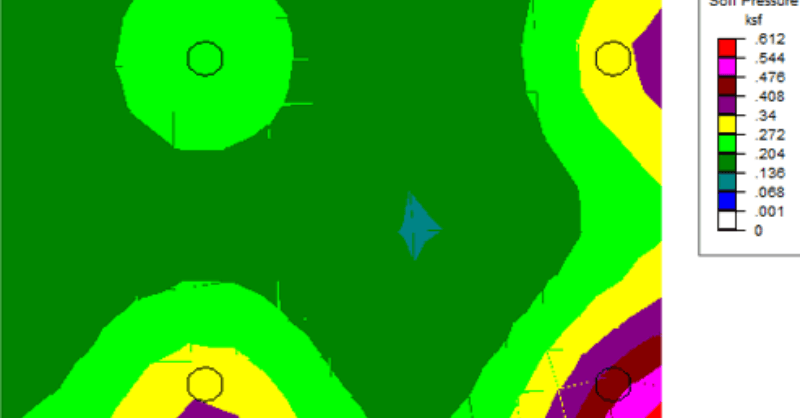
RISAFoundation has the capability to report soil bearing pressures, and check them against allowable pressures.
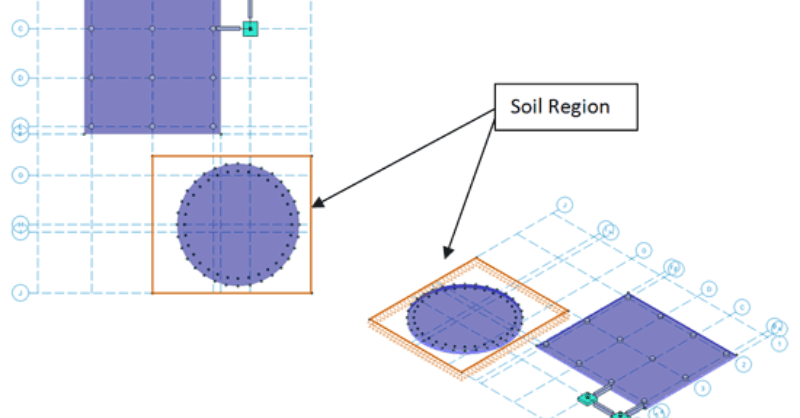
While RISAFoundation has a Default soil properties (Subgrade Modulus and Allowable Bearing), it is possible to create regions of varying soil...
RISAFoundation can apply soil overburden to a mat slab to account for the weight of the soil above the foundation. Simply enter a Soil Overburden...