By: Admin

Viewing Coordinates in Cursor Display
In RISA-3D, RISAFloor, and RISAFoundation the cursor now provides additional information regarding the cursor coordinates. As you move your cursor...

Try the Complete RISA Suite for
10 Days FREE

RISA Education

Video Library

Online Help

Get Support

About Us
Tapered members are common for metal buildings and pole-type structures. For tapered wide flange members RISA provides a quick way to generate a tapered section that can then be checked per the provisions of AISC Design Guide 25 on tapered wide flanges.
There is no automated procedure for tapered pipes. However, there is still a straightforward procedure. Let’s create a 20’ tall tapered pipe pole that tapers from 20” at the base to 11” at the top and assume a uniform ½” thickness. I will use 2’ uniform sections of pipe and splice them together to create the tapered section.
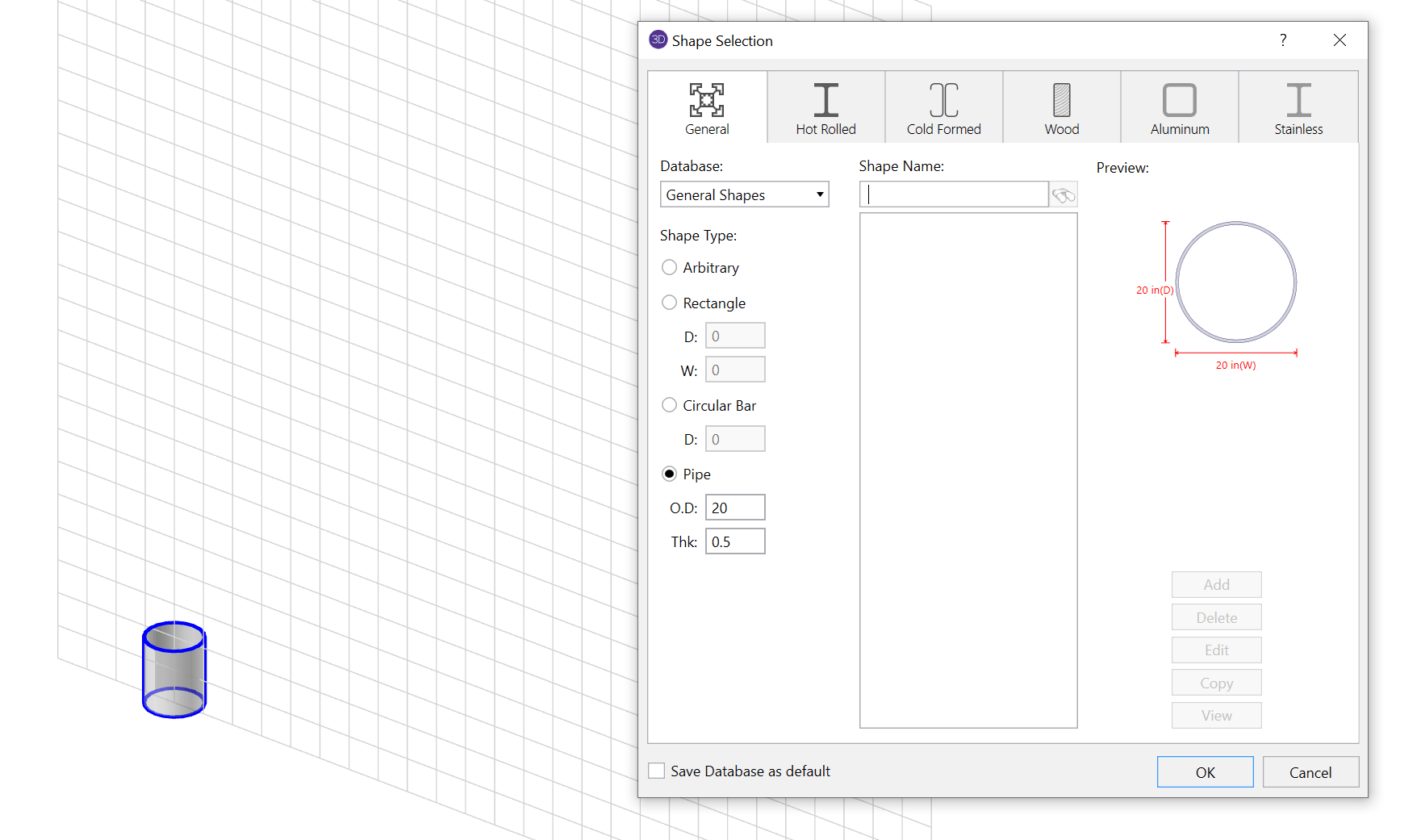
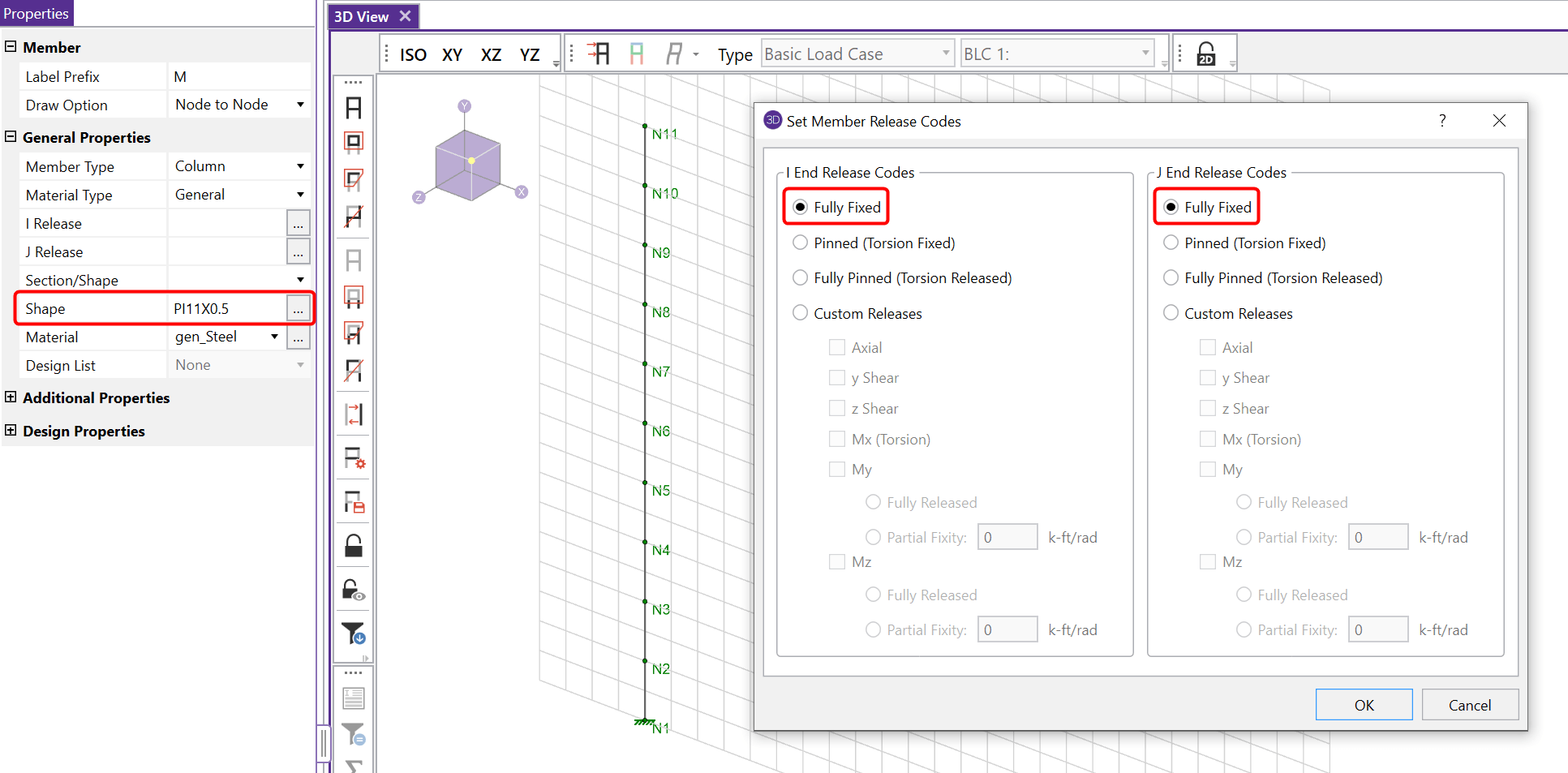
Shown above is the first 2’ section. From here each individual 2' section is input using a diameter 1" smaller than the previous section. Continue drawing these 2’ segments until the top of my pole (20') is reached. The number and length of segments is up to you, but tighter spaced segments will produce a smoother taper and generally better results. Be sure to draw each segment as fully fixed to the previous.
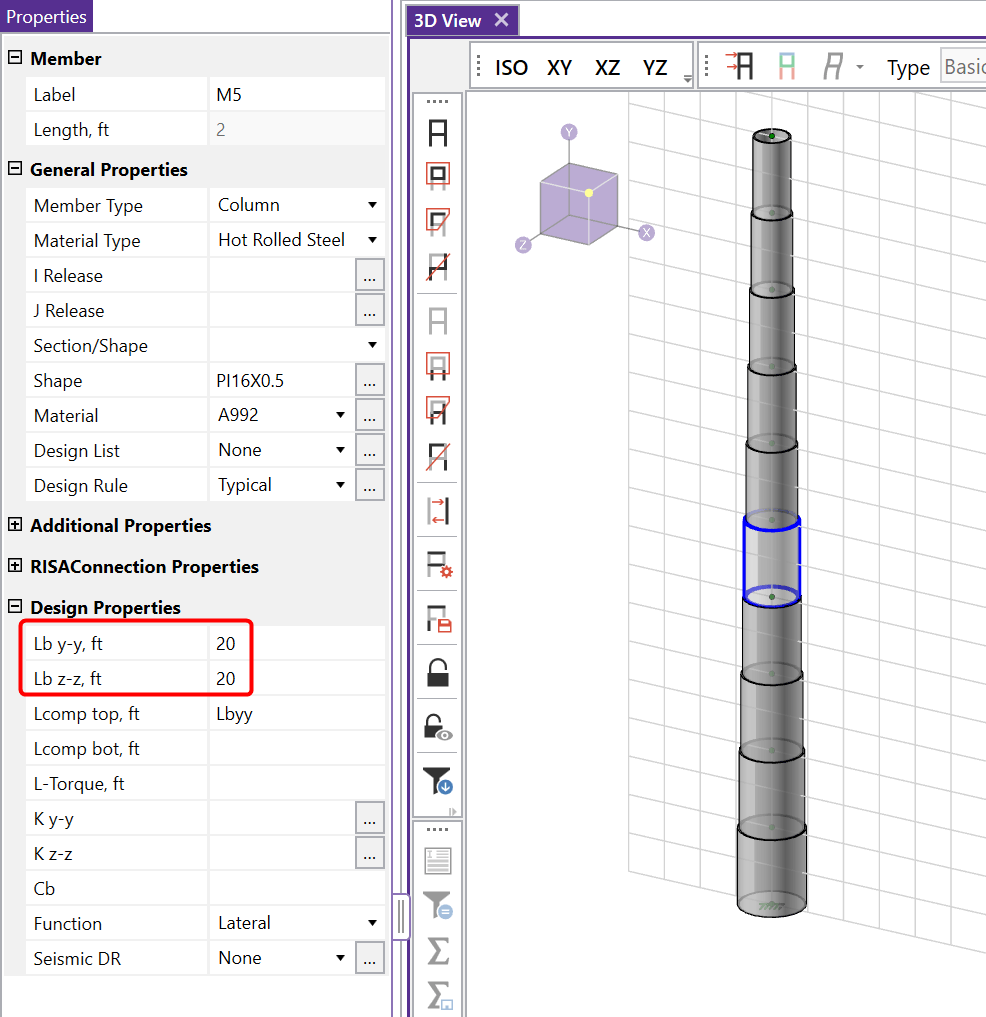
Also, make sure that the unbraced length of each segment is set to the proper value. Generally this value would be the full length of the member.
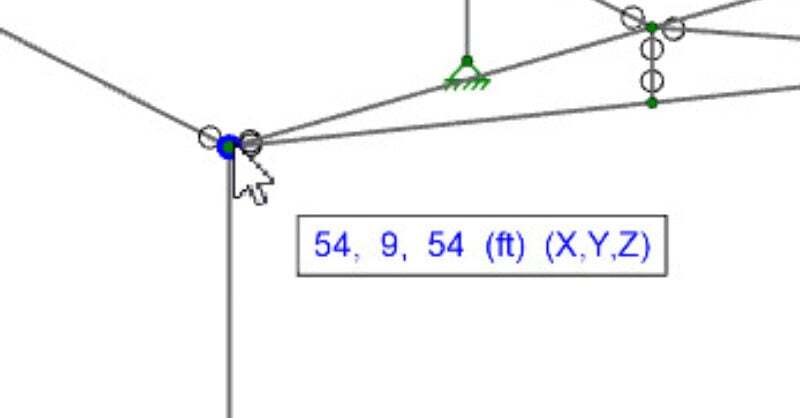
In RISA-3D, RISAFloor, and RISAFoundation the cursor now provides additional information regarding the cursor coordinates. As you move your cursor...

Introducing RISA-3D v22.0, the latest milestone in structural engineering innovation! One of the standout features of this release is the ability...