How to Add a Deck to a RISAFloor Model
RISAFloor has some default decks provided for you when you open the program in the Deck Definitions spreadsheet. You can use one of these decks or...

Try the Complete RISA Suite for
10 Days FREE

RISA Education

Video Library

Online Help

Get Support

About Us
RISAFloor has four different deck types: concrete, composite, metal, and wood. When it comes to composite decks, there is a predefined Composite Deck definition already setup in the Deck Definitions spreadsheet.

You can also specify a composite deck by (1) setting up your deck configuration using the existing options or (2) adding your composite deck into the RISAFloor deck database. In this article, review the steps outlined below for Option (2): editing your RISAFloor deck database. For Option (1), see our other support article in the link for those steps.
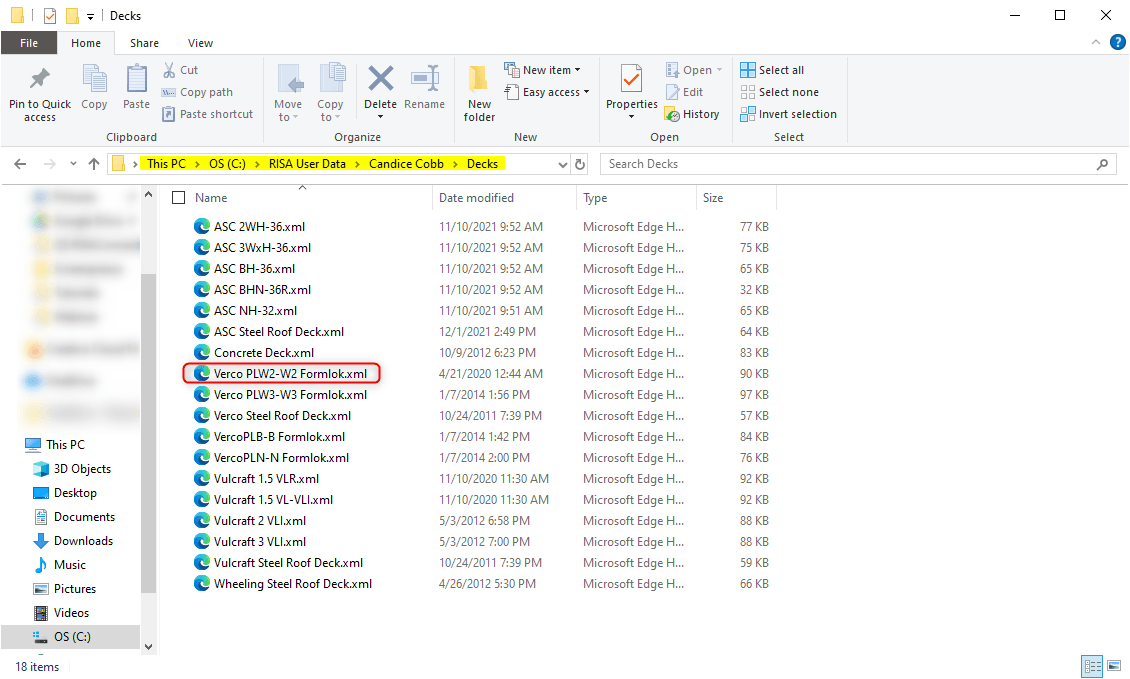
The composite decks in the program are all based on spreadsheet data. Navigate to this database folder in C:\RISA User Data\%username\Decks.
Inside this folder, you will see all the deck manufacturers and deck types. Find the deck type spreadsheet for which you want to add the deck, and then open it up in Excel.
You can modify or add a row into the spreadsheet with the custom deck properties. Make sure all the fields are properly filled in to order avoid error messages later.
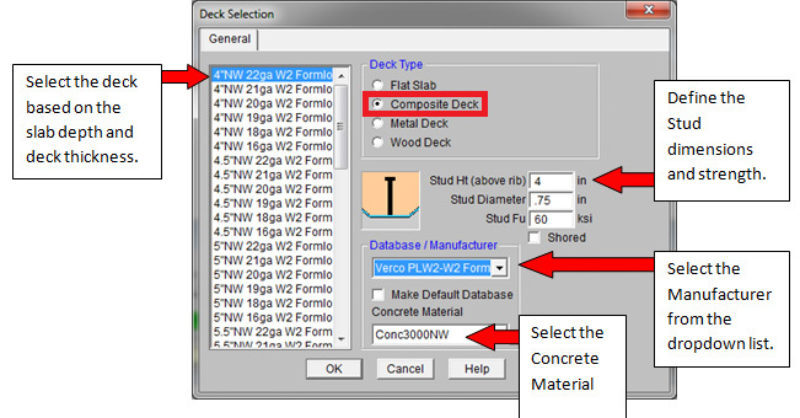
To apply your custom deck properties, close and reopen RISAFloor. Open the Deck Selection dialog to see the updated deck information listed. Choose the Database/Manufacturer from your updated Excel Database. Select the new custom deck from the entries.
RISAFloor has some default decks provided for you when you open the program in the Deck Definitions spreadsheet. You can use one of these decks or...

To understand decks it is important to know what a deck is. In typical buildings, most of each floor will consist of only one type of deck.
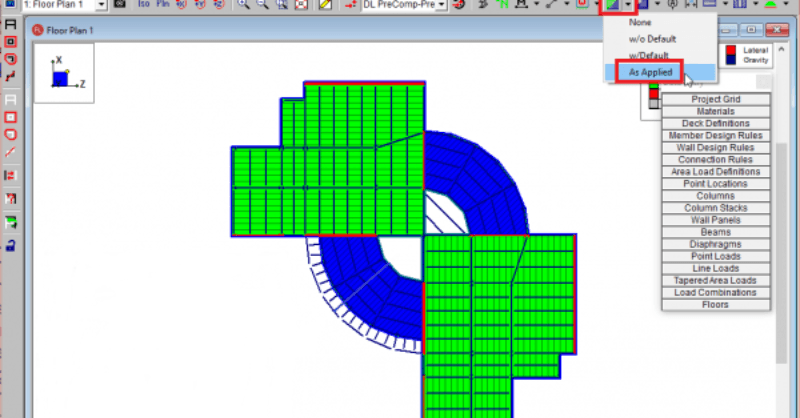
RISAFloor does not record the applied deck in a spreadsheet. To simplify modeling, it instead assumes a default deck is drawn within the entire...