 By: Admin
Moving Load Point Load Generator now Available
A common question we get in tech support is “how can I verify my moving load results?” We now have a feature that will allow you to quickly...

Try the Complete RISA Suite for
10 Days FREE

RISA Education

Video Library

Online Help

Get Support

About Us
RISA-3D and RISA-2D come with a default list of existing moving load patterns. These are listed in the Moving Loads Library which can be viewed by clicking on the Moving Load Patterns button in the Advanced tab.

The default options listed are common AASHTO loads, but you can also add a new pattern, edit a pattern, or delete a pattern. Any changes you make will be saved to the database on your local computer and so the same library of moving loads will be available for use in other models.
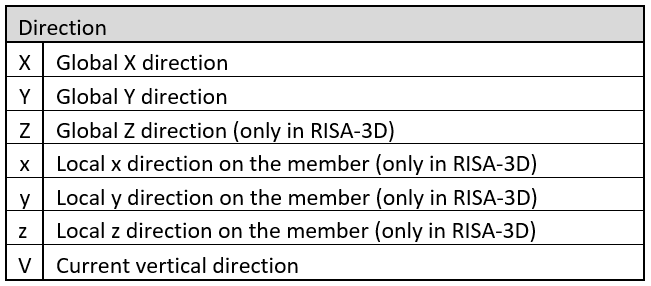
You may combine lateral and vertical loads in the pattern, and you can define them in a number of ways. The loading direction options are as follows:
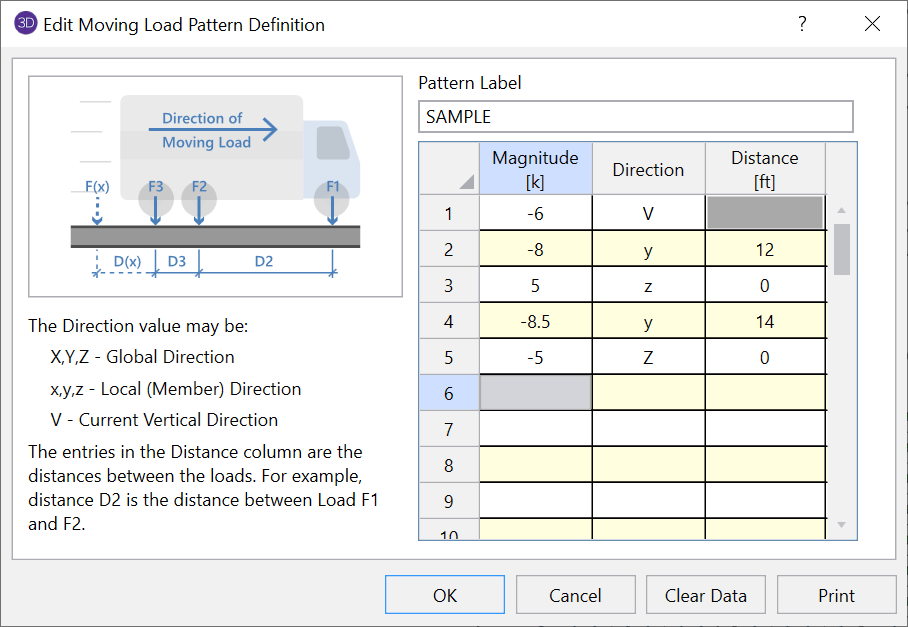
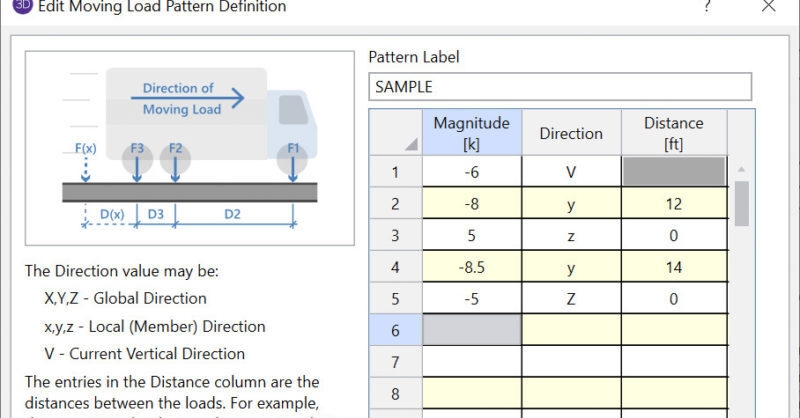
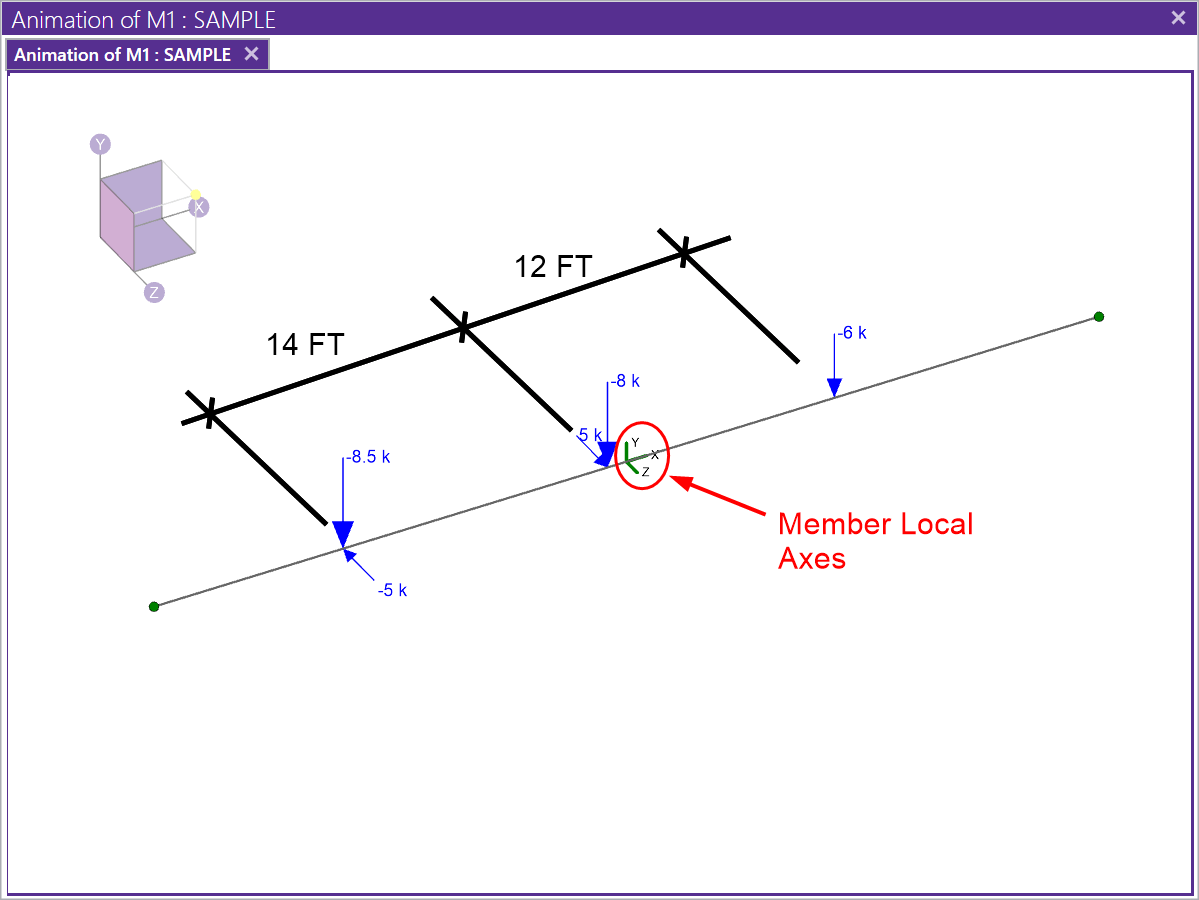
The Distance value denotes the distance between the previous load and the next load. If you have two loads in different Directions but at the same location, you can enter a distance of 0, as is shown in the example above. This example will result in loading like this:
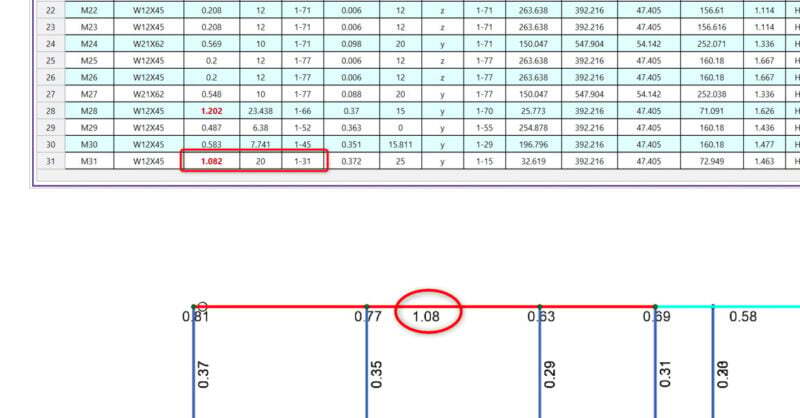
A common question we get in tech support is “how can I verify my moving load results?” We now have a feature that will allow you to quickly...
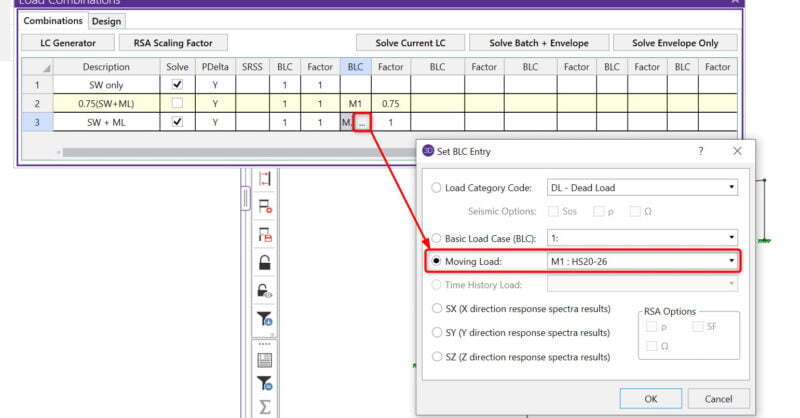
With the new release of RISA-3D v13.0, you now have the ability to include moving load combinations in a Batch solution. Just select which load...
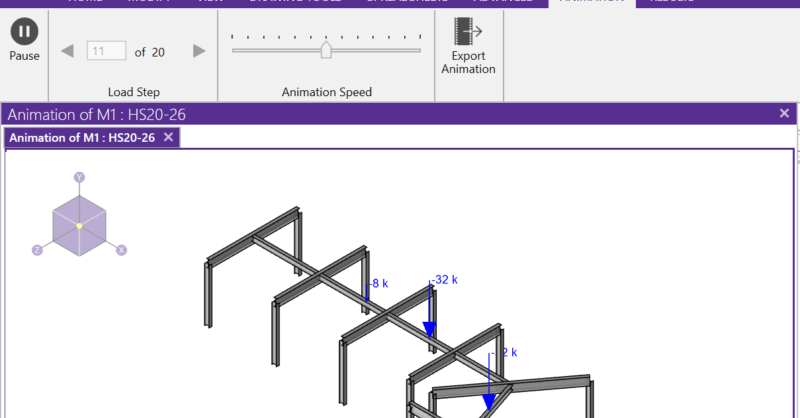
RISA-3D and RISA-2D will allow you to add a moving load pattern to your model and include it in your envelope solution.