

How to add/upgrade products to a RISA Key
The RISA licensing dashboard allows users to add/upgrade their existing RISA/ADAPT products to their RISA standalone or network license keys....

Try the Complete RISA Suite for
10 Days FREE

RISA Education

Video Library

Online Help

Get Support

About Us
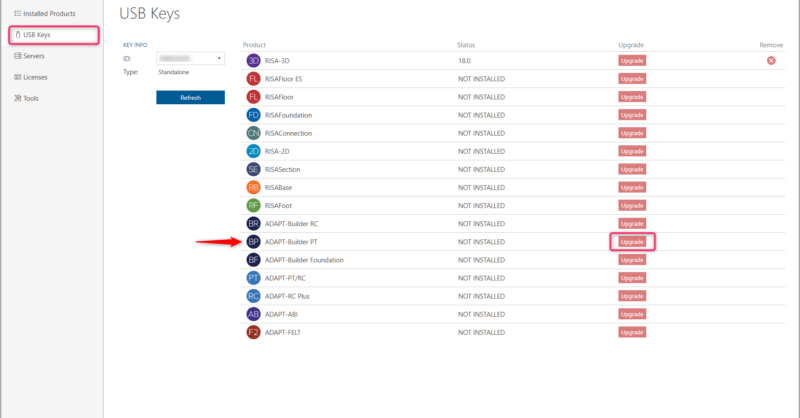
The RISA licensing dashboard allows users to add their existing ADAPT products to their RISA standalone or network license keys. Before using the licensing dashboard to complete the conversion, please reach out to our sales team to process your order and receive all necessary information.
Install ADAPT program
Plug in your RISA key
Open your RISA Licensing Dashboard from the Start menu. By default this can be found in the following location: C:\Program Files (x86)\ADAPT\Utilities\bin. If you cannot find the RISA Licensing Dashboard, you can download it by clicking the button below.
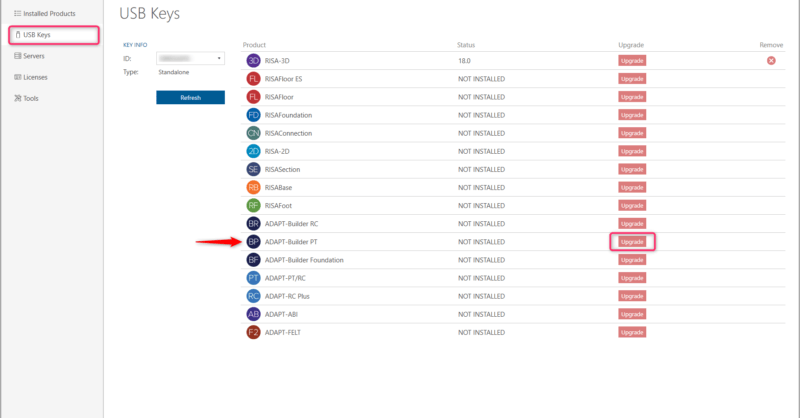
Once open, click Skip and access the USB Keys tab.
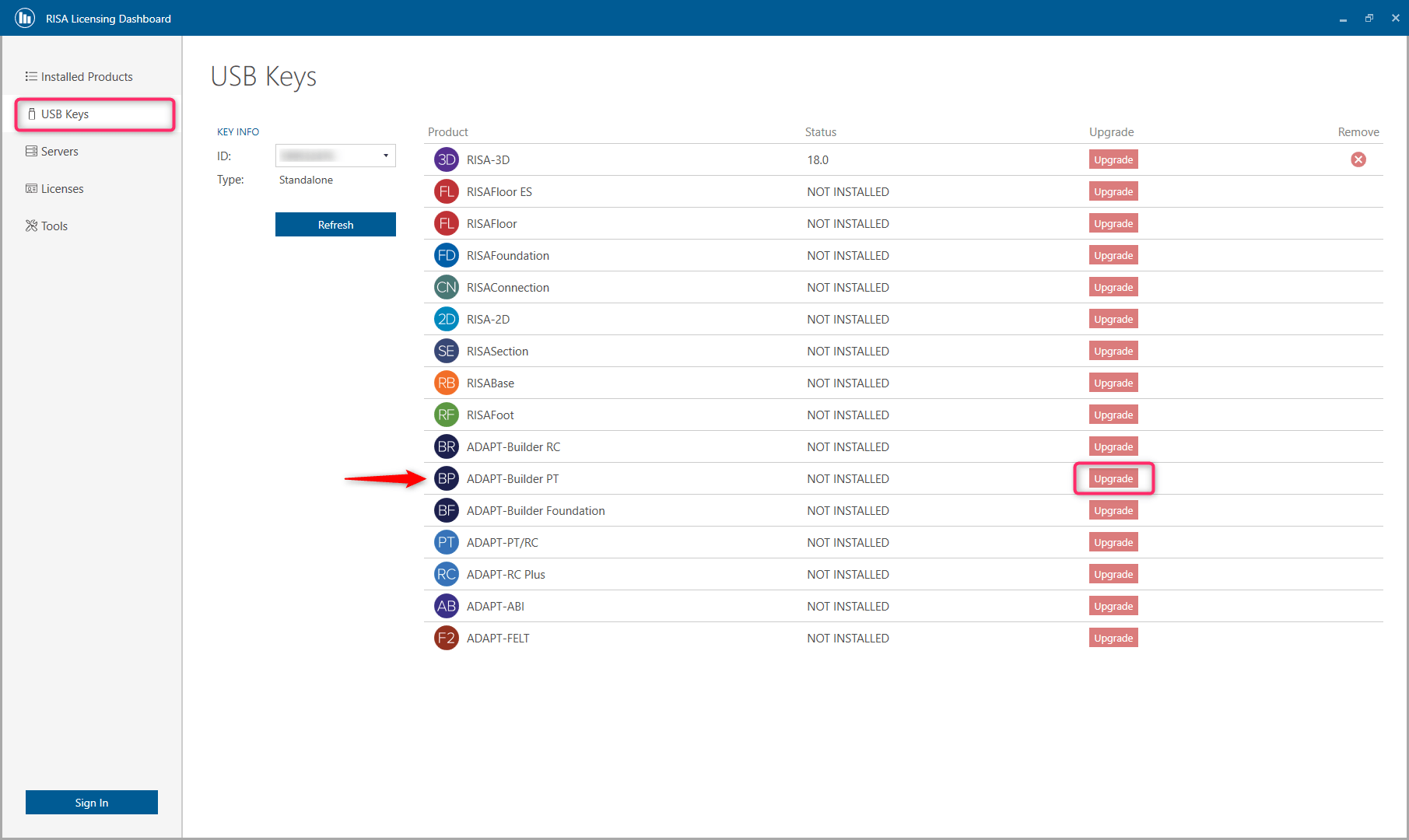
Click Upgrade for the Product you are adding
Enter the RUS password provided from RISA
Step 1: Update the Key
Make sure RISA key is plugged into the Server
Open your RISA Licensing Dashboard from the Start menu. By default this can be found in the following location: C:\Program Files (x86)\ADAPT\Utilities\bin. If you cannot find the RISA Licensing Dashboard, you can download it by clicking the button below.

Once open, click Skip and access the USB Keys tab
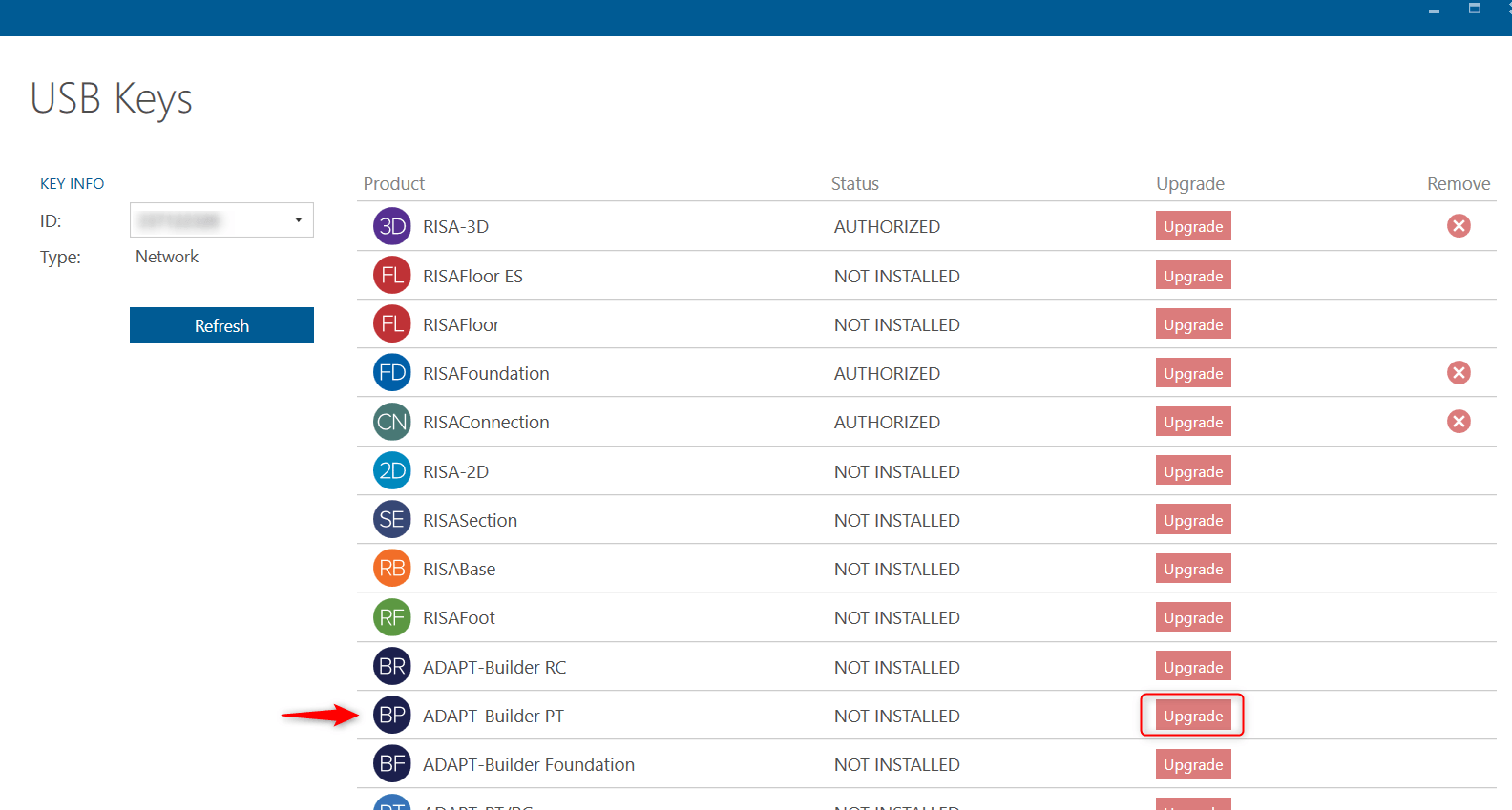
Click Upgrade for the Product you are adding
Enter the RUS password provided from RISA
Step 2: Update the License Manager
Download the license file provided by RISA to a local location
Open the WLMAdmin tool from eC:\Program Files (x86)\ADAPT\Sentinel RMS\Utilities
Expand Subnet Servers to find the Server name
Right click on the name of the License Server and select "Add Feature- From a File- To a Server and its File"
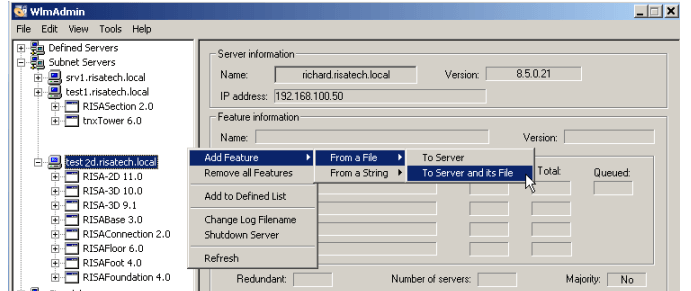
Select the license file from the local location and click Open.
For further information and more detailed instructions, visit the RISA Online Help by clicking the link below:
The RISA licensing dashboard allows users to add/upgrade their existing RISA/ADAPT products to their RISA standalone or network license keys....

RISA is excited to announce the acquisition of ADAPT Corporation. Over the past 30 years, both RISA and ADAPT have focused on developing best in...
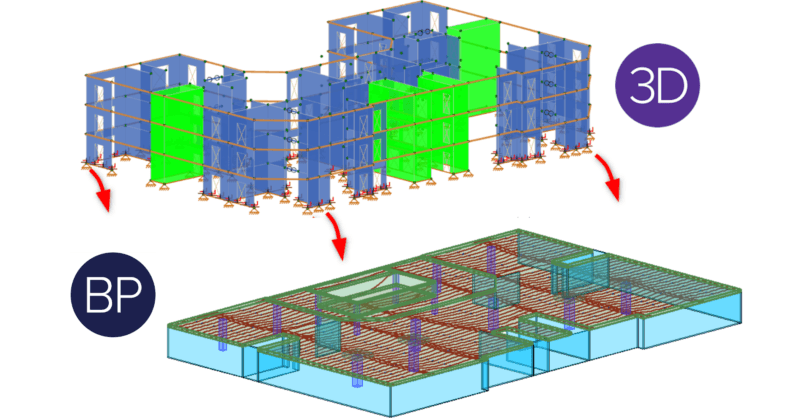
ADAPT-Builder v21.0.1 includes the option to import reactions from a RISA-3D model. The program will import the superstructure reactions and...