How to Troubleshoot Large Deflections in RISA-3D?
Deflection is a key tool for verifying whether your model was built correctly in RISA-3D. After solving, you can view the deflected shape to...

Try the Complete RISA Suite for
10 Days FREE

RISA Education

Video Library

Online Help

Get Support

About Us
Are you struggling with screen resolution issues while using your RISA software? In this blog, we'll explore common screen resolution problems encountered by users and provide practical solutions to fix them. Whether you're dealing with small text, improperly sized windows, or display distortions, we've got you covered. Join us as we dive into troubleshooting tips and tricks to ensure a seamless experience with your RISA software. Let's optimize your screen resolution and get you back to designing with ease!
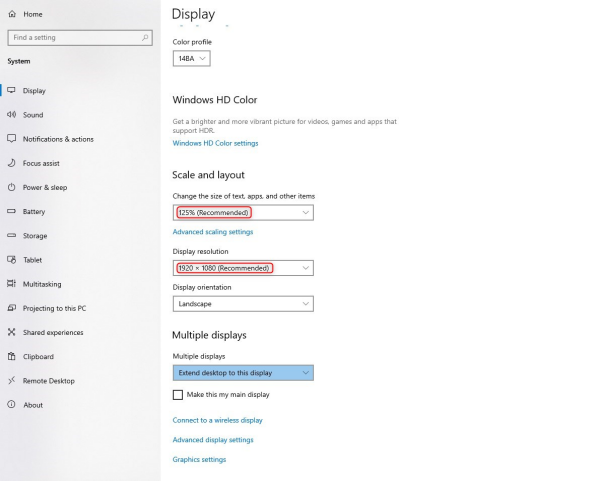
Navigate to your Windows Settings or type "Display Settings" in the Windows Search bar on the lower left corner. In the Computer Monitor's Display Settings, try updating your Scale and Resolution settings to our recommended 1920x1080 resolution. See the image below for these settings to match.

If the Screen Resolution adjustment does not work, you can also try adjusting the DPI Settings for the RISA Software Product. In the following example, we will show how to do this for RISASection.
To do this, right-click the RISA Software icon on your desktop and select "Properties".
Then click on the Compatibility Tab and select the button to change settings for all users.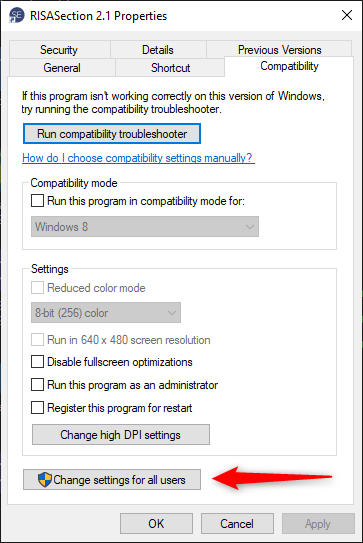
Next, choose to change high DPI settings.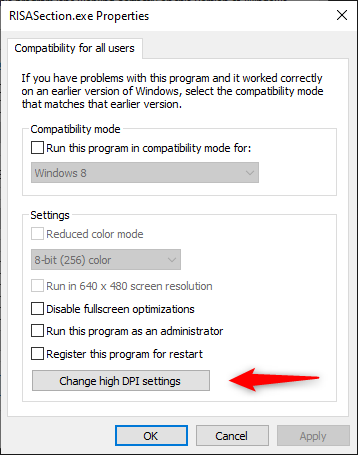
Then change the High DPI Scaling override to "Application".
Finally, try opening the program again to see if the icon sizes are easier to see. If the issue still persists, please try following the steps listed above again, but this time choose "System" in the High DPI scaling override section.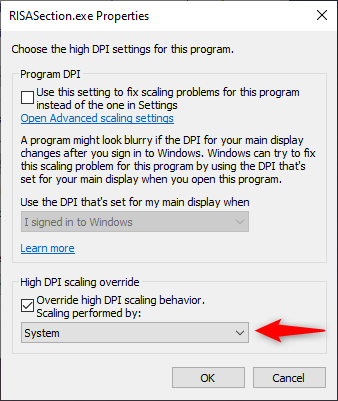
Need Additional RISA IT Support? Reach out to our support staff by clicking the button below.
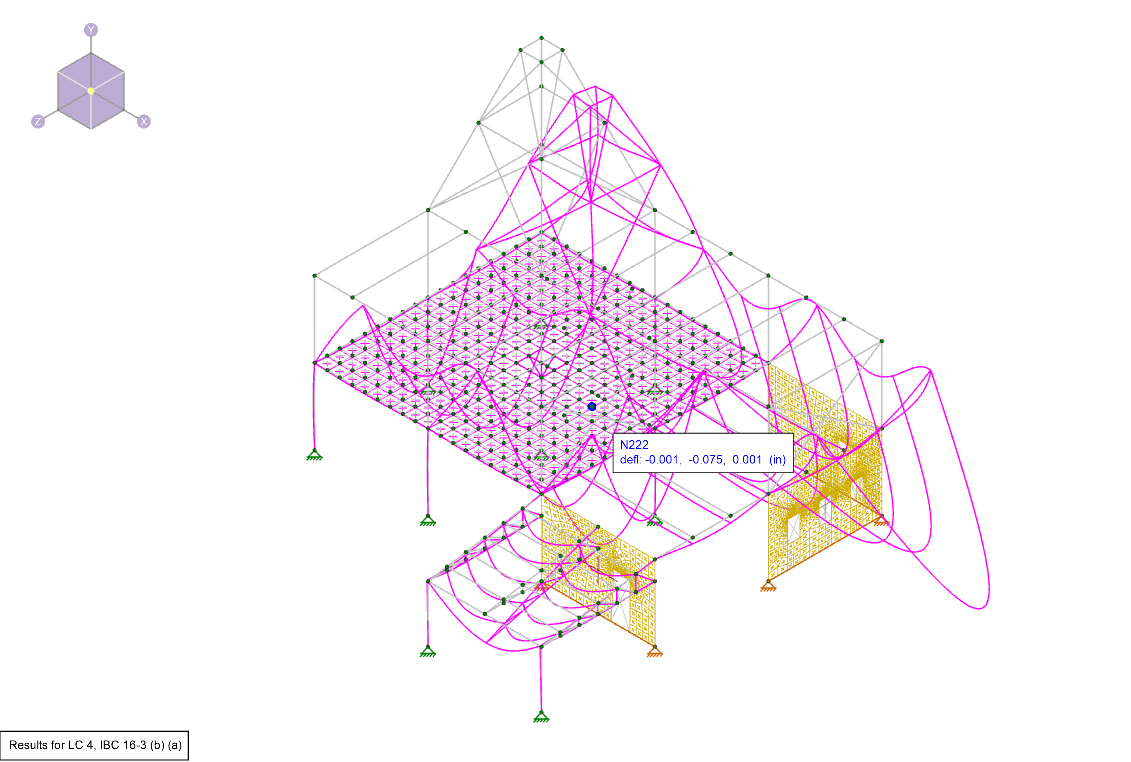
Deflection is a key tool for verifying whether your model was built correctly in RISA-3D. After solving, you can view the deflected shape to...
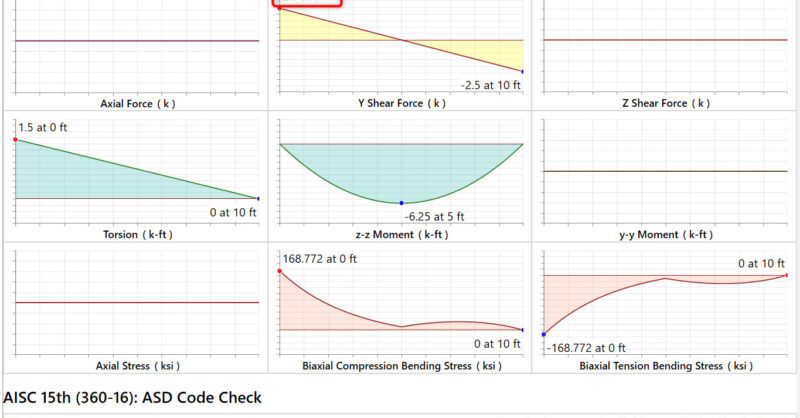
When solving a RISA-3D model you may find you have a Shear UC (unity check) much higher than expected from bending shear alone. If you open the...
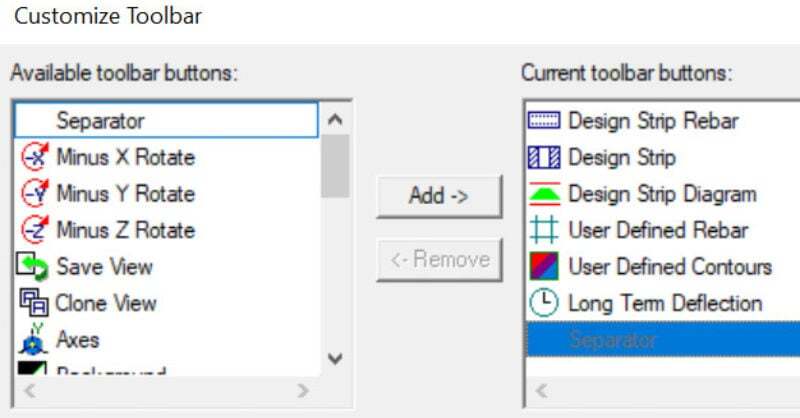
The customizable toolbar is a new feature in RISAFloor. It’s really useful and you may have overlooked it. You’ll find all of your familiar...