How to Model a Two-Dimensional Component in RISA-3D
If you have ever tried to solve a two-dimensional model in RISA-3D, you have ultimately run into instabilities in your model because your model...

Try the Complete RISA Suite for
10 Days FREE

RISA Education

Video Library

Online Help

Get Support

About Us

RISA programs are Windows-based and require a Windows operating system to run. Although RISA software does not operate natively on macOS, it is compatible with virtual machines that run Windows OS on your Mac. Below are the steps to get RISA up and running smoothly:
Ensure your Mac is running the latest version of macOS for the best compatibility with virtualization software.
You will need to install virtualization software to run Windows on your Mac. Some of the most common options include:
Parallels Desktop for Mac (Recommended and tested)
VMware Fusion
VirtualBox (Free option, but not tested with RISA)
Follow the manufacturer’s instructions for installation.
Once your virtual machine is ready, purchase and install a licensed copy of Microsoft Windows. Windows 10 or Windows 11 (64-bit) are recommended for optimal performance.
RISA software is now available exclusively through subscription-based licensing. You can download the latest versions of RISA programs directly from the RISA Customer Portal:
Go to the RISA Customer Portal.
Log in using your RISA Customer Portal email and password.
Navigate to the Downloads section.
Select the RISA product you want to install and download the installer.
Run the installer inside your Windows virtual machine and follow the prompts to complete the installation. All licensing is handled through your subscription and verified online.
One interesting note about using Parallels Desktop for Mac, is if you also own an iOS device, such as an iPad or iPhone, you get Parallels Mobile from the App Store and control your virtual computers from an iOS device. Now you have RISA on an iPad!
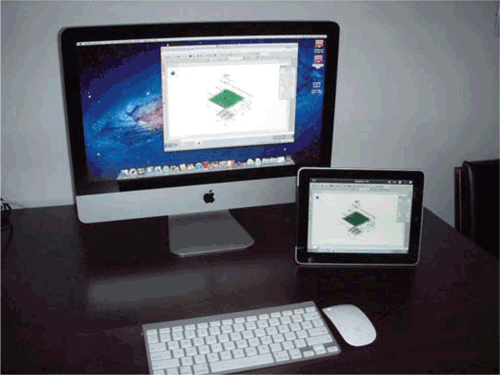
Note: When using a virtual computer, we recommend using as much virtual RAM as you have available. For additional support, please contact RISA technical support
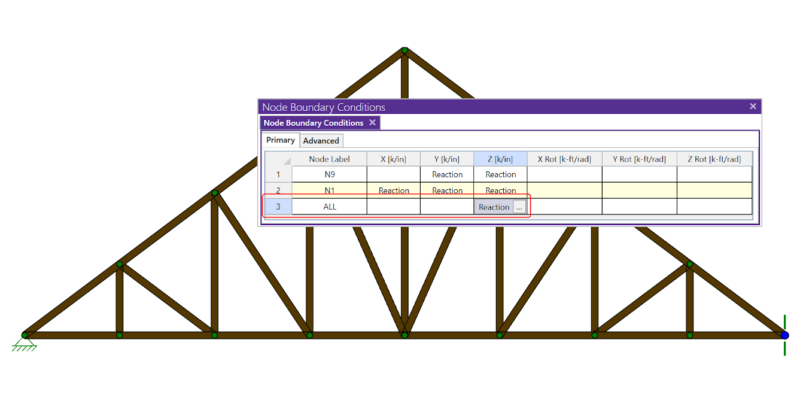
If you have ever tried to solve a two-dimensional model in RISA-3D, you have ultimately run into instabilities in your model because your model...
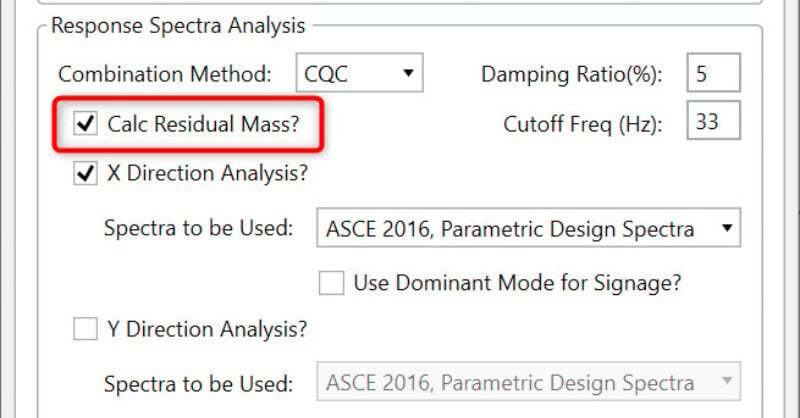
When running a Response Spectrum analysis for seismic design, the response for high frequency modes can be included without solving for their...
RISA is pleased to announce the release of the latest RISA-Revit Link which is compatible with Revit 2020. The RISA-Revit Link v19.0 allows...