Custom Column Strip Widths
RISAFloor v11 now includes the ability to create custom column strip widths in order to optimize the design of slab reinforcement.

Try the Complete RISA Suite for
10 Days FREE

RISA Education

Video Library

Online Help

Get Support

About Us
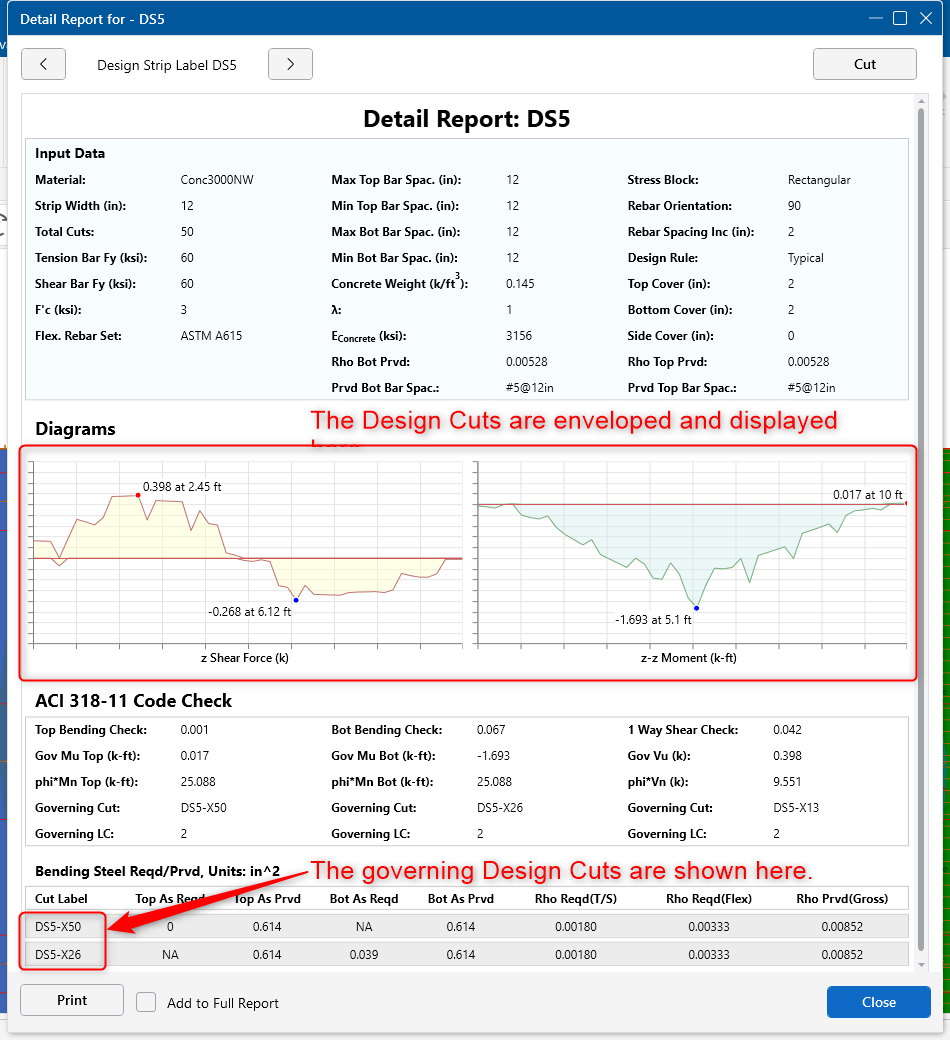
In RISAFoundation, Design Strips are used to create regions in a slab for reinforcement design. Design strip size and shape is determined by the user, see the Help- Slab- Design Strip Width topic.
Inside the Design Strips there are 50 Design Cuts automatically created (the number of cuts can be adjusted). A Design Cuts is an internal force summation along that cut length.
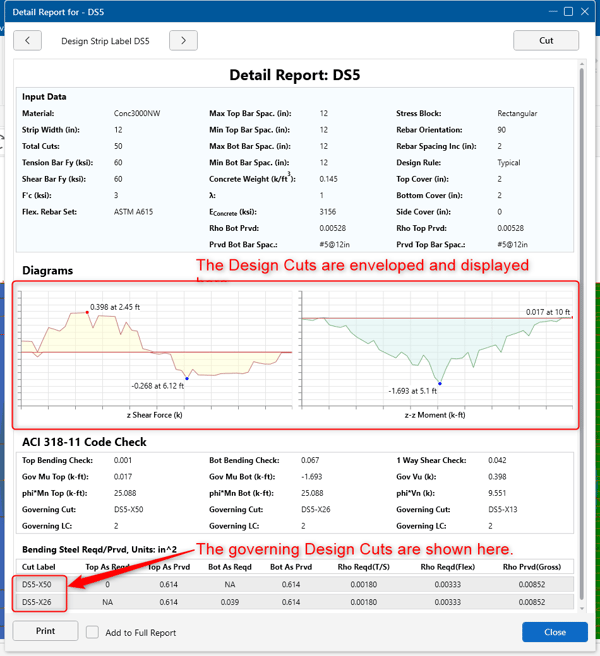
The Detail Report for the Design Cuts will give you the forces along that individual Design Cut. The reinforcement will be designed based on the temperature and shrinkage reinforcement minimums, flexural minimums, maximum spacing requirements and strength requirements.
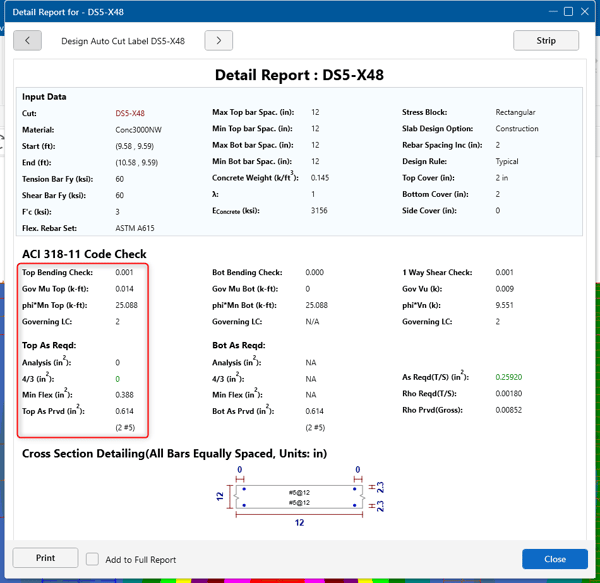
The Top Reinforcement will be designed based on the maximum design cut.
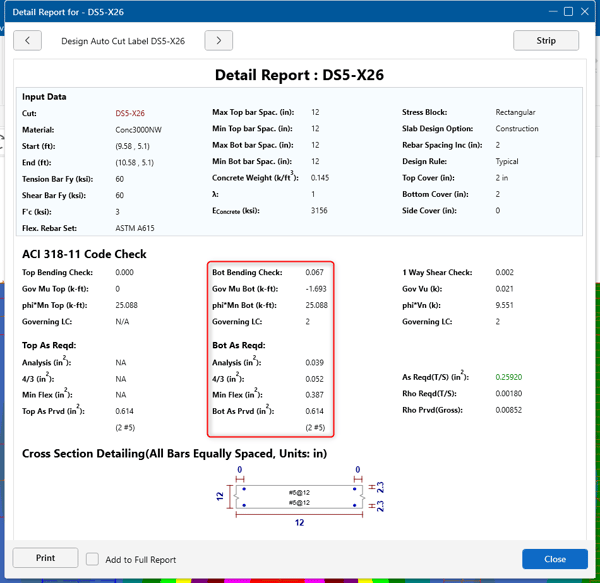
The Bottom Reinforcement will be designed based on the maximum design cut.

RISAFloor v11 now includes the ability to create custom column strip widths in order to optimize the design of slab reinforcement.

Learn how to load and design individual beam and column concrete members in RISACalc.
ADAPT-Builder v20 has been updated to ensure that users can take advantage of designs conforming to the latest building code standards. The 2020...