 By: Admin
Custom Loading in Integrated RISAConnection Model
RISAConnection v7.0.1 includes the option for customized loading in an integrated RISAConnection model. If you have used RISA-3D or RISAFloor to...

Try the Complete RISA Suite for
10 Days FREE

RISA Education

Video Library

Online Help

Get Support

About Us
You can use the full library of international shapes inside of RISAConnection. Currently RISAConnection uses the American steel code AISC code for design checks; however you can customize your connection to use any of the International shapes available in the database.
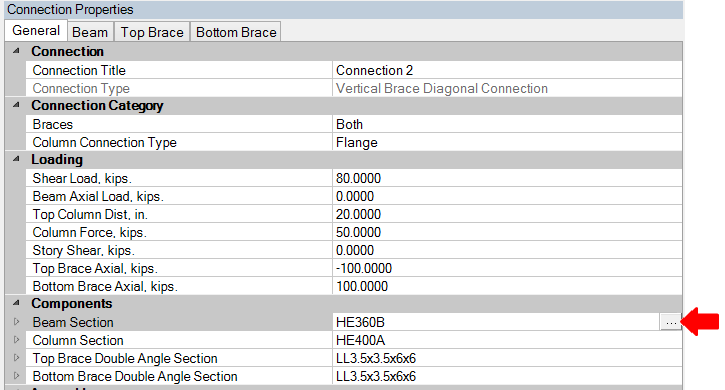
In the Connection Properties window, there is a Components section which displays the names of the shapes used in the connection. To access the library of shapes, you just click on the icon with three dots at the right side of the screen.
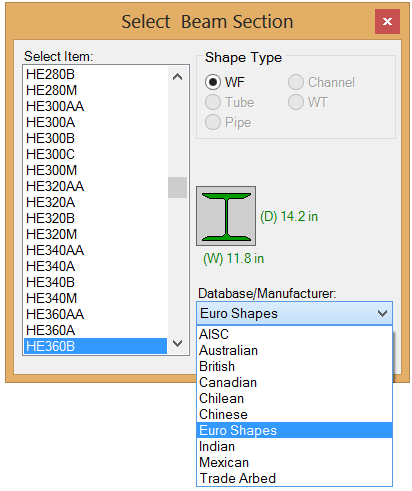
There are several international database’s available and you can select from countries shown in the the drop-down list shown below. With the database selected, you just click on the shape in the list on the left.
Note: Any custom shapes can be added into the database using RISA-3D’s shape database editor.
RISAConnection v7.0.1 includes the option for customized loading in an integrated RISAConnection model. If you have used RISA-3D or RISAFloor to...

Steel buildings are rarely simple—and the connections that tie them together often present some of the biggest design and coordination challenges....
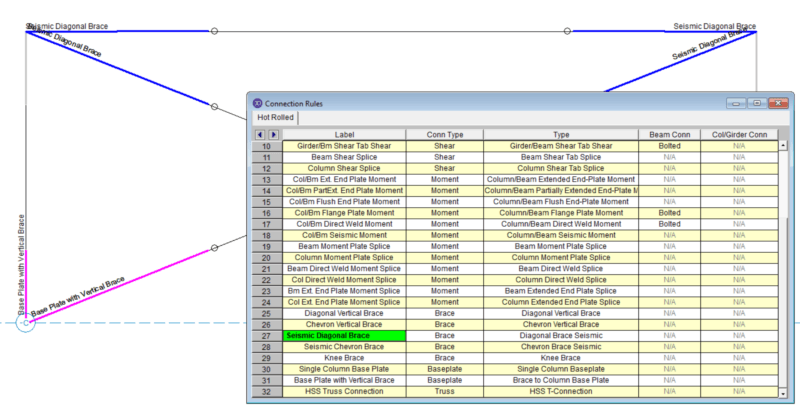
RISAConnection version 6.0 has introduced the ability to design vertical brace connections per the seismic design provisions of the AISC 341-10...