 By: Admin

Adding Roof Parapets in RISAFloor
RISAFloor v11 now includes the option to add parapets and parapet loading to a building.

Try the Complete RISA Suite for
10 Days FREE

RISA Education

Video Library

Online Help

Get Support

About Us
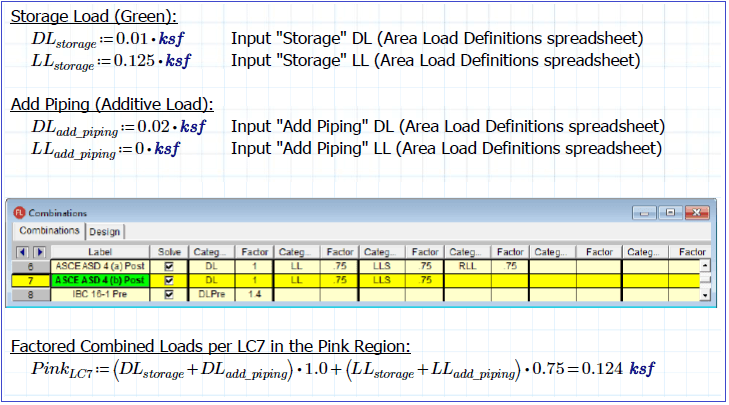
RISAFloor does not record the applied area loads in a spreadsheet. To simplify modeling, it instead assumes a default area load over the entire diaphragm area. Additionally, you are free to apply area loads beyond the default loads. Whatever is drawn last will be considered the applied loading unless you are using an additive area load which would then be additive to the loads drawn “underneath” it.
For more information about additive area loads, read the

Therefore, to verify the applied loading, you must do it graphically using the Show Area Load Types toggle button from the Window toolbar. RISAFloor includes three very helpful graphical viewing options for the area loads:
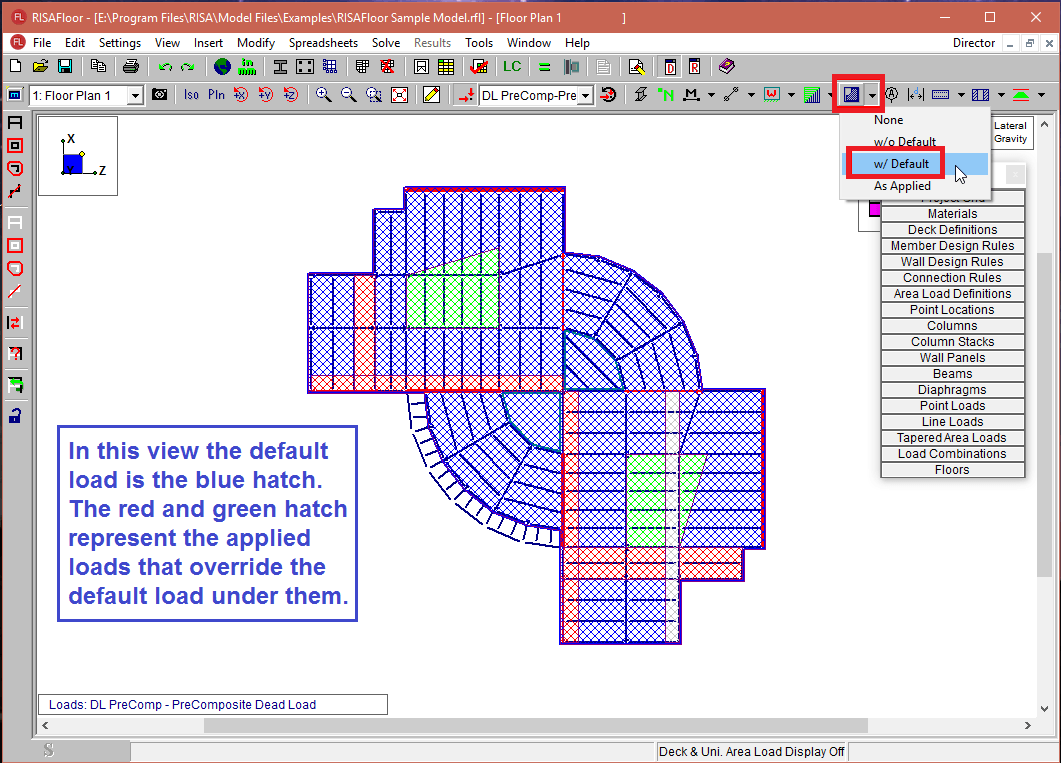
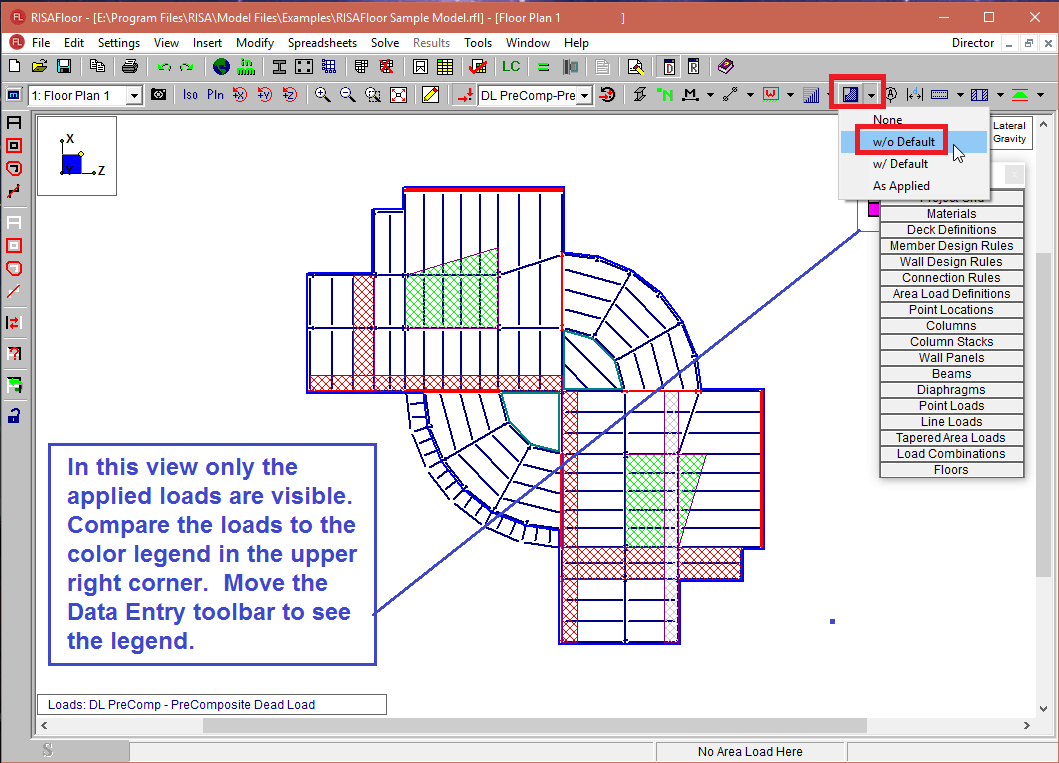
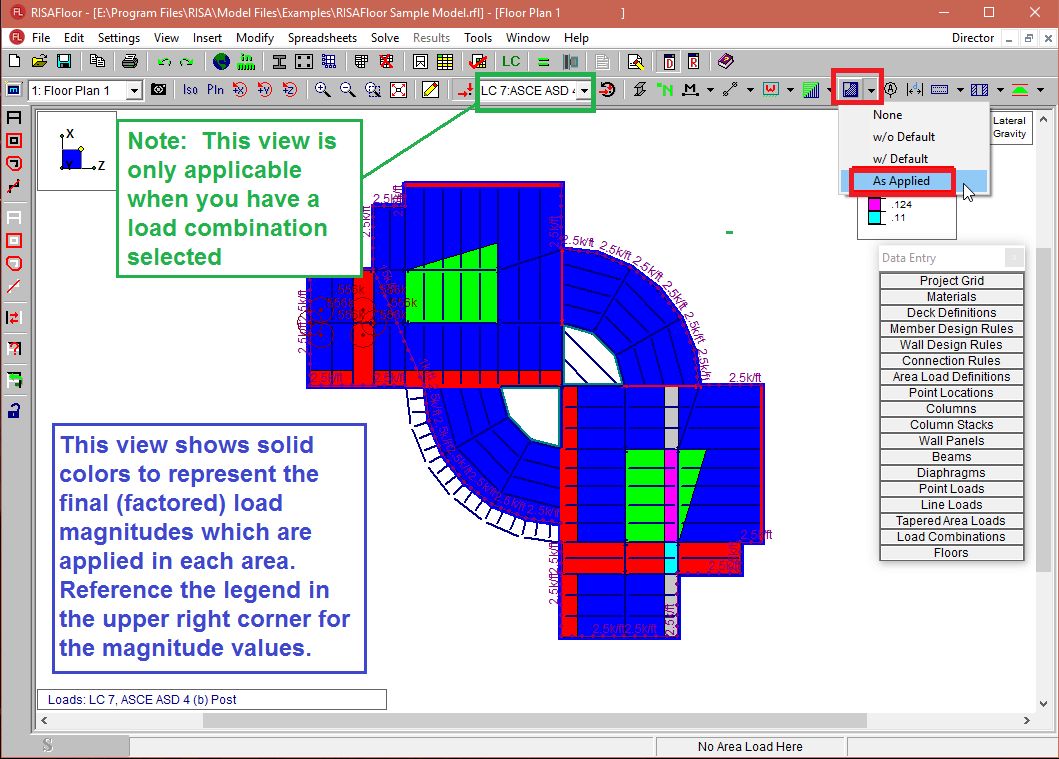
You can also hover your cursor over any area and see the applied Area Load reported in the Status Bar.
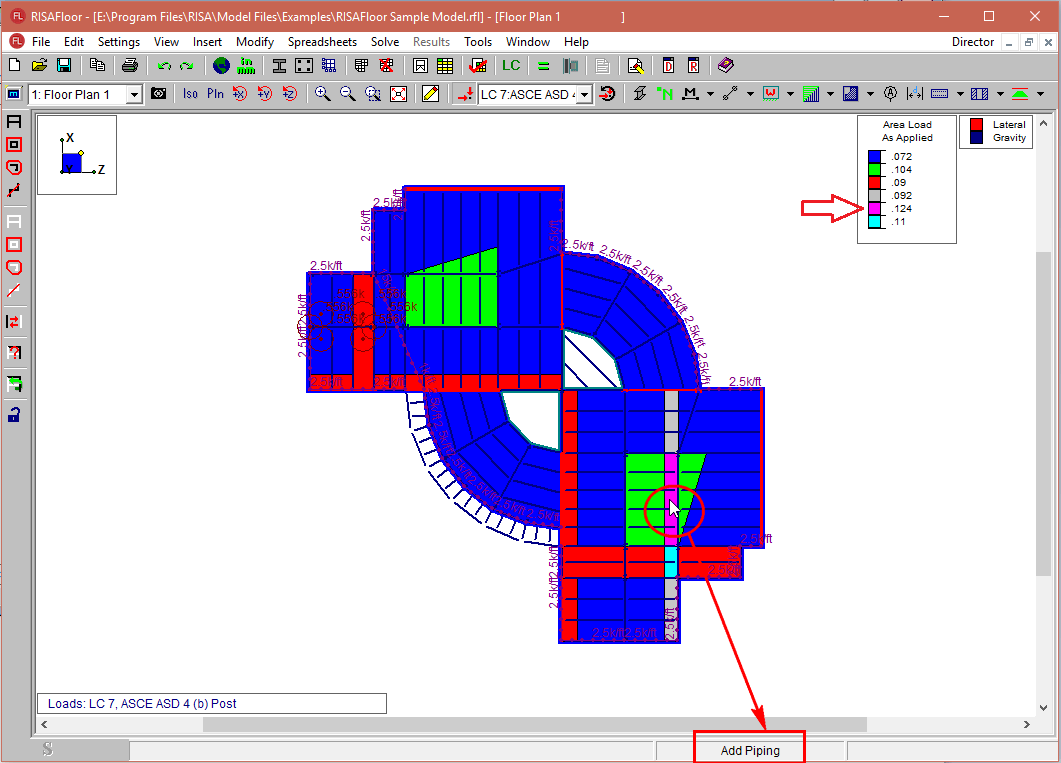
Use this information to compare to your input loading and load combinations to verify the applied loads.
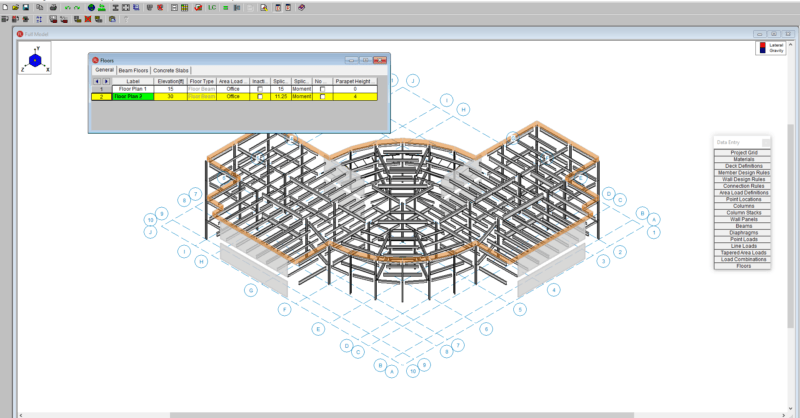
RISAFloor v11 now includes the option to add parapets and parapet loading to a building.

One of the most overlooked design criteria for commercial buildings is the tendency of the floor system to bounce or vibrate due to human...

RISAFloor uses the Area Load Definitions spreadsheet to define area loads available for use on a floor.