 By: Admin

Smart Tools for Tendon Entry and Modification in ADAPT-Builder
ADAPT-Builder v21 now includes a new set of Smart Tools that assist the user in efficient modeling and modification of tendons. These tools...

Try the Complete RISA Suite for
10 Days FREE

RISA Education

Video Library

Online Help

Get Support

About Us
The latest release of ADAPT-Builder (Version 20.0.1) includes improvements to model input, colorization and result display.
Users now have the the option to Colorize Tendon Spans by their assigned Span Shape. This improvement greatly improves user efficiency when reviewing tendon profiles to ensure proper modeling of tendons.

When modeling a component, the program enters a new Creation Mode, where the user can modify component properties during the modeling process. Creation Mode replaces the use of the Item Properties dialog window to modify properties while modeling, adding more efficiency to the modeling process.

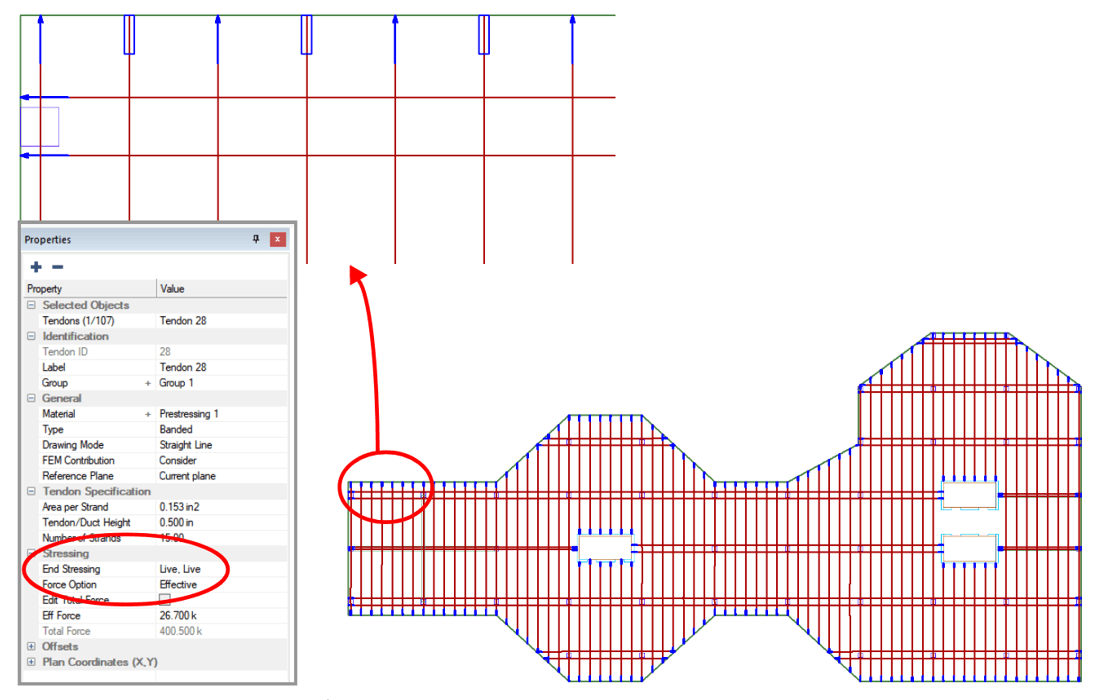
Users can now set the Stressing Ends of Effective Force Tendons. The user has the option to set the Effective Force Tendon anchors as Live:Live; Fixed:Live, or Live:Fixed for visual representation within the model as well as export to DWG/DXF file. Previously this option was limited to Calculated Tendons only.
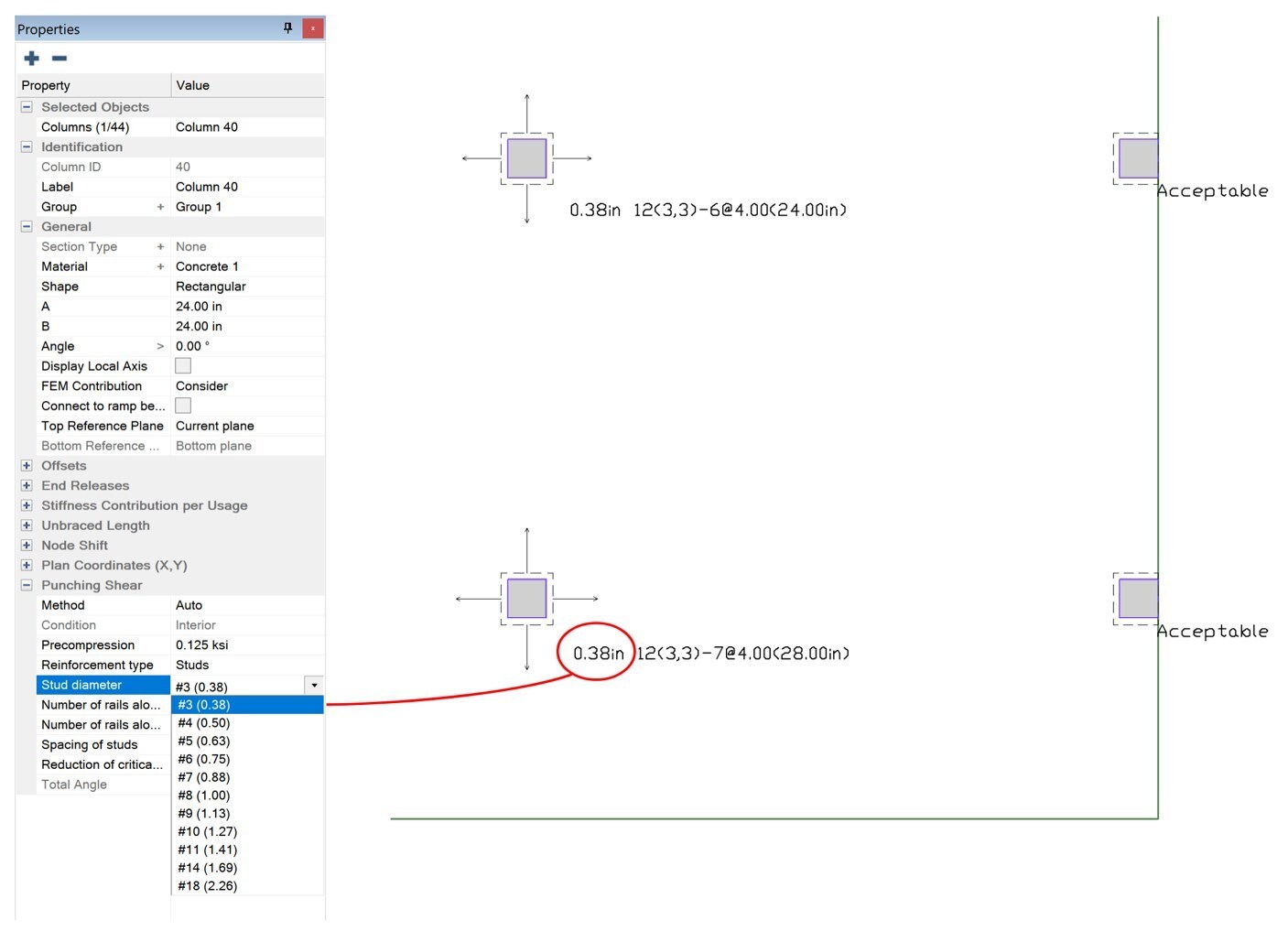
Output now includes enhanced the Punching Shear Reinforcement display to reference the Stud/Stirrup Size. Additionally, when selecting the Punching Shear Reinforcement in the Properties Grid the program now displays the Bar Number/Size as well as Stud/Stirrup Diameter.
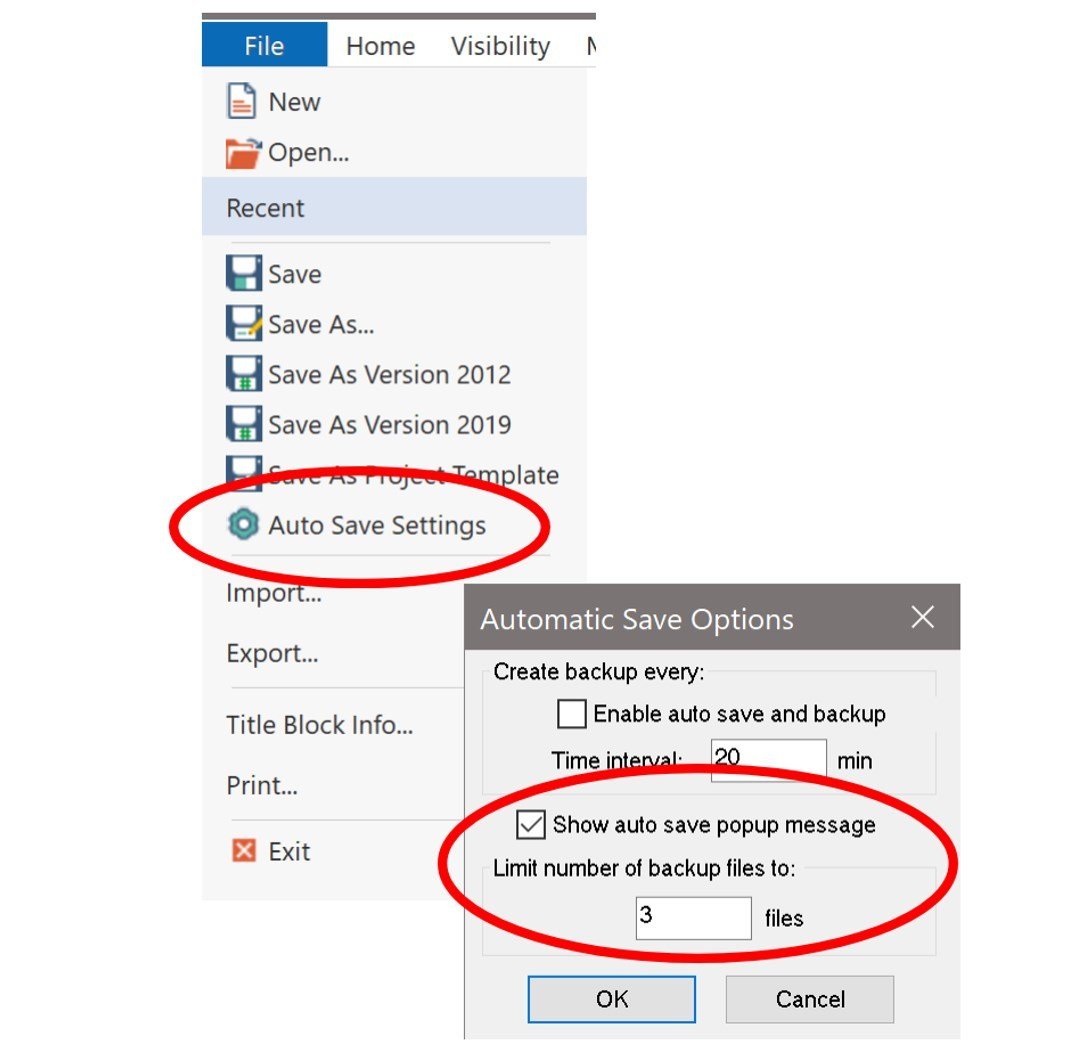
An option has been added the AutoSave feature to specify the number of backup files saved at a time for the model. When the limit is reached the program overwrites the previous AutoSave file with a new backup file in sequence. This improves management of hard drive space used by the program.
To download the latest release of ADAPT-Builder Version 20, please visit the link below:

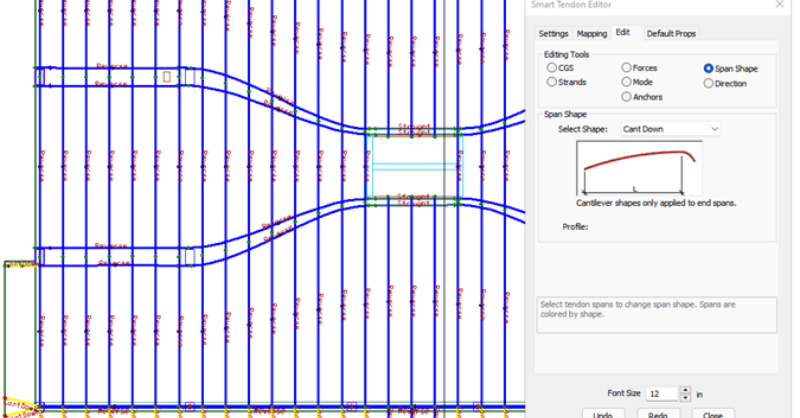
ADAPT-Builder v21 now includes a new set of Smart Tools that assist the user in efficient modeling and modification of tendons. These tools...
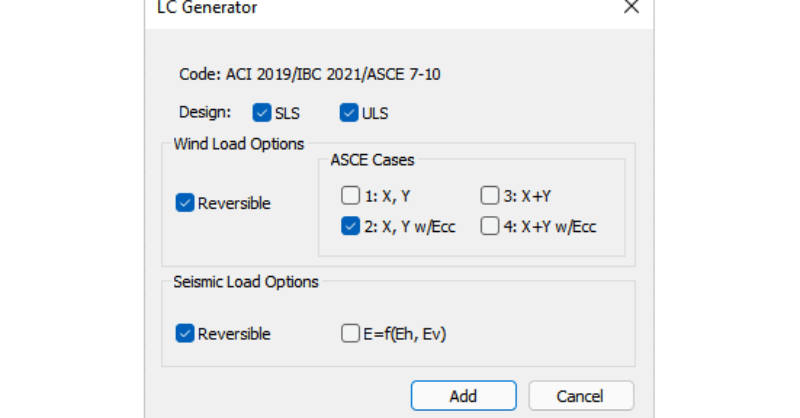
With the release of ADAPT-Builder v21, a new load combination generator (LC Generator) provides users the option to automatically generate code...
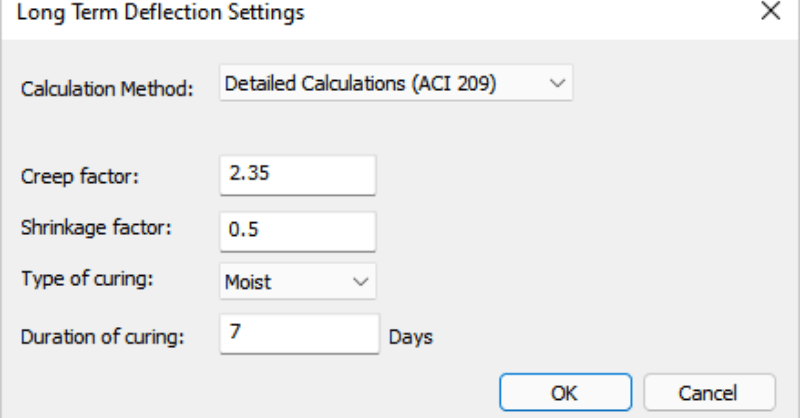
With the release of ADAPT-Builder v21, users now has the option to have the program automatically calculate long-term load factors using two...