 By: Admin
Moving Load Point Load Generator now Available
A common question we get in tech support is “how can I verify my moving load results?” We now have a feature that will allow you to quickly...

Try the Complete RISA Suite for
10 Days FREE

RISA Education

Video Library

Online Help

Get Support

About Us
With the new release of RISA-3D v13.0, you now have the ability to include moving load combinations in a Batch solution.
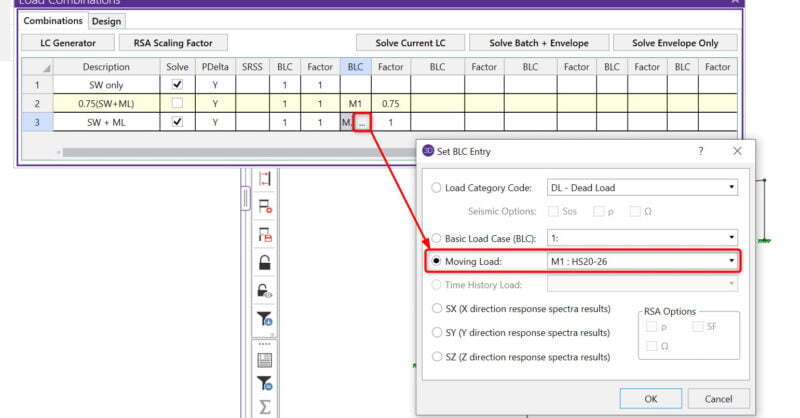
Just select which load combinations you want included in the Batch solution using the “Solve” checkboxes in the Load Combinations spreadsheet.

Then run a Batch or Batch + Envelope solution.
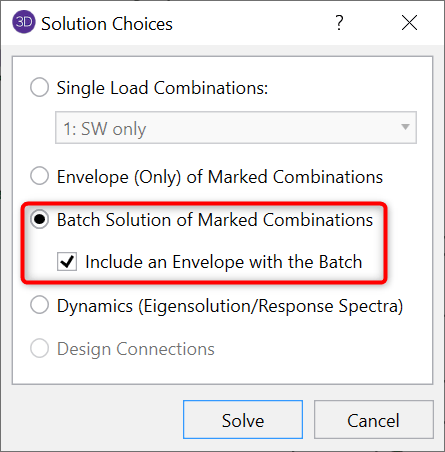
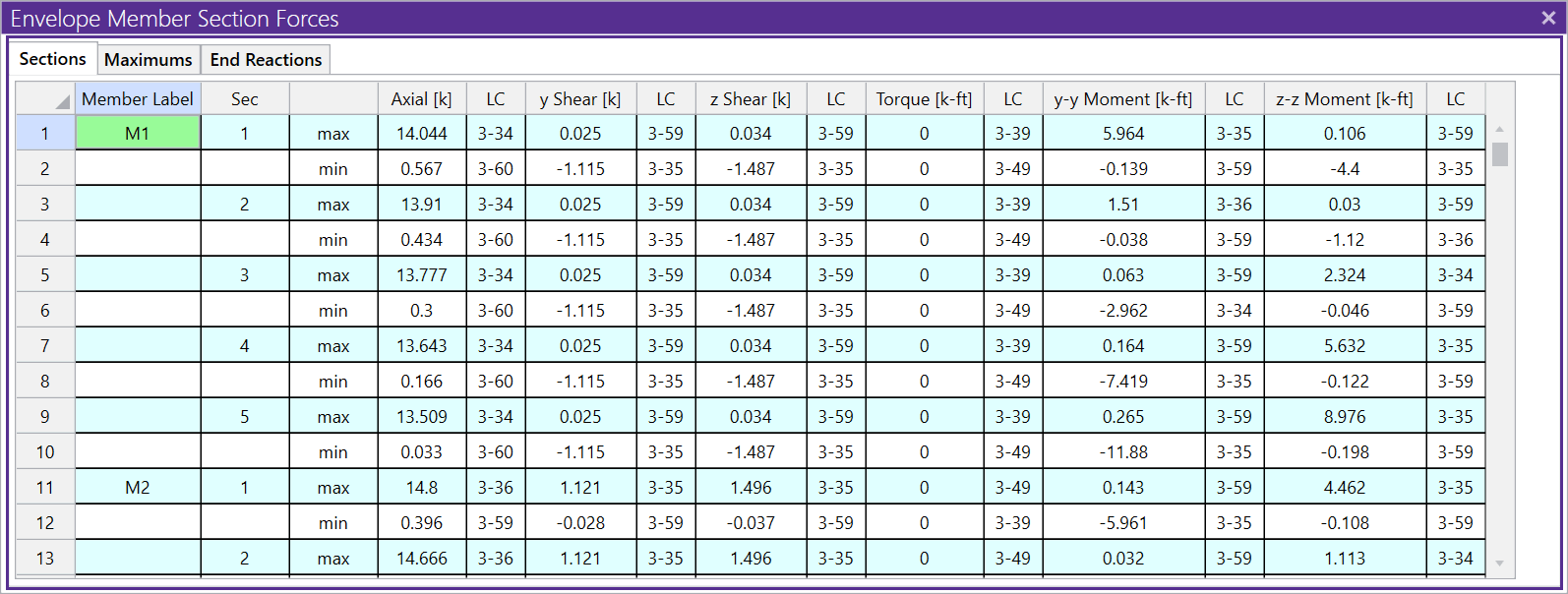
When complete, you will have two sets of results – those for the Batch and those for the Envelope solution. Since the moving loads still require an Envelope solution, this will be run automatically even if you only choose a Batch solution.
The Envelope results will include all marked combinations.
The Batch solution results will only include non-moving load combinations (for example, LC1 in the screenshot above).
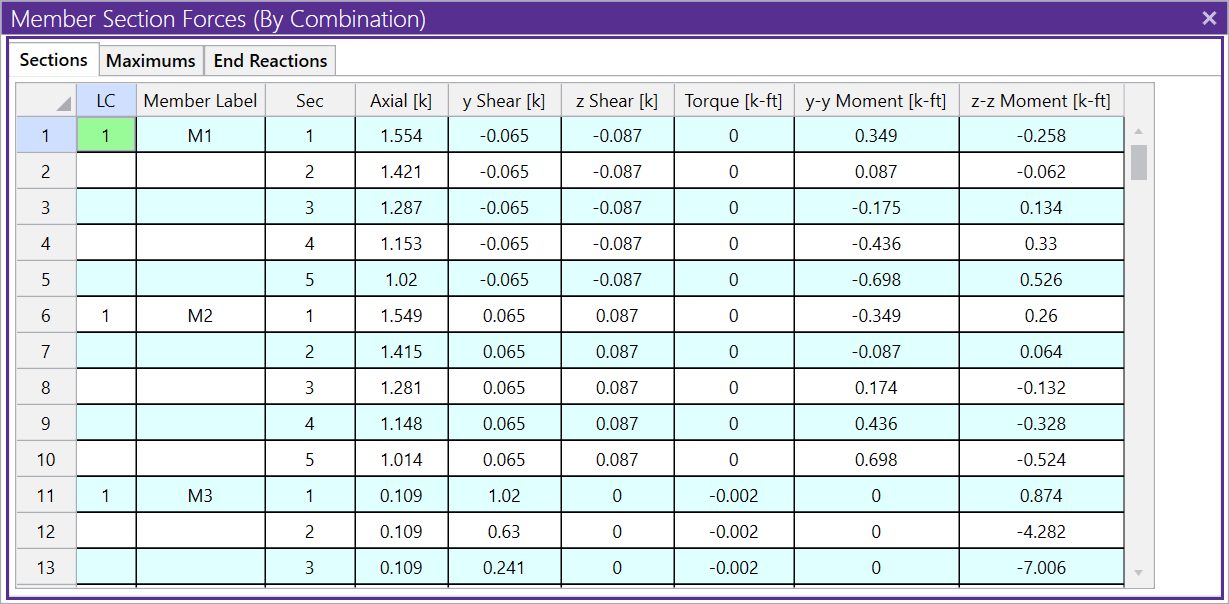
This way, you can see the Enveloped moving load results and the more detailed Batch results of your non-moving load combinations all at once without having to run multiple load combinations.
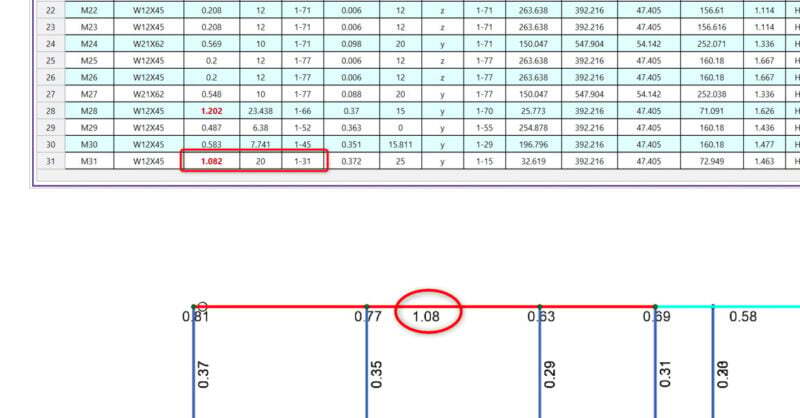
A common question we get in tech support is “how can I verify my moving load results?” We now have a feature that will allow you to quickly...
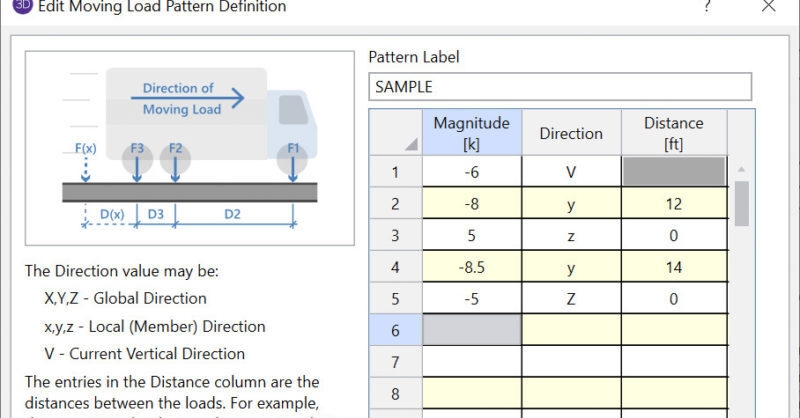
RISA-3D and RISA-2D come with a default list of existing moving load patterns. These are listed in the Moving Loads Library which can be viewed by...
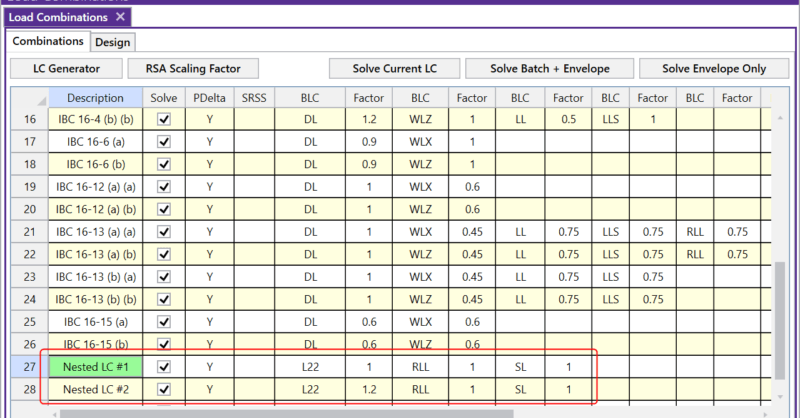
The Load Combinations spreadsheet in RISA-3D is limited to ten columns of BLC and Factor combinations. However, there are times where you may need...