 By: Admin
Creating Custom Load Combinations (VIDEO)
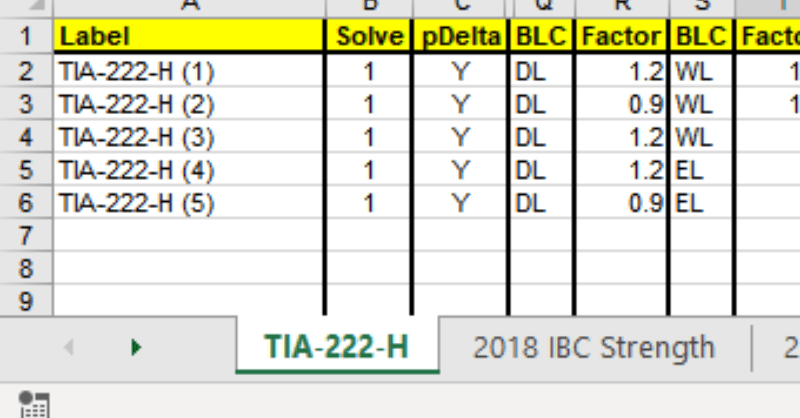
RISA-3D, RISAFloor and RISAFoundation allow users to create custom load combination sets by modifying and expanding the underlying XML file used...

Try the Complete RISA Suite for
10 Days FREE

RISA Education

Video Library

Online Help

Get Support

About Us
The Load Combinations spreadsheet in RISA-3D is limited to ten columns of BLC and Factor combinations. However, there are times where you may need to include additional entries to your Load Combination. To do this, you can simply “nest” your load combinations.
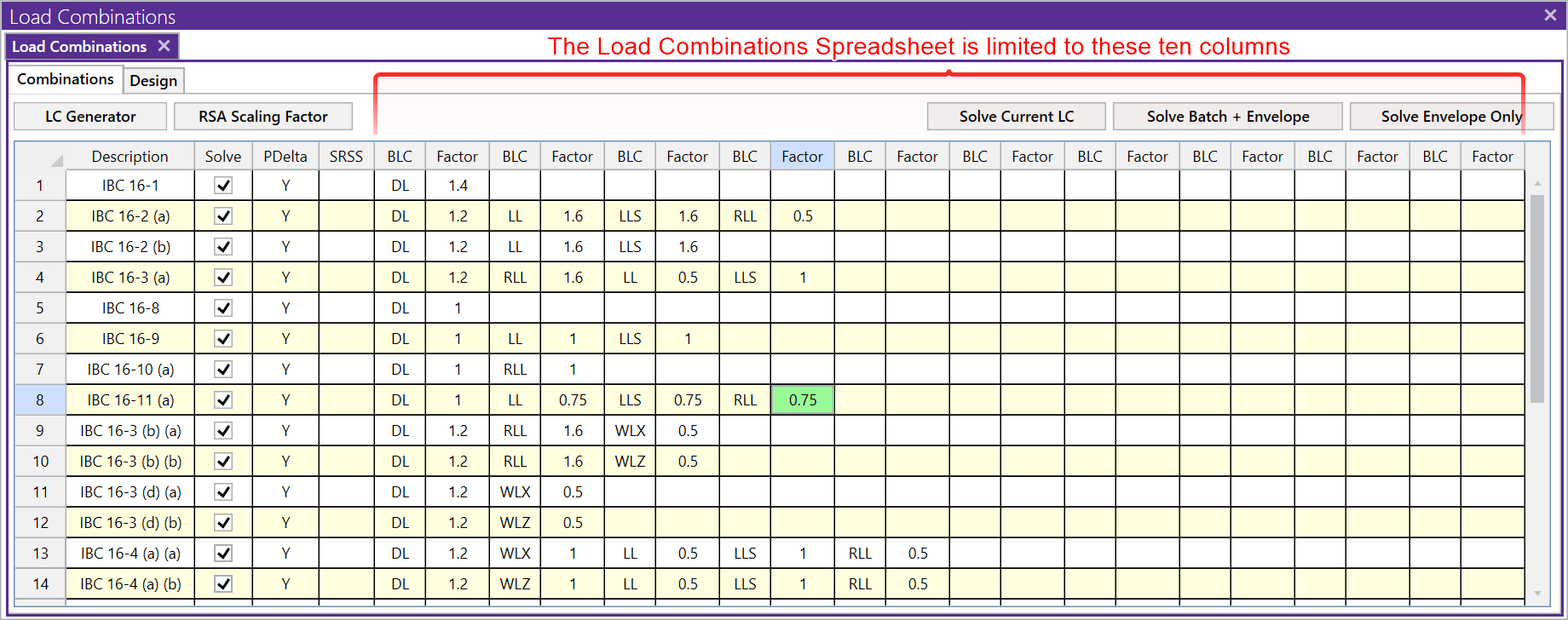
This means that if you need more than eight BLC entries in a single load combination, you can define the common BLCs (such as Self Weight, DL, and/or LL) in one load combination that you can then reference in the other load combinations. Entering “Lnn” in the BLC field will include all the BLCs (and their factors) from the load combination on line “nn” of the spreadsheet, thereby “nesting” the combination. This can also be used to simplify your input.
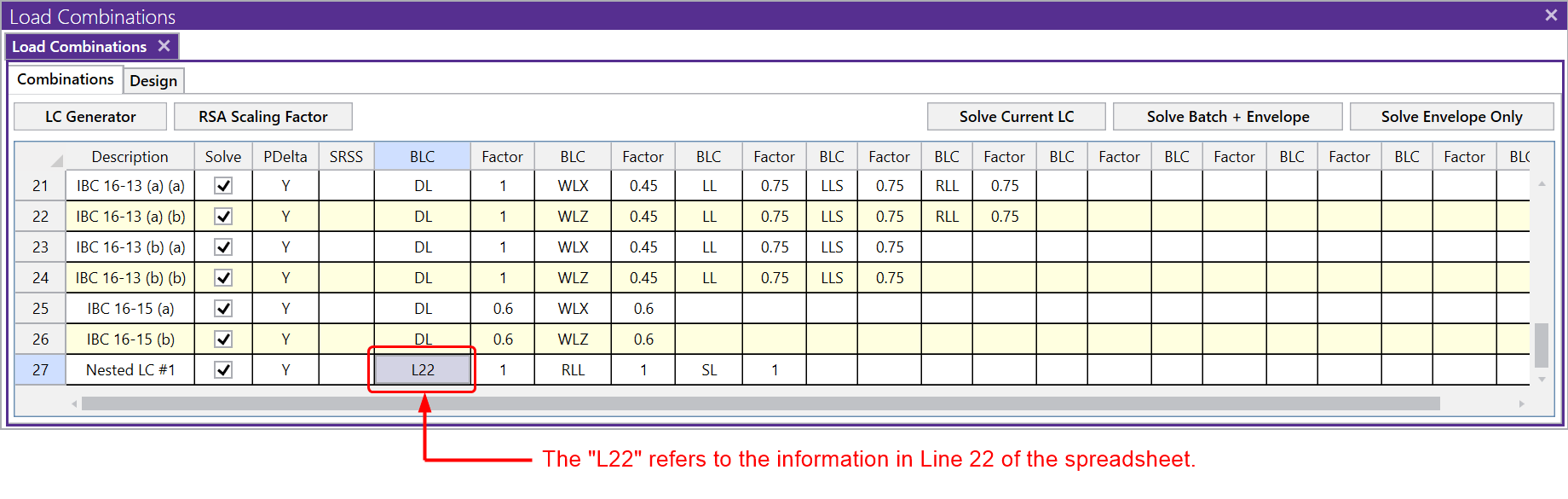
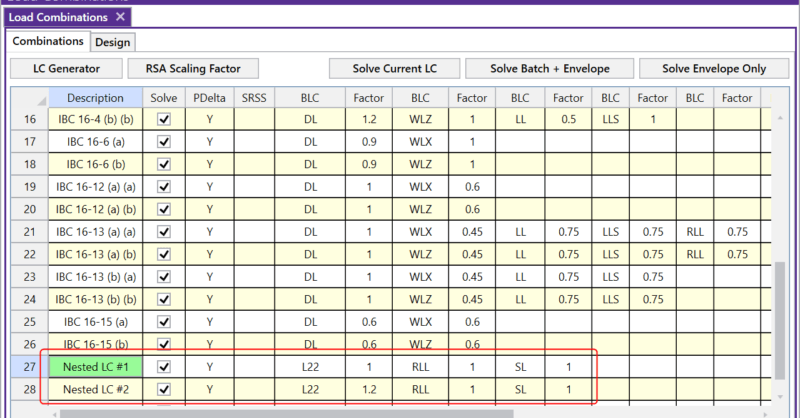
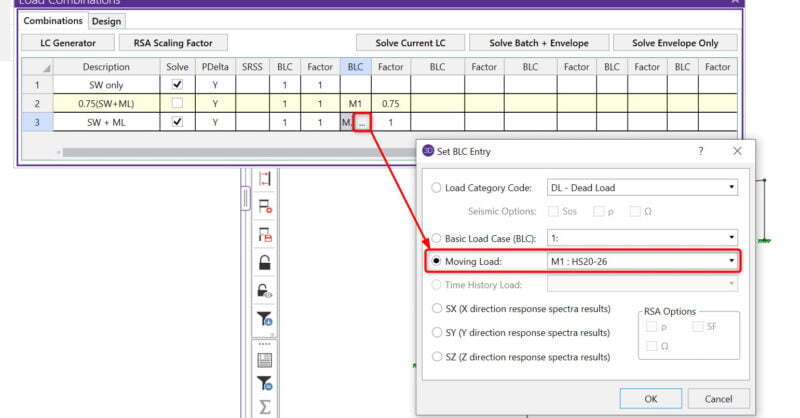
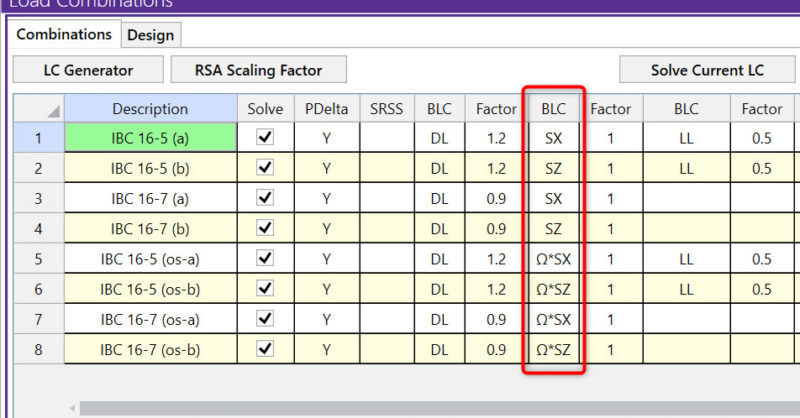
For instance, you may have a model that needs to combine the effects of static loads and moving loads, or static loads and the Response Spectra results, but because of space limitations in the spreadsheet, it is impossible to fit them all into one row. Additionally, while investigating the performance of a structure, you may need to multiple entire load combinations by a "safety factor". In this example, the load combination (L22) is given additional factoring and has new Basic Load Cases incorporated.
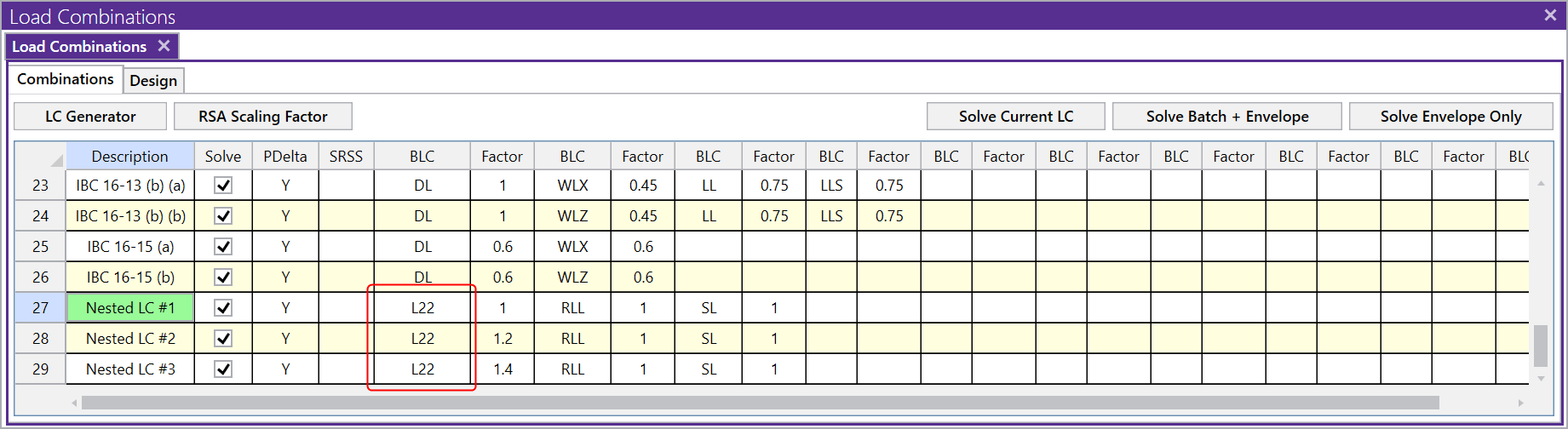
Note that the Factor assigned to the “nested” BLC line will be applied to all the entries in the nested combination. For example, in the image below, the normal DL only combination include a Factor of 1.4, but we have also applied a Factor of 1.4 to the “L22” nested entry in line 29 (Nested LC #3). This means that the two Factors will be multiplied by each other resulting in an overall factor of 1.4*1.4=1.96 to the DL. This is why it is important to consider the factors when using the nesting feature.
RISA-3D, RISAFloor and RISAFoundation allow users to create custom load combination sets by modifying and expanding the underlying XML file used...
With the new release of RISA-3D v13.0, you now have the ability to include moving load combinations in a Batch solution. Just select which load...
The Load Combination Generator in RISA-3D can now include earthquake loads in load combinations to reflect Response Spectra Analysis.