Video: Mat Slab Design in RISAFoundation
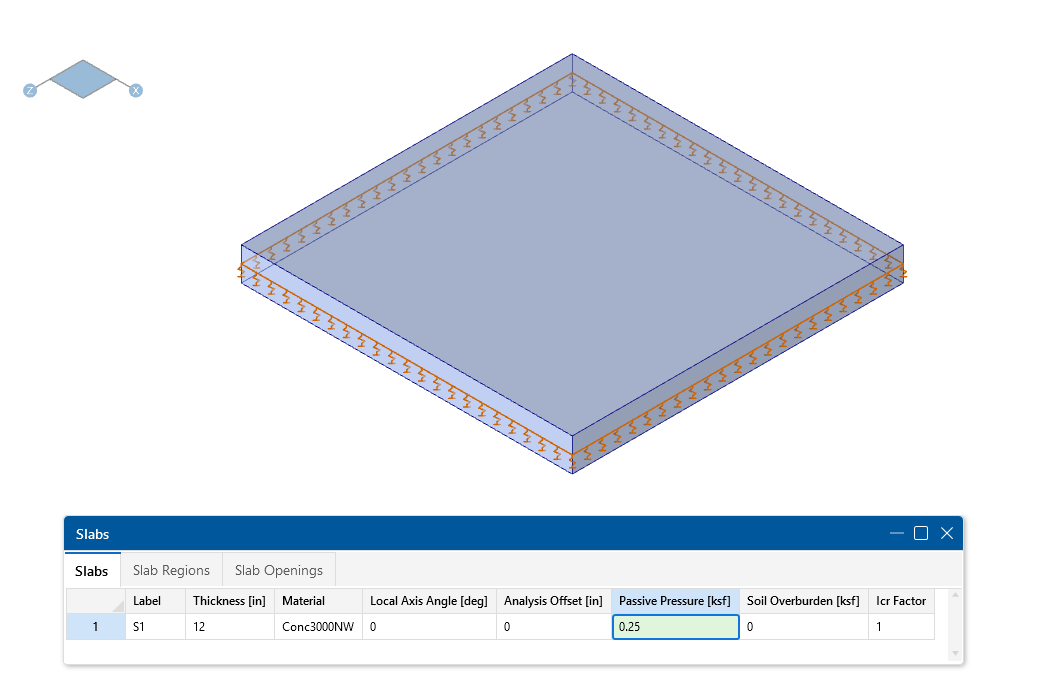
In this video, we’ll take a look at the modeling and analysis of a mat slab in RISAFoundation. We’ll specify design parameters and soil properties...

Try the Complete RISA Suite for
10 Days FREE

RISA Education

Video Library

Online Help

Get Support

About Us
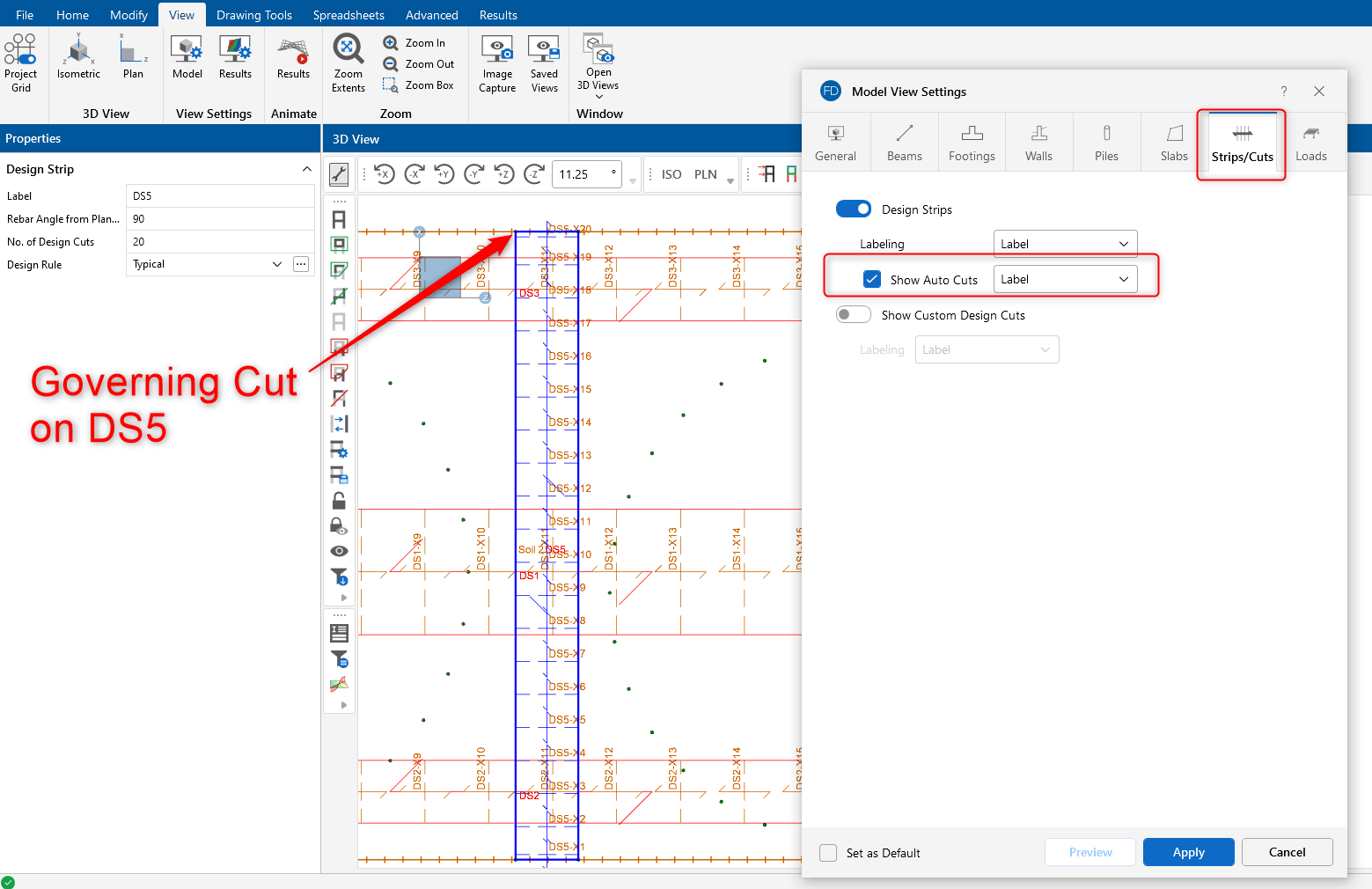
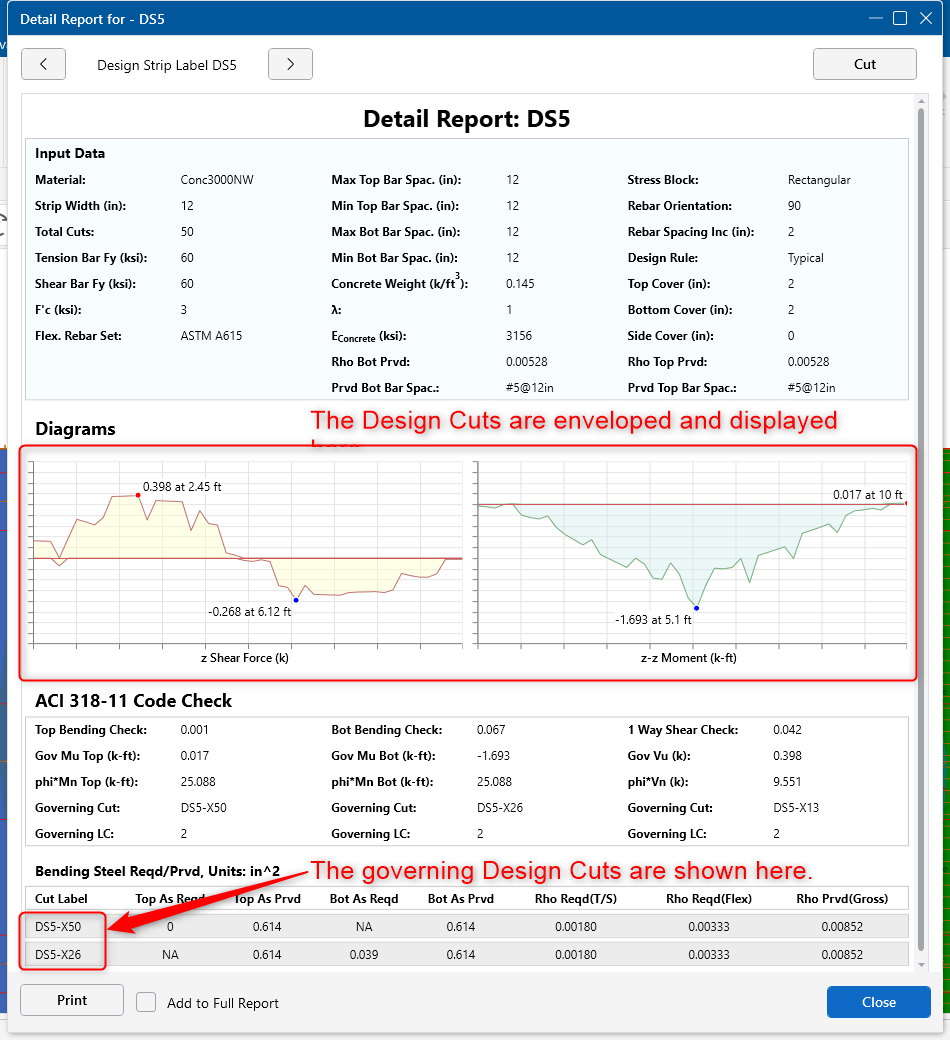
In RISAFoundation, the user has the ability to manually draw a single Design Cut anywhere on a slab. The Design Strips also automatically include Design Cuts which are used to determine the governing design forces in the Design Strip. For more detailed information on the specifics of Design Strip Results, see the article below.
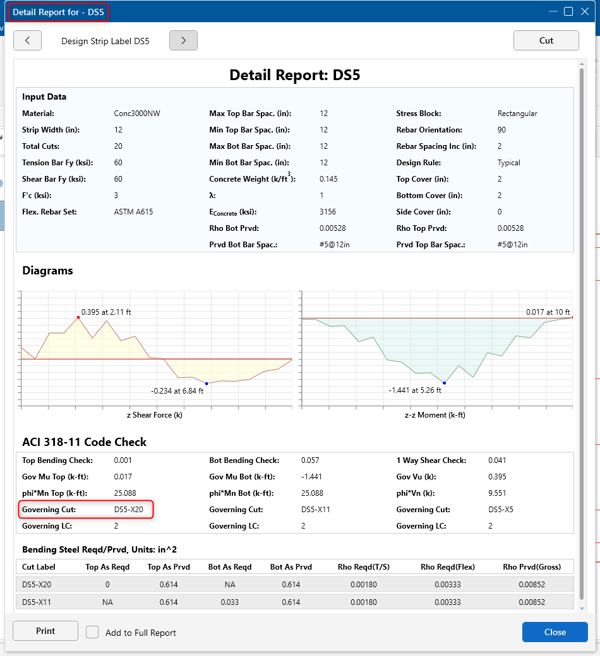
The Design Strip results show the governing design forces and which Design Cut the governing forces each came from.
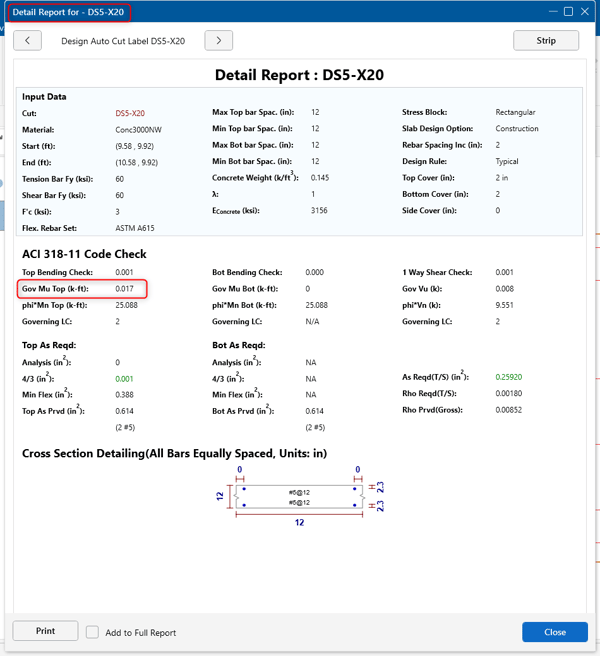
The Design Cut detail report gives specific design information based on the forces in the cut.
The detail report results can be compared to the graphical slab contours for confirmation. First, turn on the view of the Auto Cuts (with Labels) through the Model Display Options tool.

Once you know the location of the governing cut, you can view the contours to confirm the design forces used in the Design Cut detail report. If the rebar in DS5 runs parallel to the global X axis, the corresponding slab contour moment is MX.
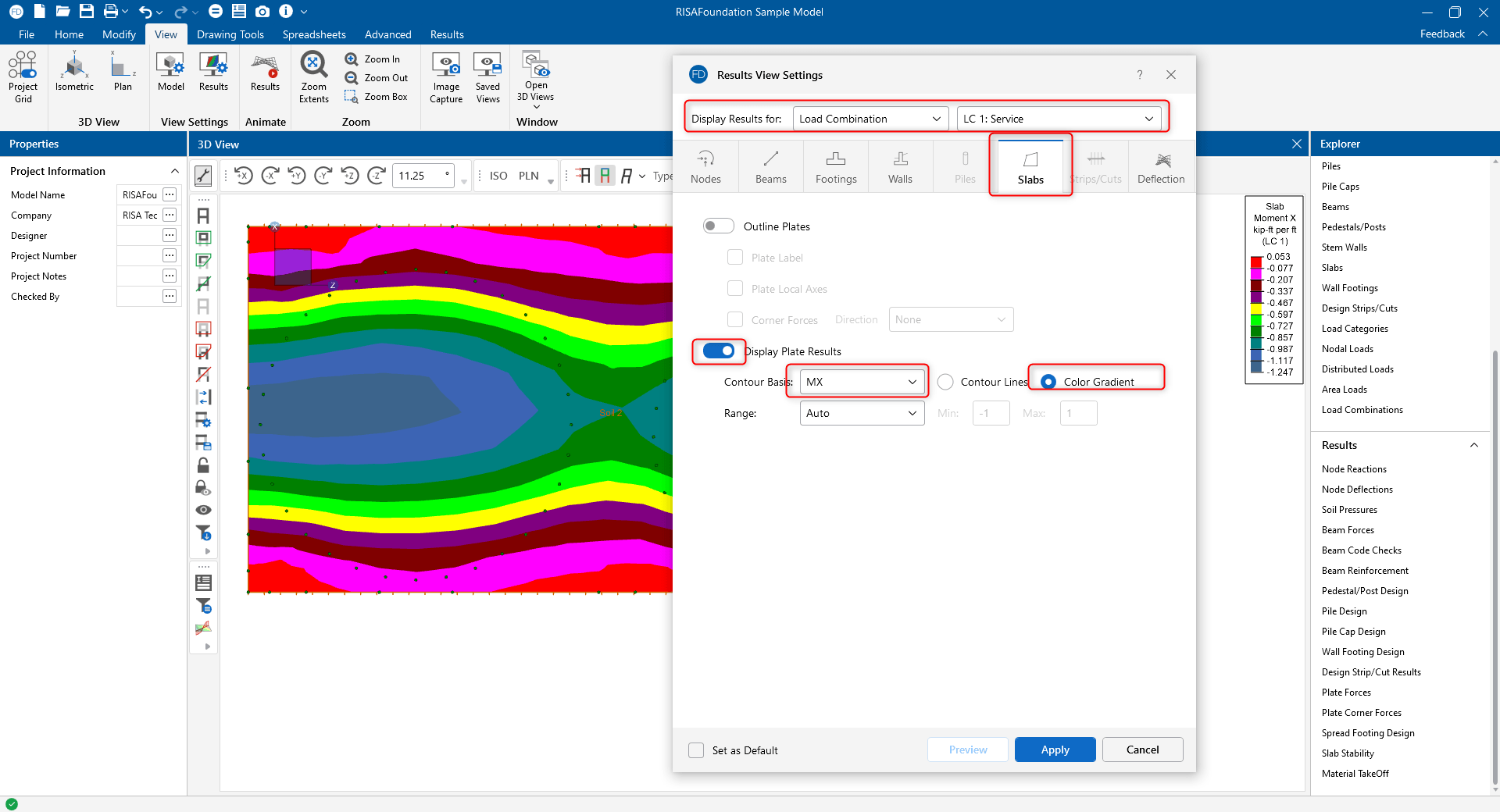
The contours are spread over the surface of the slab, so the color coding legend values are on a per unit length basis. Therefore, you must multiply by the width of the strip in order to match the design value used in the detail report.


You can further refine the contour display range in order to get even closer to the actual design value.
In this video, we’ll take a look at the modeling and analysis of a mat slab in RISAFoundation. We’ll specify design parameters and soil properties...
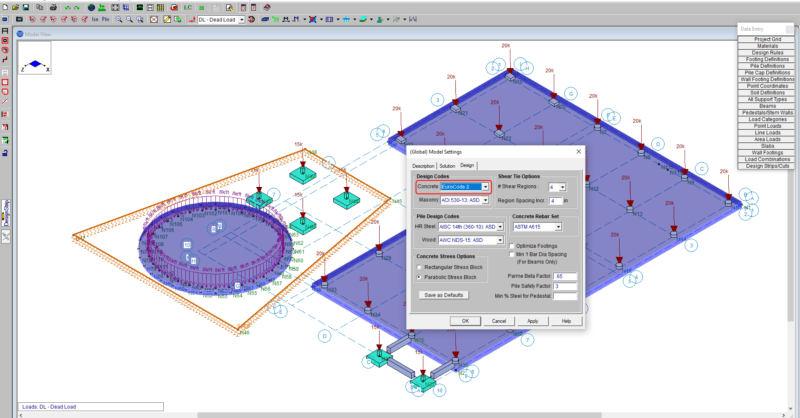
RISAFoundation v12 includes mat slab, concrete beam and pedestal design according to Eurocode 2. For more information, check out the video...
In RISAFoundation, Design Strips are used to create regions in a slab for reinforcement design. Design strip size and shape is determined by the...