 By: Admin
Integration between RISA-3D & ADAPT-Builder for Podium Buildings
ADAPT-Builder v21.0.1 includes the option to import reactions from a RISA-3D model. The program will import the superstructure reactions and...

Try the Complete RISA Suite for
10 Days FREE

RISA Education

Video Library

Online Help

Get Support

About Us
ADAPT-Builder has historically been hard coded to design reinforcement for strength load combinations to a maximum demand/capacity ratio of 1.0. However, clients have expressed the want to be able to have the program reinforce to a user defined maximum DCR. ADAPT-Builder v21.0.1 includes the option to apply a user defined Maximum Demand/Capacity Ratio to design flexural reinforcement at a design section. The User Defined Maximum DCR can be used in any model and is available for all design codes.
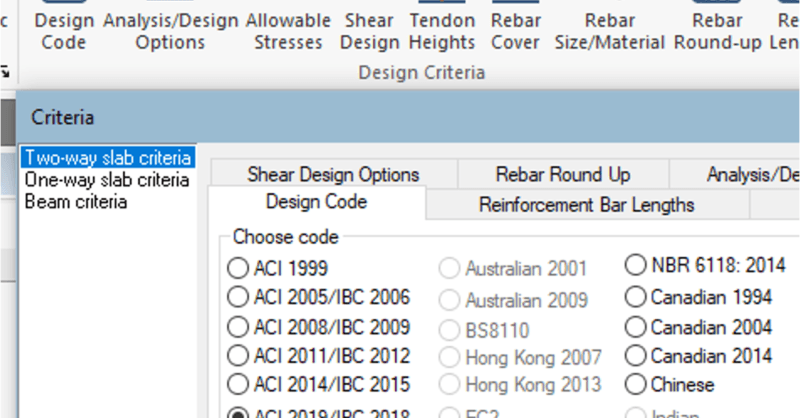
In ADAPT-Builder 21.0.1 the user can modify the maximum flexural demand/capacity ratio the program is designing reinforcement to. Go to the Criteria ribbon and click on the Analysis/Design Option icon.

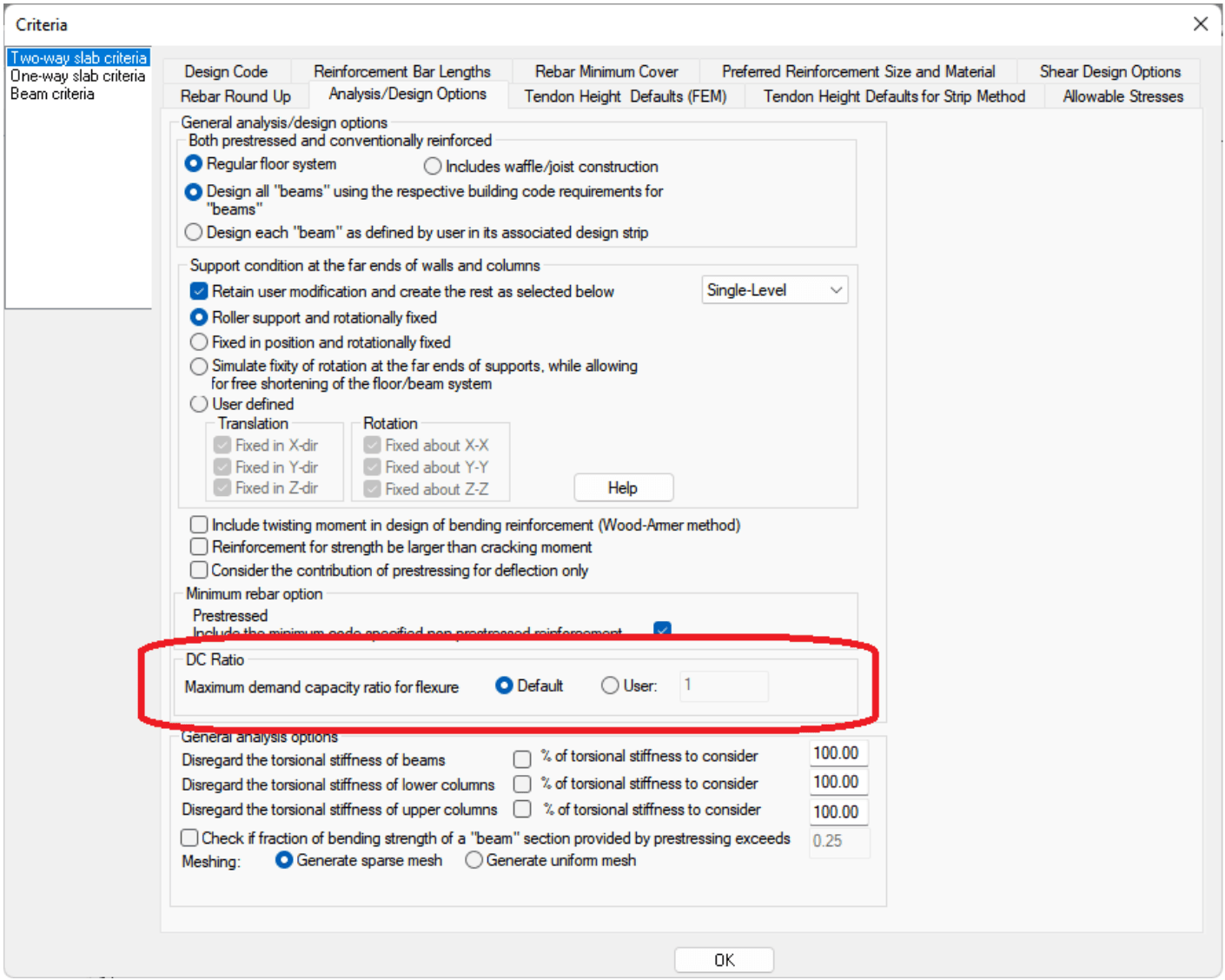
The Criteria window will open to the Analysis/Design Options. There is a new DC Ratio section within this window as shown in the image below.
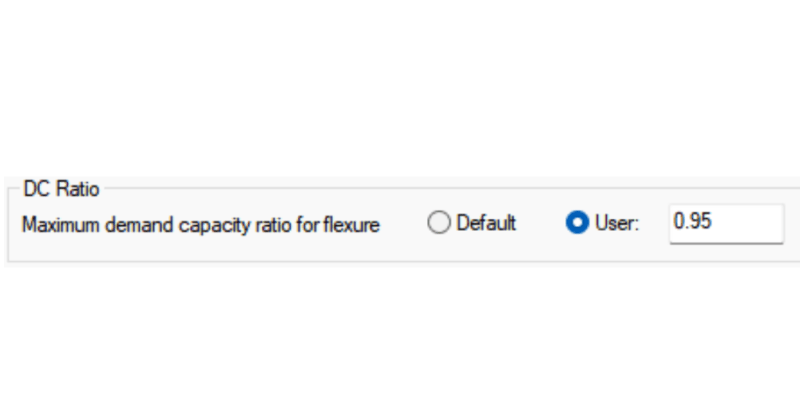
To assign a user defined value click the radio button next to the User option. In the text box to the right of the User option, type in a new value for the maximum flexural design/capacity ratio you want to reinforce to. In the image below we have modified the input to be 0.95.

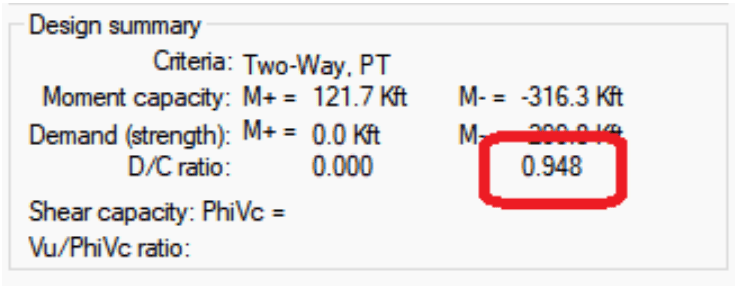
Once this is set you can analyze the model and design the design sections. Once the analysis and design have been completed you can double click a design section controlled by strength to see that the design capacity is now limited to the user defined demand/capacity ratio.
Notes:
For more information on the User Defined Maximum Demand/Capacity Ratio refer to the ADAPT-Builder Help File.

ADAPT-Builder v21.0.1 includes the option to import reactions from a RISA-3D model. The program will import the superstructure reactions and...
ADAPT-Builder v20 has been updated to ensure that users can take advantage of designs conforming to the latest building code standards. The 2020...
ADAPT-Builder Version 22.0.2 is now available and includes the following enhancements: Added wall design per ACI 318-19 code. Improved the...