 By: Admin
RISA-3D v18.0.3 Released
Over the last few weeks, we have been working hard to add the features and functionality that our customers have requested as well fix some of the...

Try the Complete RISA Suite for
10 Days FREE

RISA Education

Video Library

Online Help

Get Support

About Us
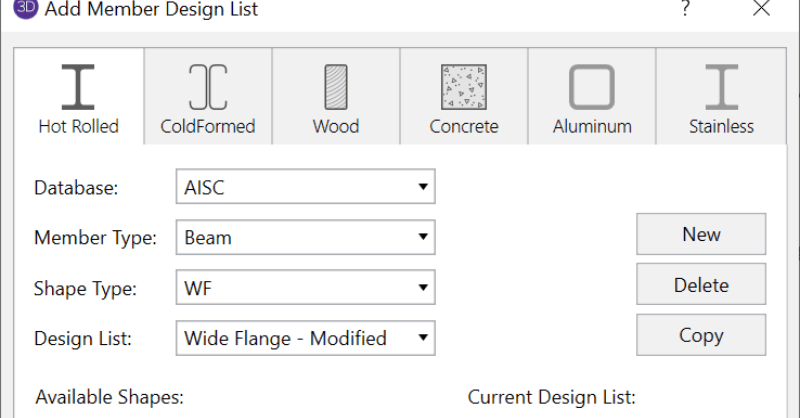
RISA-3D includes Redesign Lists that are used to optimize hot-rolled steel, cold-formed steel, dimensional lumber, and concrete beams and columns. Although, the criteria used for this optimization is the Design Rules, the sizes must be chosen from the available sizes in the Redesign List. It is now possible to add, modify and update the Redesign lists for various material directly in RISA-3D.
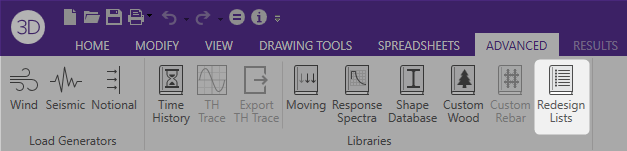
To access the redesign lists from within RISA-3D click the Redesign Lists button on the Advanced tab.
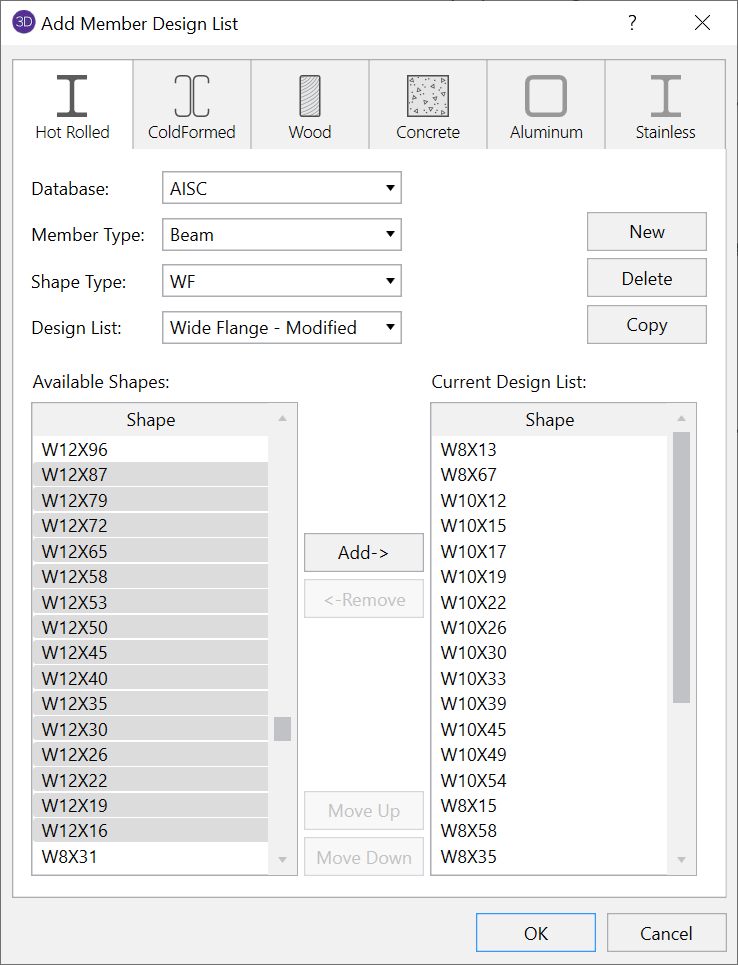
Once the dialog opens, it is possible to create new redesign lists and modify or delete existing ones.
To make modifications to a specific design list first choose a Database, Member Type, Shape Type and Design List.
Then choose which shapes to add or remove from the selected list and click OK to finish modifying the list.

To create a new Design List, first click New and then enter a List Name.
Then select shapes from the Available Shapes list to add to the Current Design List. Shapes can be selected and added one at a time or can be multi-selected by holding the Shift key. Once all the shapes have been added to the list, click OK.
Note: The default design lists as well as any user created lists are located in the following folder:
C:\Users\*username*\Documents\RISA\Redesign Lists
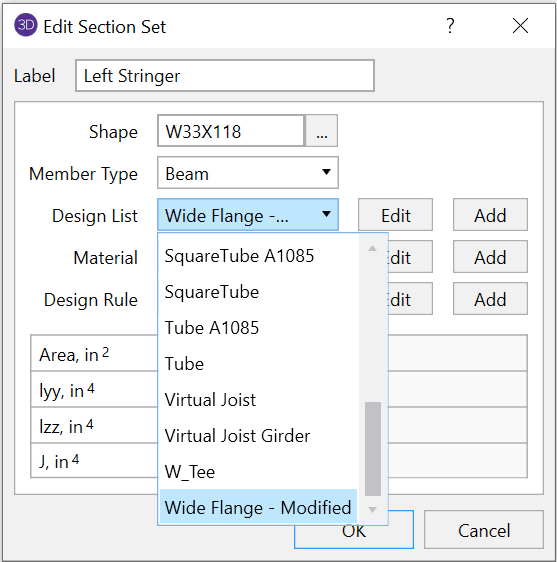
Once the new list is created, it can be selected as the active Design List for a given Section Set from the Section Sets spreadsheet.
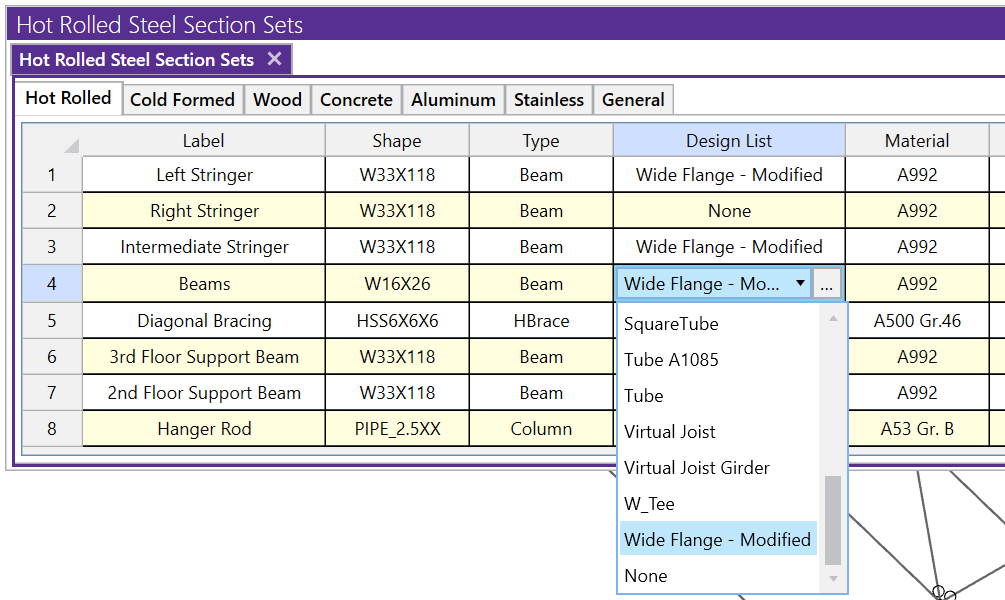
Or by modifying the Section Set from the member Properties Panel.
Over the last few weeks, we have been working hard to add the features and functionality that our customers have requested as well fix some of the...
We have been working diligently over the last few weeks to add the features and functionality that our customers have requested as well fix some...
Over the last few weeks, we have been working hard to add the features and functionality that our customers have requested as well fix some of the...