 By: Admin
Using Projected Loads in RISA-3D
RISA-3D, RISA-2D and RISAFloor have the capability to project distributed and area loads onto members. Consider the case of snow load on two...

Try the Complete RISA Suite for
10 Days FREE

RISA Education

Video Library

Online Help

Get Support

About Us
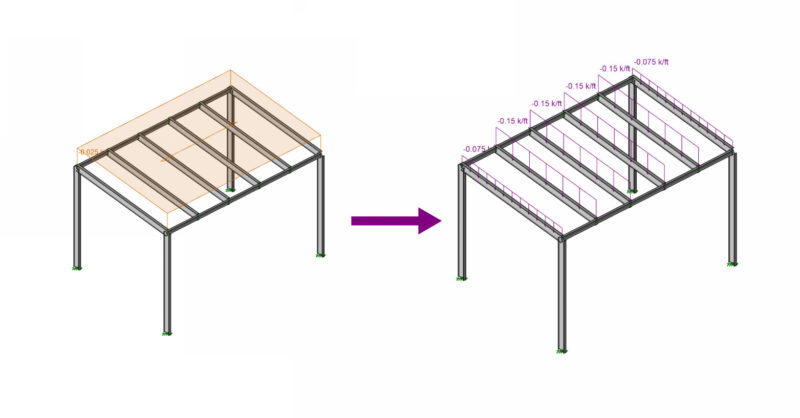
When a model is solved that contains Member Area Loads, the program automatically attributes them to the applicable members within the defined area of the applied load. The load is attributed to the members as distributed loads that RISA-3D defines as Transient Loads.

In order to help verify the load distribution, RISA-3D automatically generates a new Basic Load Case for each Load Case that contains an area load. These new Load Cases include the Transient Loads for each original Load Case, and allow for quick verification of the distribution in the Basic Load Cases spreadsheet.

The loads can be verified graphically as well. Simply turn on the graphic view of the Basic Load Case in question and then select the Transient Area Load case from the Load Display drop down menu.
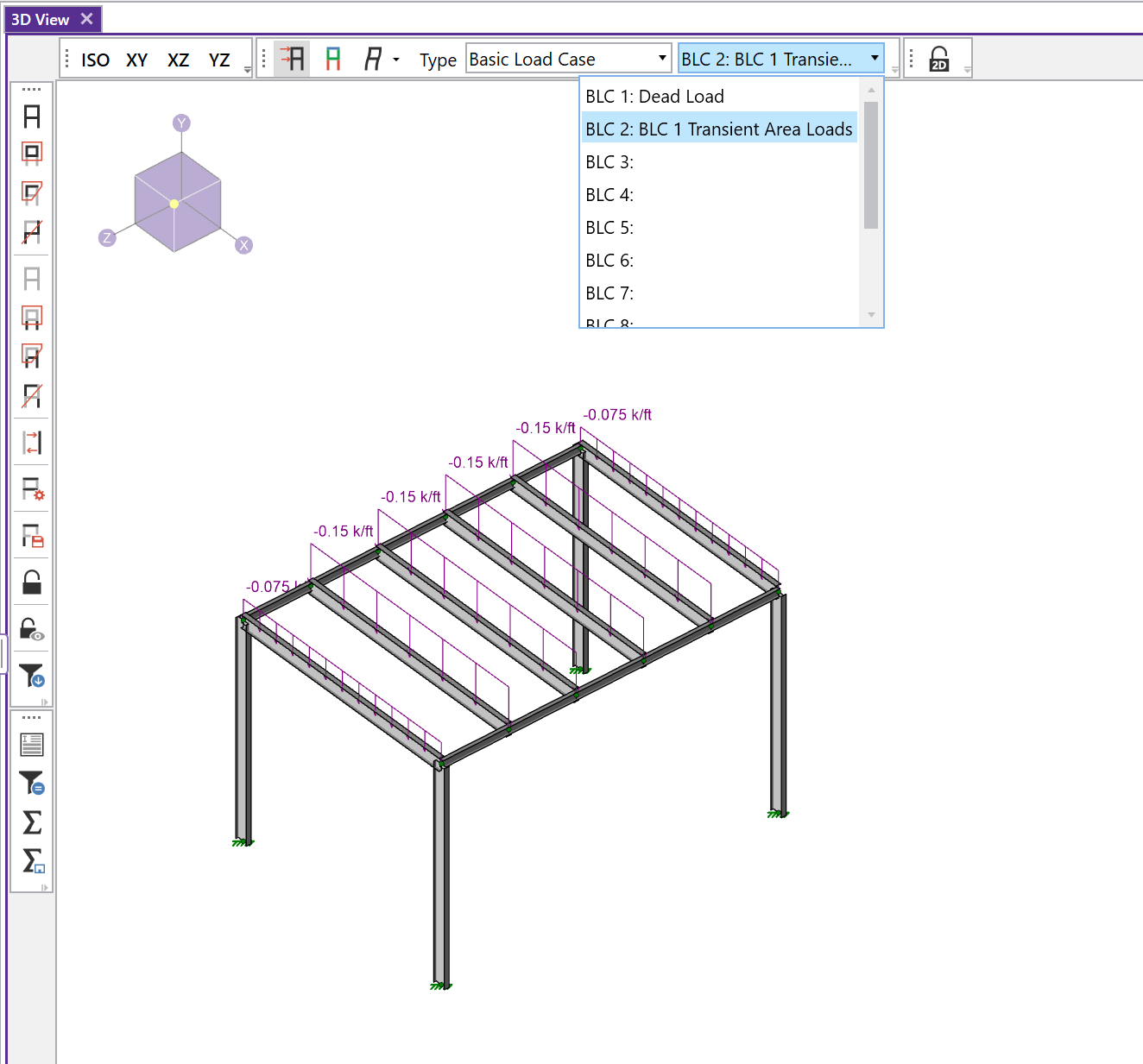
Zoom in on this new view to confirm the load distribution and verify the load magnitudes.
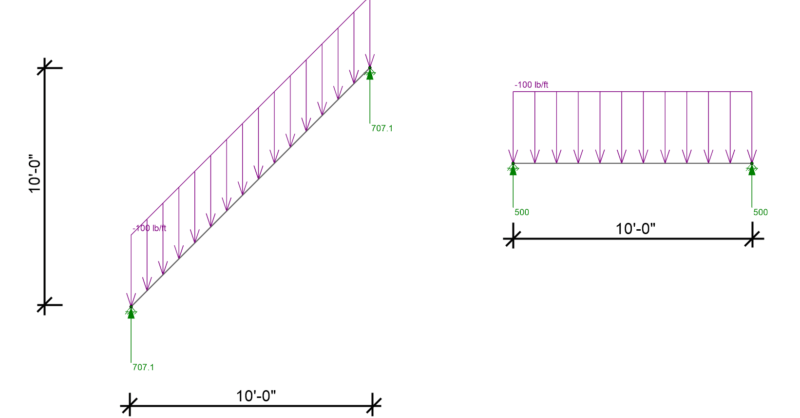
RISA-3D, RISA-2D and RISAFloor have the capability to project distributed and area loads onto members. Consider the case of snow load on two...
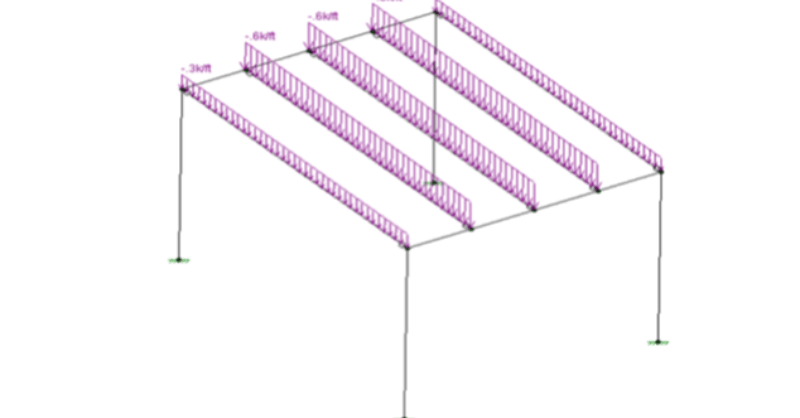
After solving a model with Member Area Loads, RISA-3D will automatically create Transient Basic Load Cases that allow the user to verify load...
RIAFloor designs the gravity system and then integrates with RISA-3D to design the lateral system. Only the lateral members are taken from...