


 By: RISA

How To: Change your License Type
In the ever-evolving landscape of software and technology, change is...
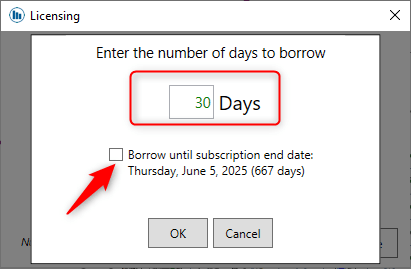
RISA software products allow users to borrow a subscription licenses for a specified period of time, giving users if they are going off-site. To borrow a license follow the steps below.
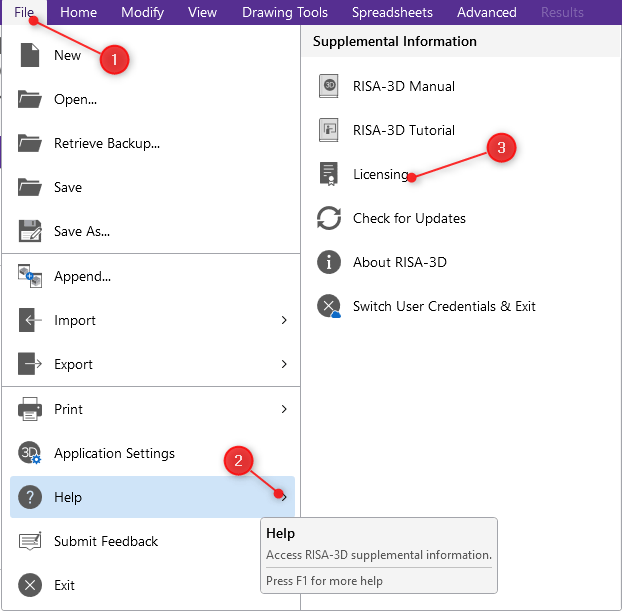
STEP 1: Open RISA-3D. Then navigate to File > Help > Licensing.
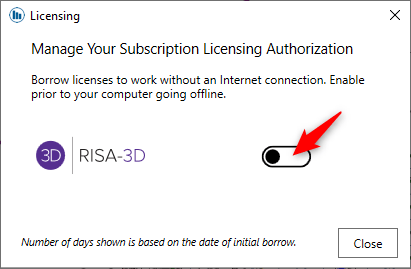
If you need to return the license before the check-out date, check it back in by flipping the switch off.

Please note that to borrow and return a license you will need to be connected to the internet. After the initial borrowing license steps, you will be able to use the license offline until expiration.

In the ever-evolving landscape of software and technology, change is...

The RISA Customer Portal provides access to all your account...

Why should you use subscription licensing? License Flexibility With...