


 By: RISA

How to Model Multiple Pedestals/Loads on One Footing
RISAFoundation includes a footing element which is represented by a...
Circular pedestals and posts can be added to spread footings in RISAFoundation.
To specify a circular pedestal or post, open up the Footing Definition spreadsheet and select the Pedestal tab. Circular shape can be selected for either the Pedestals or Post type.
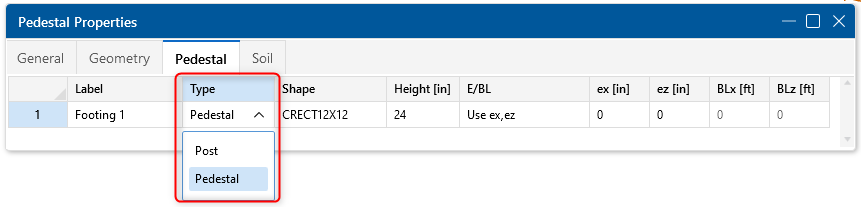
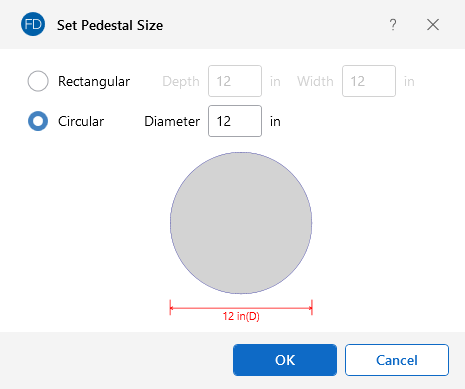
Using Pedestal in this example, from the Shape column you can click the triple dots to launch the Pedestal Size dialog. Then select the circular pedestal option and define a diameter.
The height of the pedestal can be specified under the Height column along with any pedestal eccentricities (ex and ez). Boundaries can also be specified to limit the pedestal eccentricity from the center of the footing (BLx and BLz).
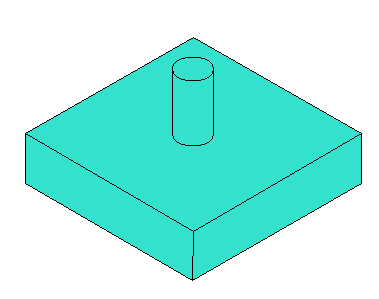
You can then see the circular pedestal displayed on your spread footing after drawing the footing on the graphic interface.

RISAFoundation includes a footing element which is represented by a...
Need to first know how to model a slab on grade? See our Slabs on Grade...
New in RISAFoundation V7 is a Stem Wall element. This element would be...