


July 31, 2013
How to View Wood Design Values
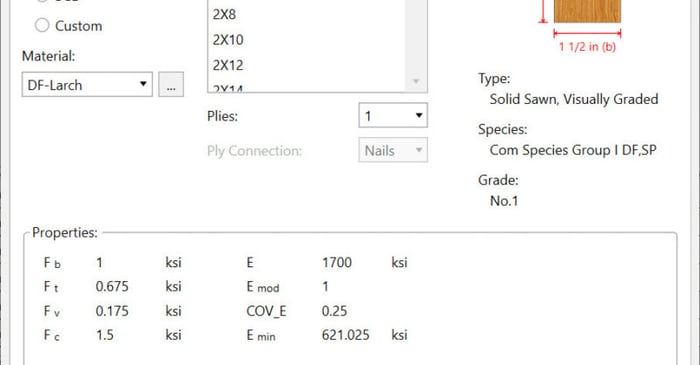
We have recently added a new View Design Properties dialog to allow you to now have the ability to easily view the wood design values prior to solution.
We have recently added a new View Design Properties dialog to allow you to now have the ability to easily view the wood design values prior to solution.
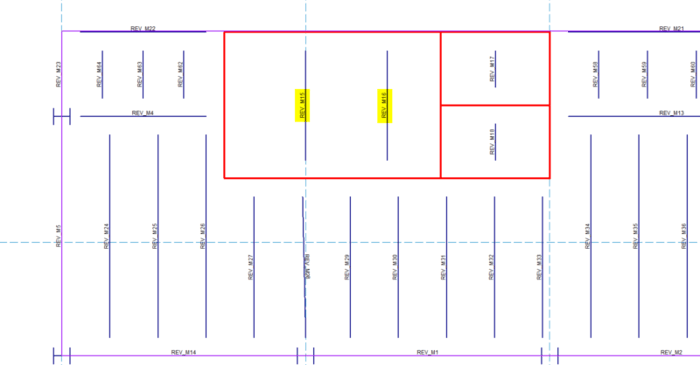
You can now customize the member and nodes names Revit uses during the export to RISA. When you export your Autodesk Revit model to RISA, the member and joint names are automatically altered with “REV” listed in front. This can helpful for you to identify that the model was created in Revit,...
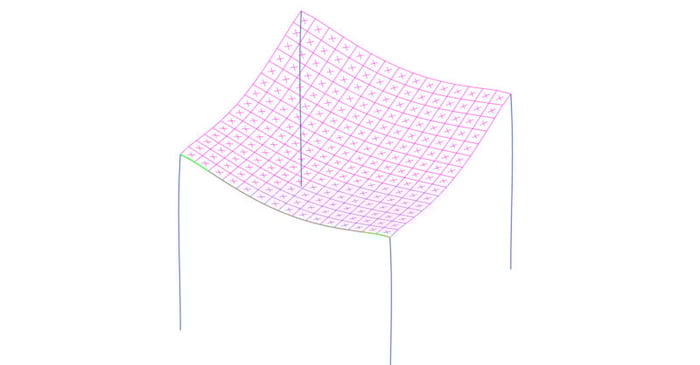
Below is a model of a flat concrete slab made of plates. In order to ensure adequate serviceability of the slab, you may need to check the deflection of the slab between columns. However, RISA-3D only reports Member and Joint Deflections. There is no such thing as a “Plate Deflection”.
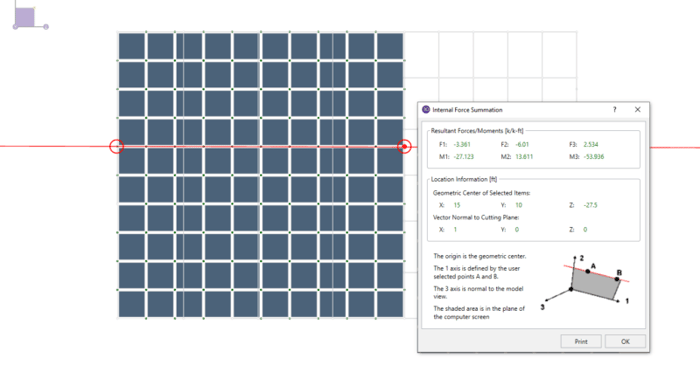
The Internal Force Summation Tool has the ability to "cut through" elements in the model and produce a summation of forces that corresponds with a given load combination. For this example, we will use the following model and review the summation of forces in the horizontal concrete plates.
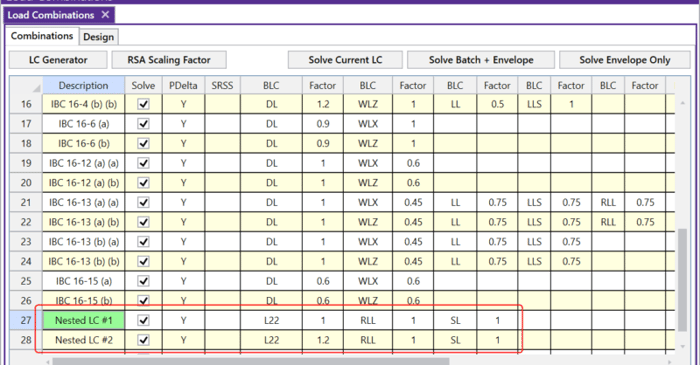
The Load Combinations spreadsheet in RISA-3D is limited to ten columns of BLC and Factor combinations. However, there are times where you may need to include additional entries to your Load Combination. To do this, you can simply “nest” your load combinations.
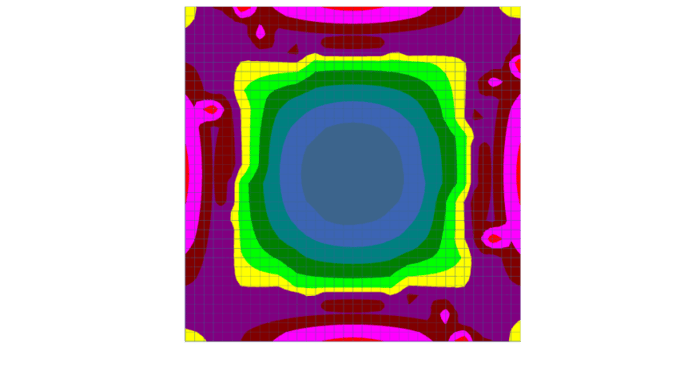
After solution in RISA-3D, you can use Results View Settings to view the Plate Contours graphically on your model.

RISA has now incorporated the tapered member design provisions from Steel Design Guide 25: Frame Design Using Web-Tapered Members written by Richard Kaehler, Don White and Yoon Kuk Kim. These code checking procedures are used whenever the AISC 13th or 14th edition steel codes are selected.
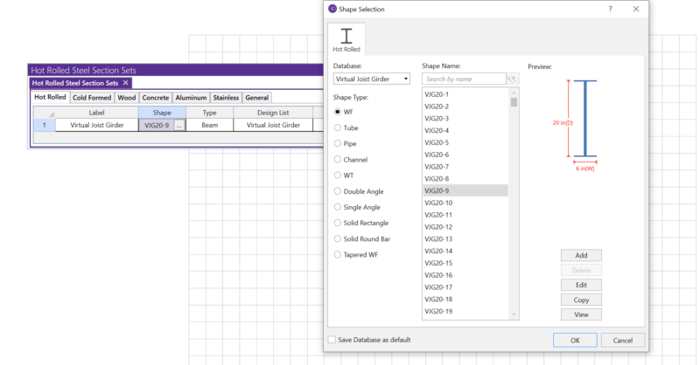
The Steel Joist Institute (SJI) has developed a Virtual Joist Girder table which converts common joist sizes into equivalent wide flange beams for use in RISA-3D.
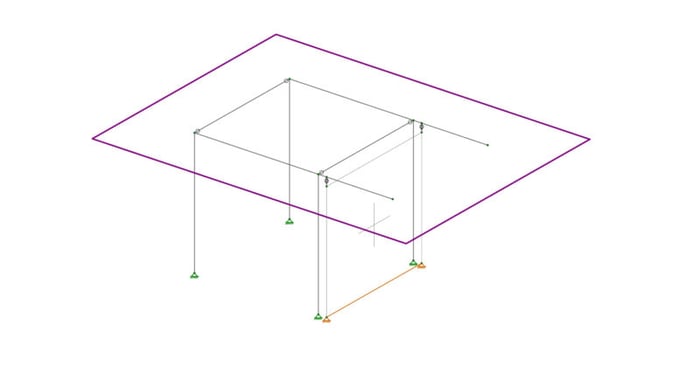
Let’s consider the example of the frame shown below. Suppose there is a diaphragm present at the framing level, and that the wall shown is intended only to handle the lateral loads. In reality the columns will be in-line with the wall, and the cantilever beams will pass over the wall without...