Tips & Tricks

December 29, 2025

What’s New for IBC 2024 in RISA: A Closer Look

With RISA’s latest release of RISA-3D v23.0.1, we’re continuing to expand support for IBC 2024, helping engineers stay aligned with the latest building code requirements as adoption accelerates across the U.S.—including federally funded projects. This release builds on v23.0.0 ASCE 7-22 enhancements and adds key material design updates that move RISA further into full IBC 2024 compliance. New Material Design Updates Supporting IBC 2024 The upcoming release introduces several important design code updates referenced by IBC 2024, including: Steel Seismic design per AISC 341-22 Prequalified connections per AISC 358-22 Continued support for AISC 360-22 (16th Edition) steel design Ongoing updates to the hot-rolled shape database, including compatibility with both 15th and 16th Edition steel manuals These updates support modern seismic detailing requirements and ensure consistency with current steel industry standards. Masonry Masonry design per TMS 402-22, aligning with the latest strength and serviceability provisions adopted by IBC 2024. Key updates include: Revisions to shear design equations, including clarified definitions of shear area as outlined in Table 4.4.5, improving consistency and transparency in shear capacity calculations. Updated strength reduction factors for flexure and combined flexure + axial. Unlike previous editions that used a fixed ϕ-factor of 0.9, TMS 402-22 introduces tension-controlled,…

Read More

How to Create T-Beams and L-Beams in RISA-3D
January 26, 2012

How to Create T-Beams and L-Beams in RISA-3D

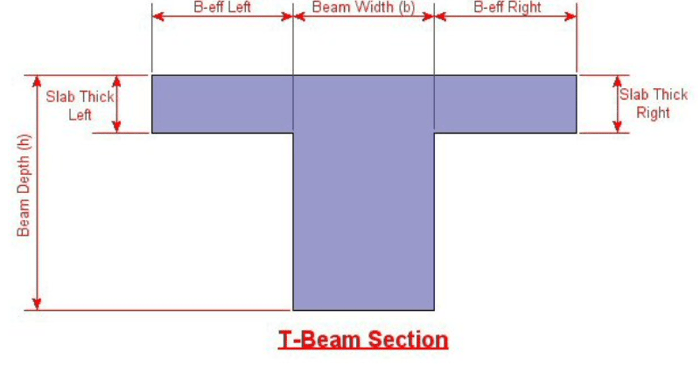
Modeling T-beams and L-beams in RISA-3D can easily be done by specifying the flanges after drawing in the rectangular concrete beam. The flange properties can be specified for individual members on the Concrete Beam tab of the Members spreadsheet, or for a group of selected members in the...
Read More
Methods to Integrate with RISAConnection
September 6, 2011

Methods to Integrate with RISAConnection

There are several ways to take your RISA-3D or RISAFloor model to RISAConnection. The RISA-3D and RISAFloor end reactions can be sent directly to RISAConnection or RISAConnection can be operated from within RISAFloor and RISA-3D.

Read More
How to Define Connections from within RISA-3D
August 22, 2011

How to Define Connections from within RISA-3D

Steel connections can be designed from within RISA-3D using the integration with RISAConnection. Before you start your connection design, you’ll need to define the type of connection and assign the connections to the beams. Just follow these steps in the RISA-3D model:

Read More
Using Projected Loads in RISA-3D
August 18, 2011

Using Projected Loads in RISA-3D

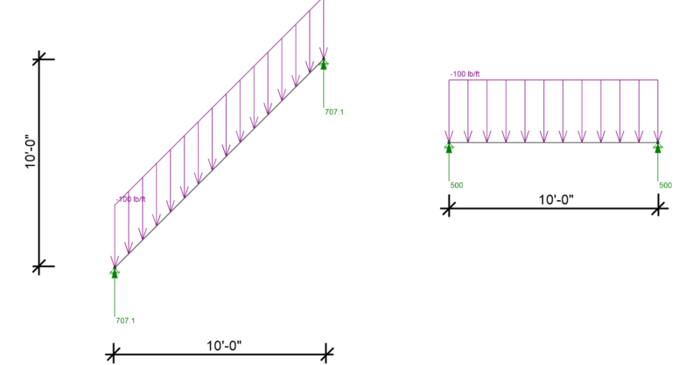
RISA-3D, RISA-2D and RISAFloor have the capability to project distributed and area loads onto members. Consider the case of snow load on two buildings: one with a flat roof and one with a sloped roof. Ignoring the concept of shedding, if both buildings have the same footprint then they should both...

Read More
How to export a model to DXF
July 19, 2011

How to export a model to DXF

RISAFloor, RISA-3D, and RISAFoundation all allow the user to export a model as a DXF file for use in most major CAD programs.

Read More
How to Model a Hole in a Plate
June 16, 2011

How to Model a Hole in a Plate

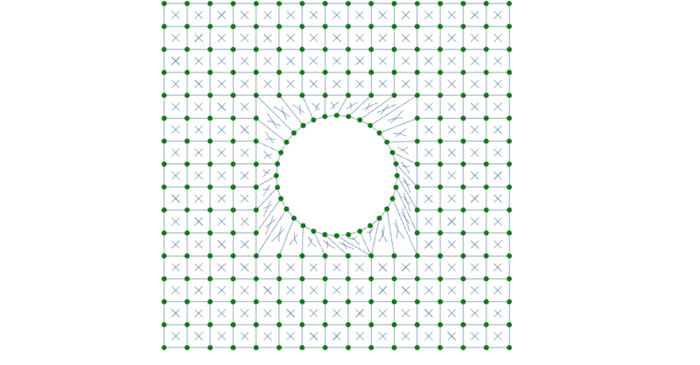
While RISA-3D (or RISA-2D) does not have an explicit tool to punch a hole in a plate, you can use the following steps to manually model them:

Read More
How Do I Avoid Instability Warnings in a RISA-3D Model?
June 13, 2011

How Do I Avoid Instability Warnings in a RISA-3D Model?

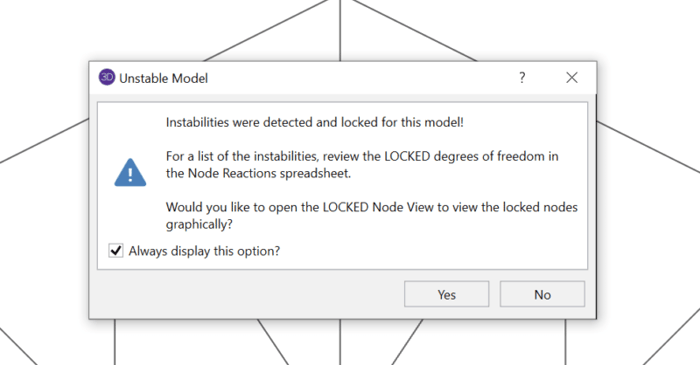
Have you ever received an instability warning when running a three dimensional RISA-3D model? This is because RISA-3D cannot build the stiffness matrix with the configuration you have modeled. In some cases, your model is truly unstable and in others it’s a matter of correctly modeling your...

Read More
How to Model Trusses in RISAFloor
June 3, 2011

How to Model Trusses in RISAFloor

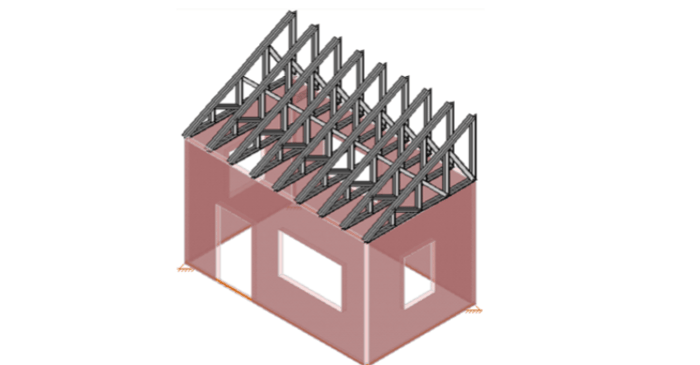
In RISAFloor on the roof level, you layout only the top chords of the truss and create your slope. These top chords by themselves probably won’t be sufficient enough to get designed in RISAFloor, but, don’t worry, we’ll take care of that in RISA-3D when we model the rest of truss.

Read More